







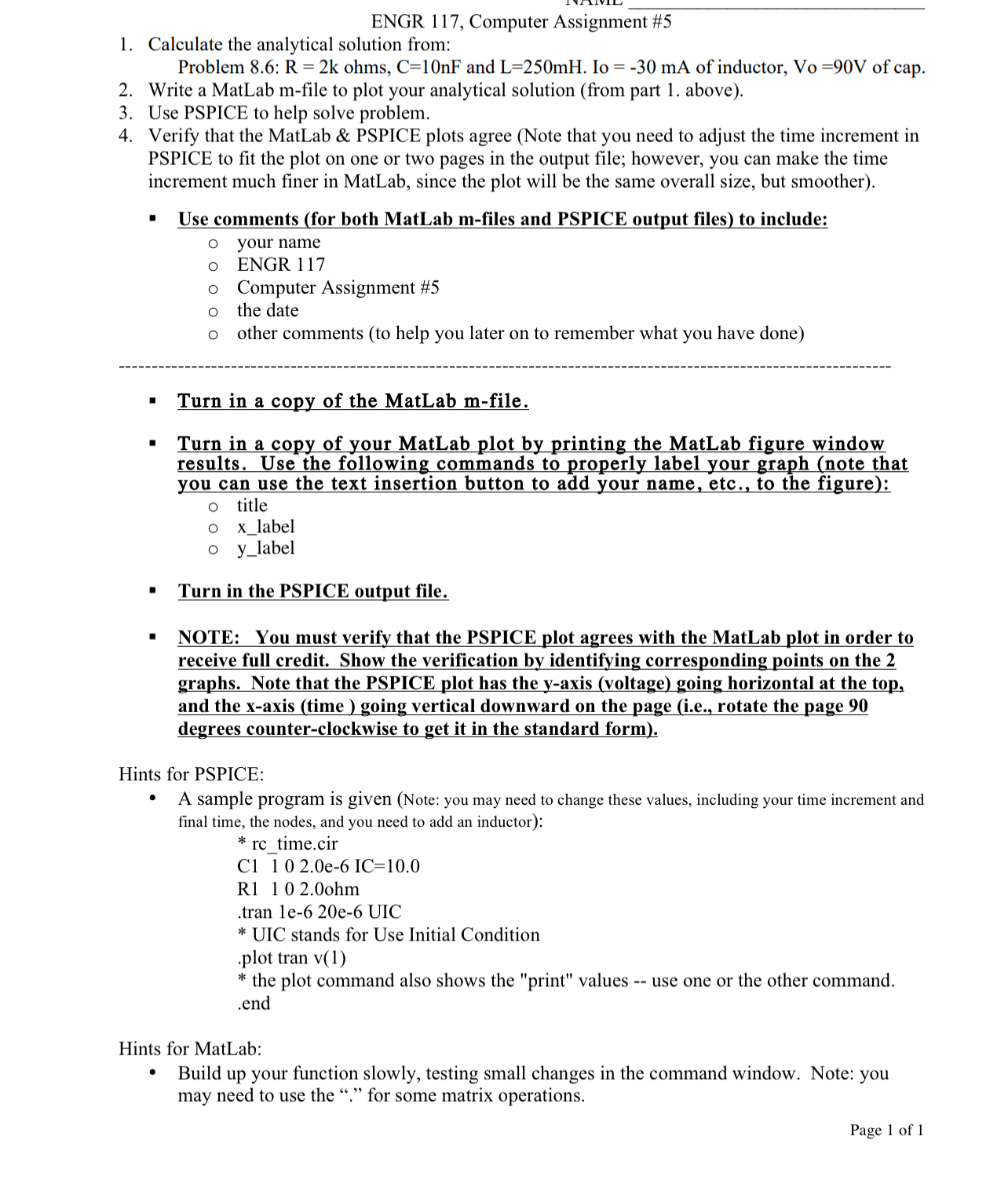
Question: ENGR 1 1 7 , Computer Assignment # 5 Calculate the analytical solution from: Problem 8 . 6 : R = 2 k ohms, C
ENGR Computer Assignment #
Calculate the analytical solution from:
Problem : ohms, and of inductor, of cap.
Write a MatLab mfile to plot your analytical solution from part above
Use PSPICE to help solve problem.
Verify that the MatLab & PSPICE plots agree Note that you need to adjust the time increment in PSPICE to fit the plot on one or two pages in the output file; however, you can make the time increment much finer in MatLab, since the plot will be the same overall size, but smoother
Use comments for both MatLab mfiles and PSPICE output files to include:
your name
ENGR
Computer Assignment #
the date
other comments to help you later on to remember what you have done
Turn in a copy of the MatLab mfile.
Turn in a copy of your MatLab plot by printing the MatLab figure window results. Use the following commands to properly label your graph note that you can use the text insertion button to add your name, etc., to the figure:
title
xlabel
ylabel
Turn in the PSPICE output file.
NOTE: You must verify that the PSPICE plot agrees with the MatLab plot in order to receive full credit. Show the verification by identifying corresponding points on the graphs. Note that the PSPICE plot has the yaxis voltage going horizontal at the top, and the axis time going vertical downward on the page ie rotate the page degrees counterclockwise to get it in the standard form
Hints for PSPICE:
A sample program is given Note: you may need to change these values, including your time increment and final time, the nodes, and you need to add an inductor:
rctime.cir
C
Rohm
tran ee UIC
UIC stands for Use Initial Condition
plot tran
the plot command also shows the "print" values use one or the other command. end
Hints for MatLab:
Build up your function slowly, testing small changes in the command window. Note: you may need to use the for some matrix operations.
Page of
Step by Step Solution
There are 3 Steps involved in it
1 Expert Approved Answer
Step: 1 Unlock

Question Has Been Solved by an Expert!
Get step-by-step solutions from verified subject matter experts
Step: 2 Unlock
Step: 3 Unlock
 Study Help