







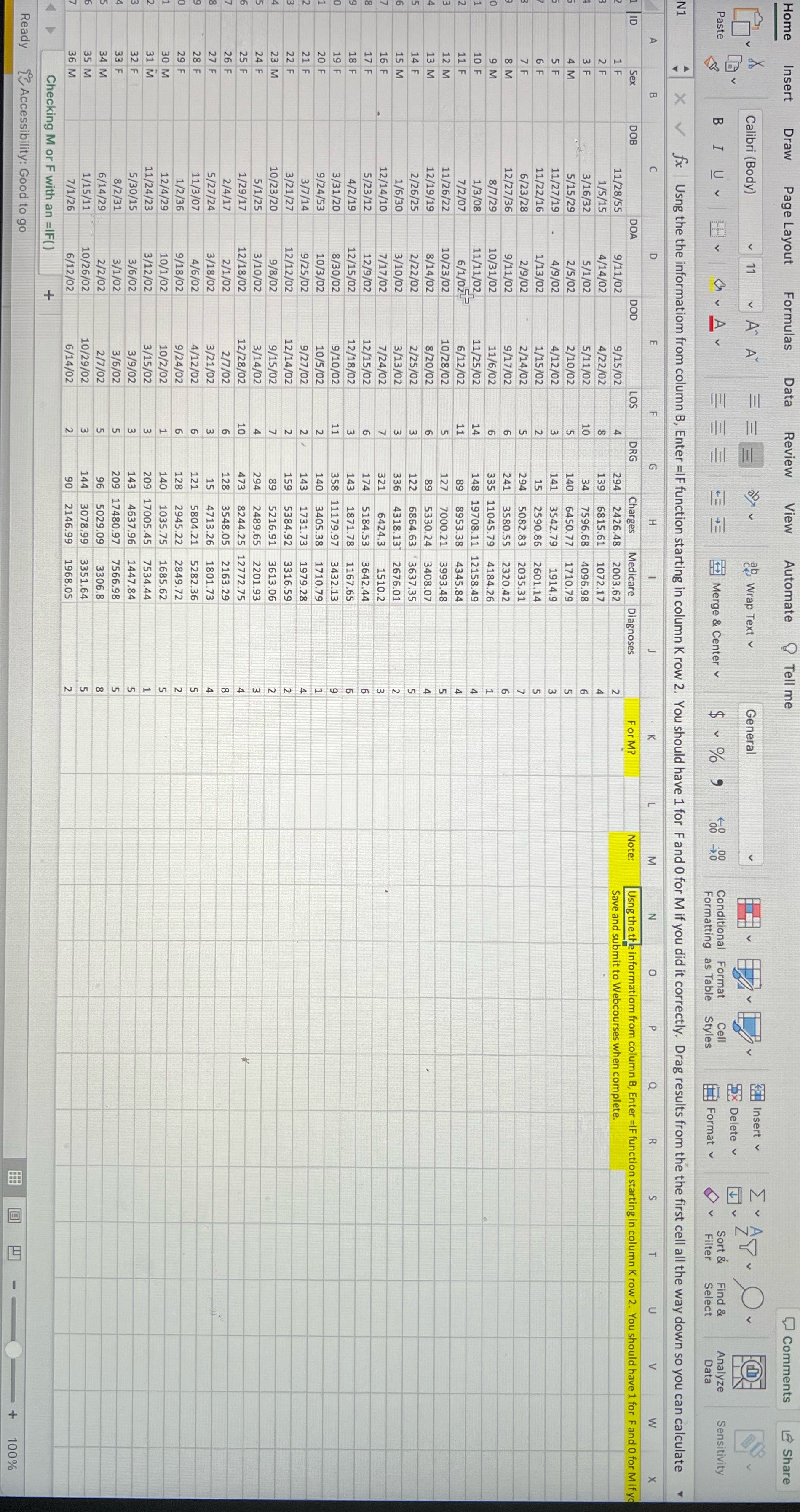
Question: Enter =IF () function. Using the information from column B, Enter =IF function starting in column K row 2. You should have 1 for F
Enter =IF () function. Using the information from column B, Enter =IF function starting in column K row 2. You should have 1 for F and 0 for M if you did it correctly. Drag results from the first cell all the way down so you can calculate results for each.
Step by Step Solution
There are 3 Steps involved in it
1 Expert Approved Answer
Step: 1 Unlock

Question Has Been Solved by an Expert!
Get step-by-step solutions from verified subject matter experts
Step: 2 Unlock
Step: 3 Unlock
 Study Help