







Question: Environment Your code must compile and execute on Ubuntu 14.04.5 as installed on lab machines and provided as a VirtualBox virtual machine (VM) You are
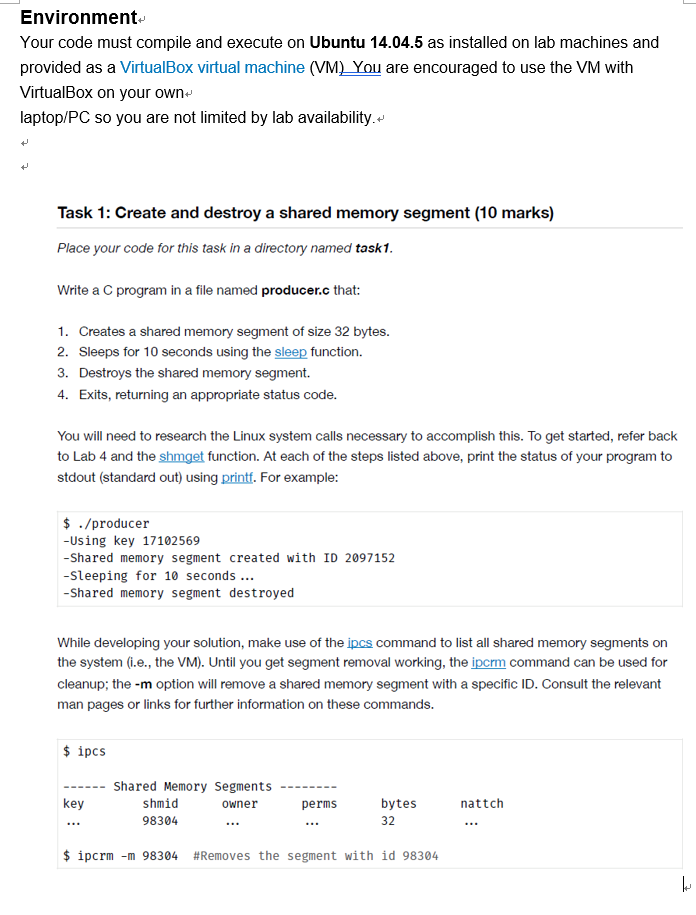
Environment Your code must compile and execute on Ubuntu 14.04.5 as installed on lab machines and provided as a VirtualBox virtual machine (VM) You are encouraged to use the VM with VirtualBox on your own laptop/PC so you are not limited by lab availability. Task 1: Create and destroy a shared memory segment (10 marks) Place your code for this task in a directory named task1 Write a C program in a file named producer.c that 1. Creates a shared memory segment of size 32 bytes. 2. Sleeps for 10 seconds using the sleep function. 3. Destroys the shared memory segment. 4. Exits, returning an appropriate status code. You will need to research the Linux system calls necessary to accomplish this. To get started, refer back to Lab 4 and the shmget function. At each of the steps listed above, print the status of your program to stdout (standard out) using printf. For example $ ./producer -Using key 17102569 -Shared memory segment created with ID 2097152 -Sleeping for 10 seconds... -Shared memory segment destroyed While developing your solution, make use of the ipcs command to list all shared memory segments on the system (i.e., the VM). Until you get segment removal working, the ipcrm command can be used for cleanup; the -m option will remove a shared memory segment with a specific ID. Consult the relevant man pages or links for further information on these commands. ipcs -Shared Memory Segments- shmid 98304 key bytes 32 owner perms nattch $. ipcrm-m 98304 #Removes the segment with id 98304
Step by Step Solution
There are 3 Steps involved in it

Get step-by-step solutions from verified subject matter experts
 Study Help