



Question: ercise 2: Submit the design of each part(A, B, C) separately. Use Visio to design the ERD relevant to ch part. efine a database for
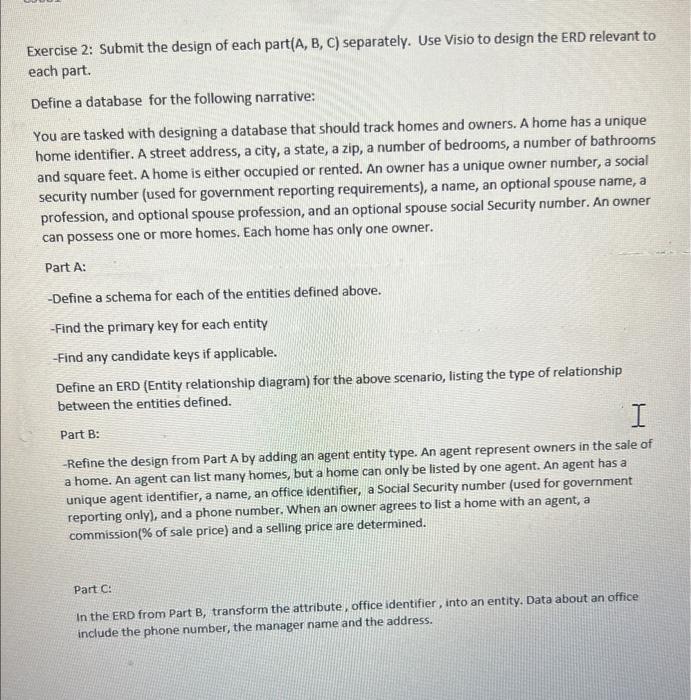
ercise 2: Submit the design of each part(A, B, C) separately. Use Visio to design the ERD relevant to ch part. efine a database for the following narrative: ou are tasked with designing a database that should track homes and owners. A home has a unique ome identifier. A street address, a city, a state, a zip, a number of bedrooms, a number of bathrooms and square feet. A home is either occupied or rented. An owner has a unique owner number, a social security number (used for government reporting requirements), a name, an optional spouse name, a profession, and optional spouse profession, and an optional spouse social Security number. An owner can possess one or more homes. Each home has only one owner. Part A: -Define a schema for each of the entities defined above. - Find the primary key for each entity -Find any candidate keys if applicable. Define an ERD (Entity relationship diagram) for the above scenario, listing the type of relationship between the entities defined. Part B: -Refine the design from Part A by adding an agent entity type. An agent represent owners in the sale of a home. An agent can list many homes, but a home can only be listed by one agent. An agent has a unique agent identifier, a name, an office identifier, a Social Security number (used for government reporting onlyl, and a phone number. When an owner agrees to list a home with an agent, a commission(\% of sale price) and a selling price are determined. Part C: In the ERD from Part B, transform the attribute, office identifier, into an entity. Data about an office include the phone number, the manager name and the address
Step by Step Solution
There are 3 Steps involved in it

Get step-by-step solutions from verified subject matter experts