







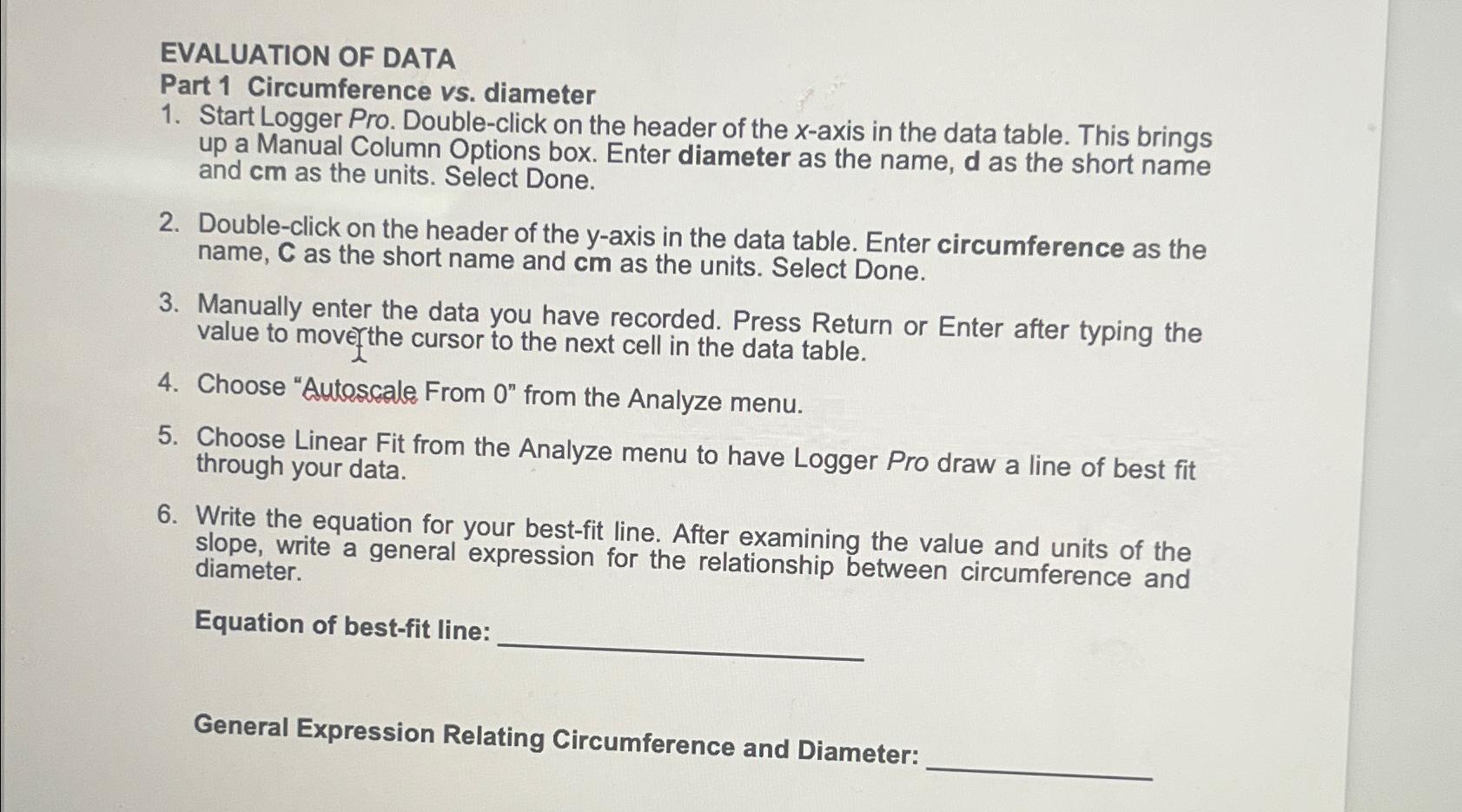
Question: EVALUATION OF DATA Part 1 Circumference vs . diameter Start Logger Pro. Double - click on the header of the x - axis in the
EVALUATION OF DATA
Part Circumference vs diameter
Start Logger Pro. Doubleclick on the header of the axis in the data table. This brings up a Manual Column Options box. Enter diameter as the name, as the short name and as the units. Select Done.
Doubleclick on the header of the axis in the data table. Enter circumference as the name, as the short name and as the units. Select Done.
Manually enter the data you have recorded. Press Return or Enter after typing the value to mover the cursor to the next cell in the data table.
Choose "Autoscale From from the Analyze menu.
Choose Linear Fit from the Analyze menu to have Logger Pro draw a line of best fit through your data.
Write the equation for your bestfit line. After examining the value and units of the slope, write a general expression for the relationship between circumference and diameter.
Equation of bestfit line:
General Expression Relating Circumference and Diameter:
Step by Step Solution
There are 3 Steps involved in it
1 Expert Approved Answer
Step: 1 Unlock

Question Has Been Solved by an Expert!
Get step-by-step solutions from verified subject matter experts
Step: 2 Unlock
Step: 3 Unlock
 Study Help