







Question: Example 1: Present Value for Annuity Cash Flows Finding the present value of an annuity is a simple task in Excel. Remember the Pmt argument
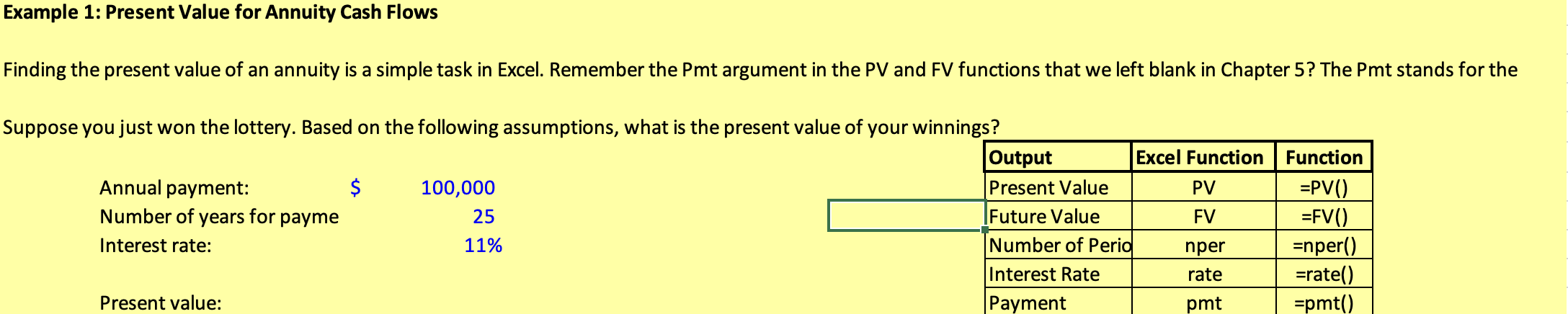

Example 1: Present Value for Annuity Cash Flows Finding the present value of an annuity is a simple task in Excel. Remember the Pmt argument in the PV and FV functions that we left blank in Chapter 5? The Pmt stands for the Suppose you just won the lottery. Based on the following assumptions, what is the present value of your winnings? Output Excel Function Function Annual payment: $ 100,000 Present Value PV =PVC) Number of years for payme 25 Future Value FV =FV() Interest rate: 11% Number of Peria nper =nper() Interest Rate rate =rate() Present value: Payment pmt =pmt() Example 2: Future Value for Annuities We can find the future value of an annuity using the Pmt argument in the FV function. Suppose you are saving for retirement. Based on the following assumptions, how much will $ Annual savings: Number of years to save: Interest rate: 3,000 30 11% Future value
Step by Step Solution
There are 3 Steps involved in it

Get step-by-step solutions from verified subject matter experts
 Study Help