







Question: Example: 12. Insert 2 pictures - a briefcase & money ( $ ) from the business menu in the clip art or directly from Online
Example: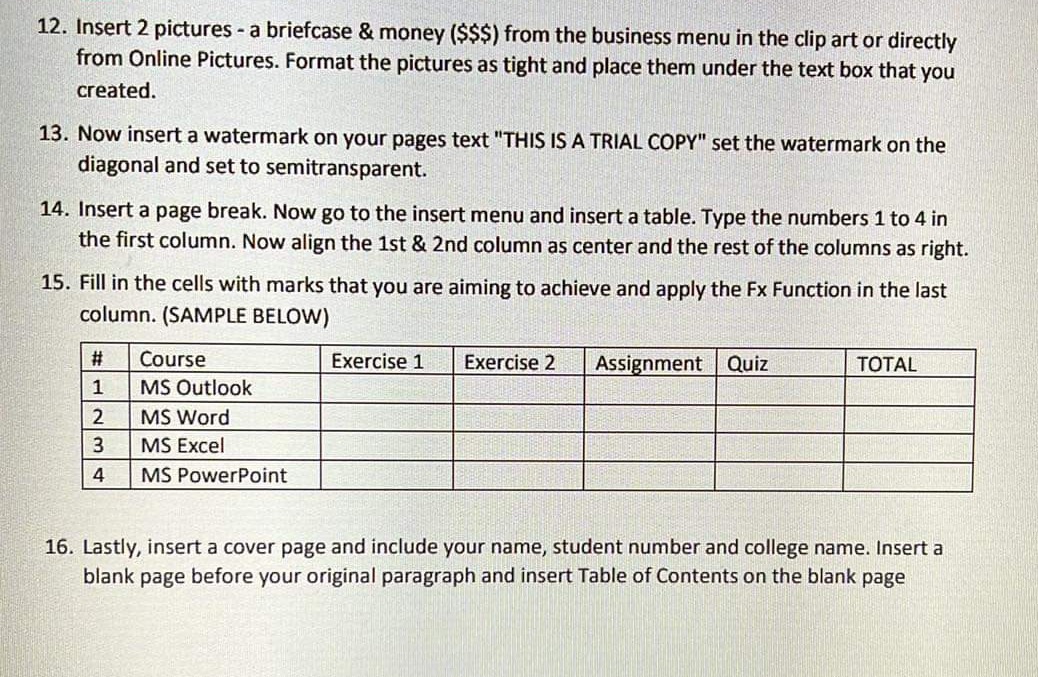
12. Insert 2 pictures - a briefcase & money ( $ ) from the business menu in the clip art or directly from Online Pictures. Format the pictures as tight and place them under the text box that you created. 13. Now insert a watermark on your pages text "THIS IS A TRIAL COPY" set the watermark on the diagonal and set to semitransparent. 14. Insert a page break. Now go to the insert menu and insert a table. Type the numbers 1 to 4 in the first column. Now align the 1 st \& 2 nd column as center and the rest of the columns as right. 15. Fill in the cells with marks that you are aiming to achieve and apply the Fx Function in the last column. (SAMPLE BELOW) 16. Lastly, insert a cover page and include your name, student number and college name. Insert a blank page before your original paragraph and insert Table of Contents on the blank page 12. Insert 2 pictures - a briefcase & money ( $ ) from the business menu in the clip art or directly from Online Pictures. Format the pictures as tight and place them under the text box that you created. 13. Now insert a watermark on your pages text "THIS IS A TRIAL COPY" set the watermark on the diagonal and set to semitransparent. 14. Insert a page break. Now go to the insert menu and insert a table. Type the numbers 1 to 4 in the first column. Now align the 1 st \& 2 nd column as center and the rest of the columns as right. 15. Fill in the cells with marks that you are aiming to achieve and apply the Fx Function in the last column. (SAMPLE BELOW) 16. Lastly, insert a cover page and include your name, student number and college name. Insert a blank page before your original paragraph and insert Table of Contents on the blank page
Step by Step Solution
There are 3 Steps involved in it

Get step-by-step solutions from verified subject matter experts
 Study Help