







Question: Example: [whatever the variable name is).open(Person.txt); Your program must be setup to open Person.txt as the file. For testing you can add your own Person.txt
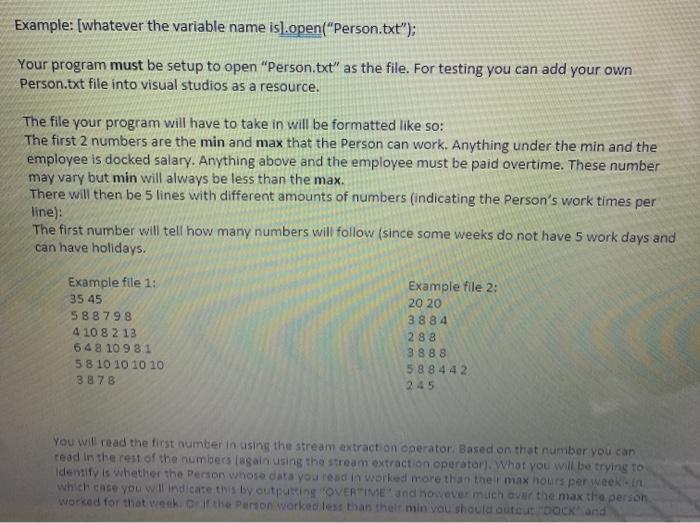
Example: [whatever the variable name is).open("Person.txt"); Your program must be setup to open "Person.txt" as the file. For testing you can add your own Person.txt file into visual studios as a resource. The file your program will have to take in will be formatted like so: The first 2 numbers are the min and max that the Person can work. Anything under the min and the employee is docked salary. Anything above and the employee must be paid overtime. These number may vary but min will always be less than the max. There will then be 5 lines with different amounts of numbers (indicating the person's work times per line): The first number will tell how many numbers will follow (since some weeks do not have 5 work days and can have holidays. Example file 1: 35 45 588 79 8 4 10 8 2 13 648 109 81 5 8 10 10 10 10 38 78 Example file 2: 20 20 3 884 2 88 3 888 58 8 442 245 You will read the first number in using the stream extraction operator. Based on that number you can read in the rest of the numbers again using the stream extraction operator). What you will be trying to Identify is whether the Person whose data you read in worked more than their max hours per week in which case you will indicate this by outputting "OVERTIME" and however much over the max the person worked for that werk of the Person worked less than their min you should autout back and
Step by Step Solution
There are 3 Steps involved in it

Get step-by-step solutions from verified subject matter experts
 Study Help