







Question: Examples html code is the same in both. please explain step by step Using the Dice object: var dice = { sides: 6, roll: function
Examples
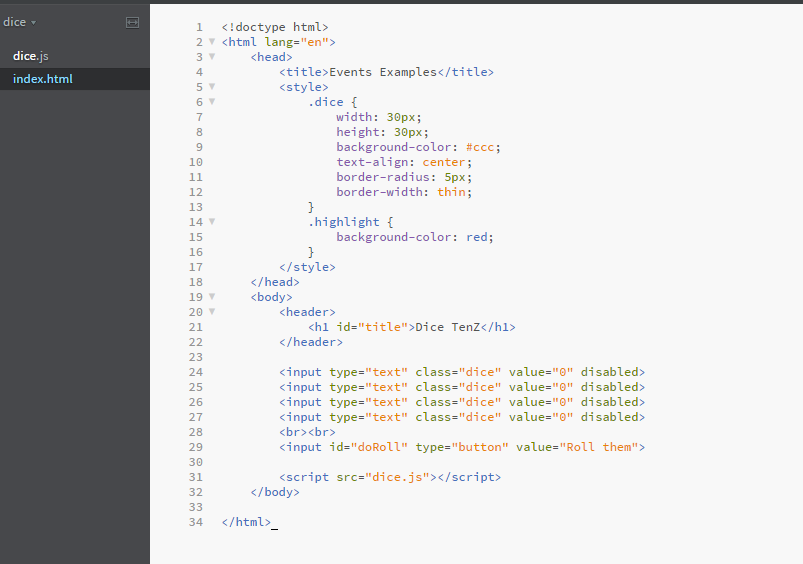
html code is the same in both. please explain step by step
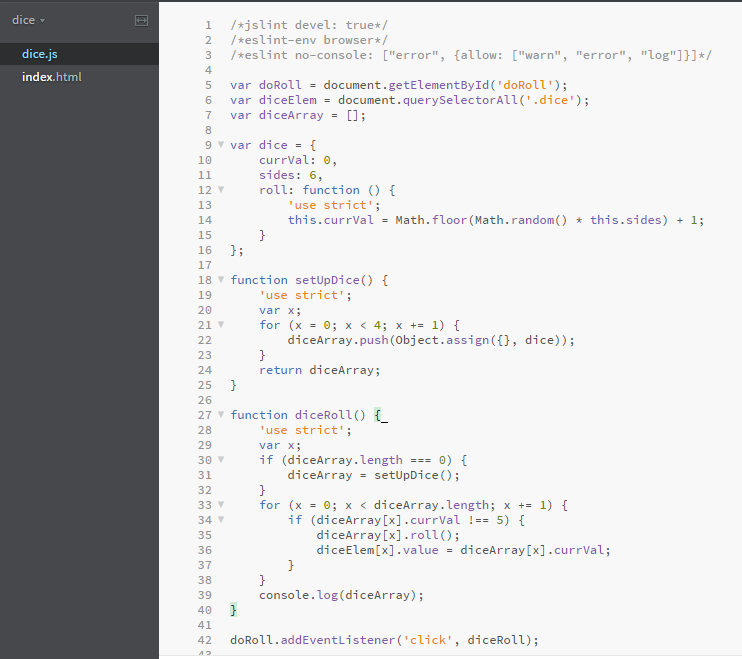
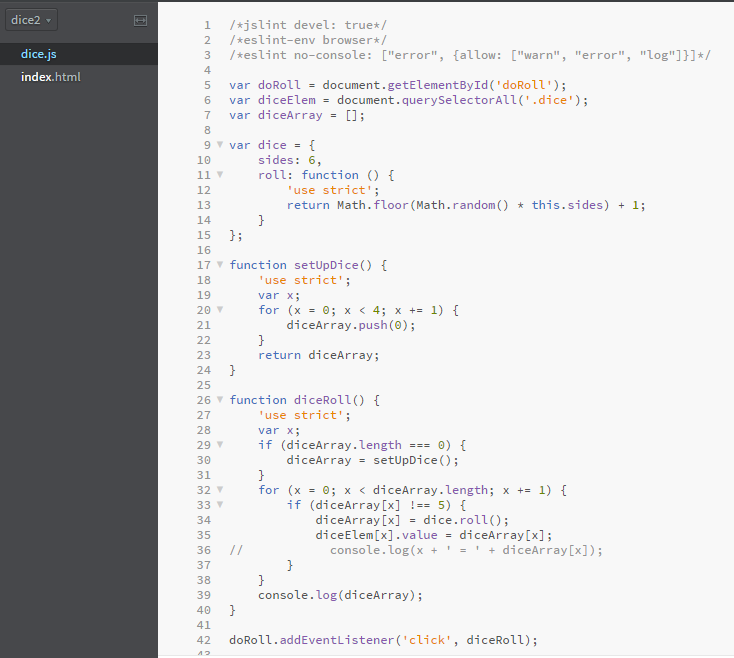
Using the Dice object:
var dice = {
sides: 6,
roll: function () {
return Math.floor(Math.random() * this.sides) + 1;
}
};
From the browser get the value between 1 and 6 that will be used to compare to the values on the dice (5 points)
Use an event to get the value to compare from the html to your script. (5 points)
Create an array.
Populate 10 elements of the array by calling your dice.roll() method. (10 points)
Display the values of the dice in the html (10 points)
Loop through the array setting the elements that are not 6 to the results of dice.roll().
Each completed loop counts as one turn.
Count how many turns it takes to get the array filled with all of the compare value. (5 points)
Display this count to the screen. (5 points)
Zip your html and js files and submit the zip file.
Example:
If I chose the number 6 to be compared, the initial array may look like (notice 6s stay in place and are not re-rolled):
2,1,3,6,2,4,6,1,3,4
My second turn:
6,5,6,6,2,2,6,4,6,1
My third turn and so forth until all 6s:
6,5,6,6,2,4,6,4,6,6
6,3,6,6,2,1,6,1,6,6
6,5,6,6,5,1,6,1,6,6
6,5,6,6,3,6,6,4,6,6
6,4,6,6,6,6,6,5,6,6
6,5,6,6,6,6,6,4,6,6
6,6,6,6,6,6,6,4,6,6
6,6,6,6,6,6,6,6,6,6
At this point I would be notified that it took 10 turns. The number 10 would be displayed on the screen
Notes: You may want to use individual elements for each dice. You could also put under each dice the number of rolls that it took for that element to become the number selected. To test you could use an event to do the dice roll. You could also test by putting out the array to the console.
dice 1 2 ? head> dice.js
24 25 26 27 28 29 Kinput type-"text" class-"dice" value-"" disabled> Kinput type-"text" class-"dice" value-"O" disabled> Kinput type-"text" class-"dice" value-"" disabled> Kinput type-"text" class-"dice" value-"" disabled> br> Kinput id-"doRoll" type-"button" value-"Rol1 them"> 31 32 34
Step by Step Solution
There are 3 Steps involved in it

Get step-by-step solutions from verified subject matter experts
 Study Help