







Question: Excel Features & Functions Used in this exercise Use Color Fill & Font for formatting IF Statements Nested IF Statements Basic Calculations Weighted Grade Calculations
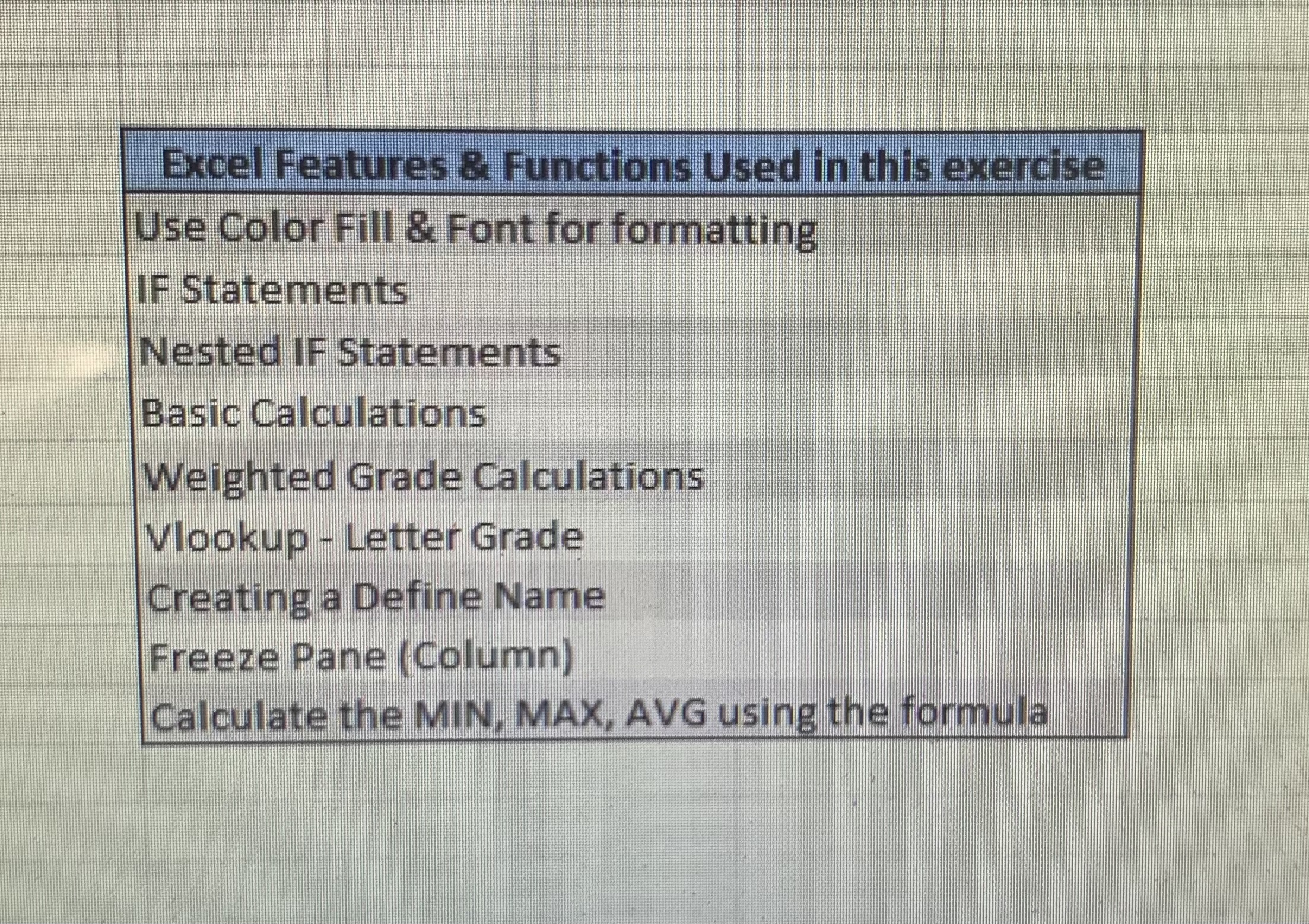
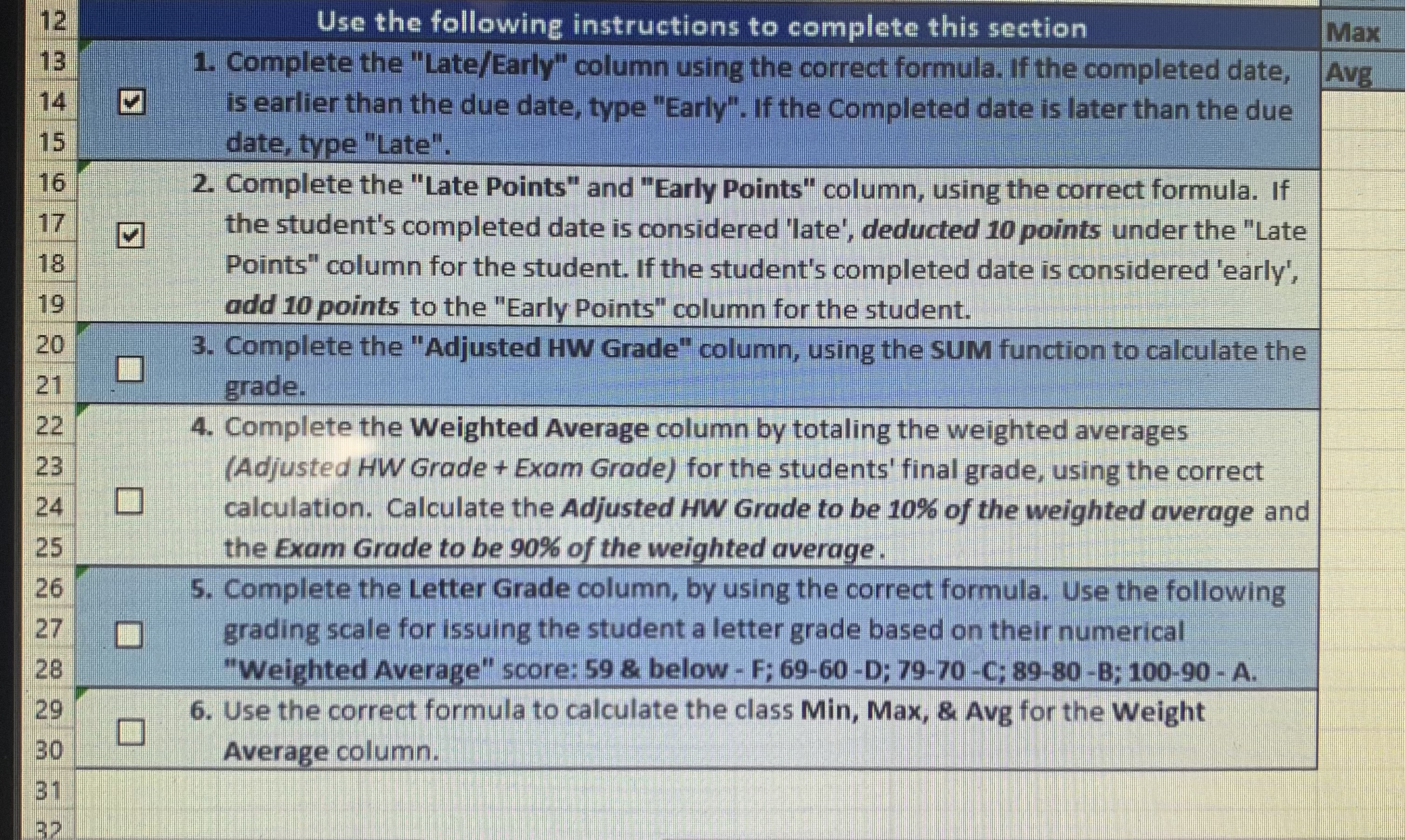
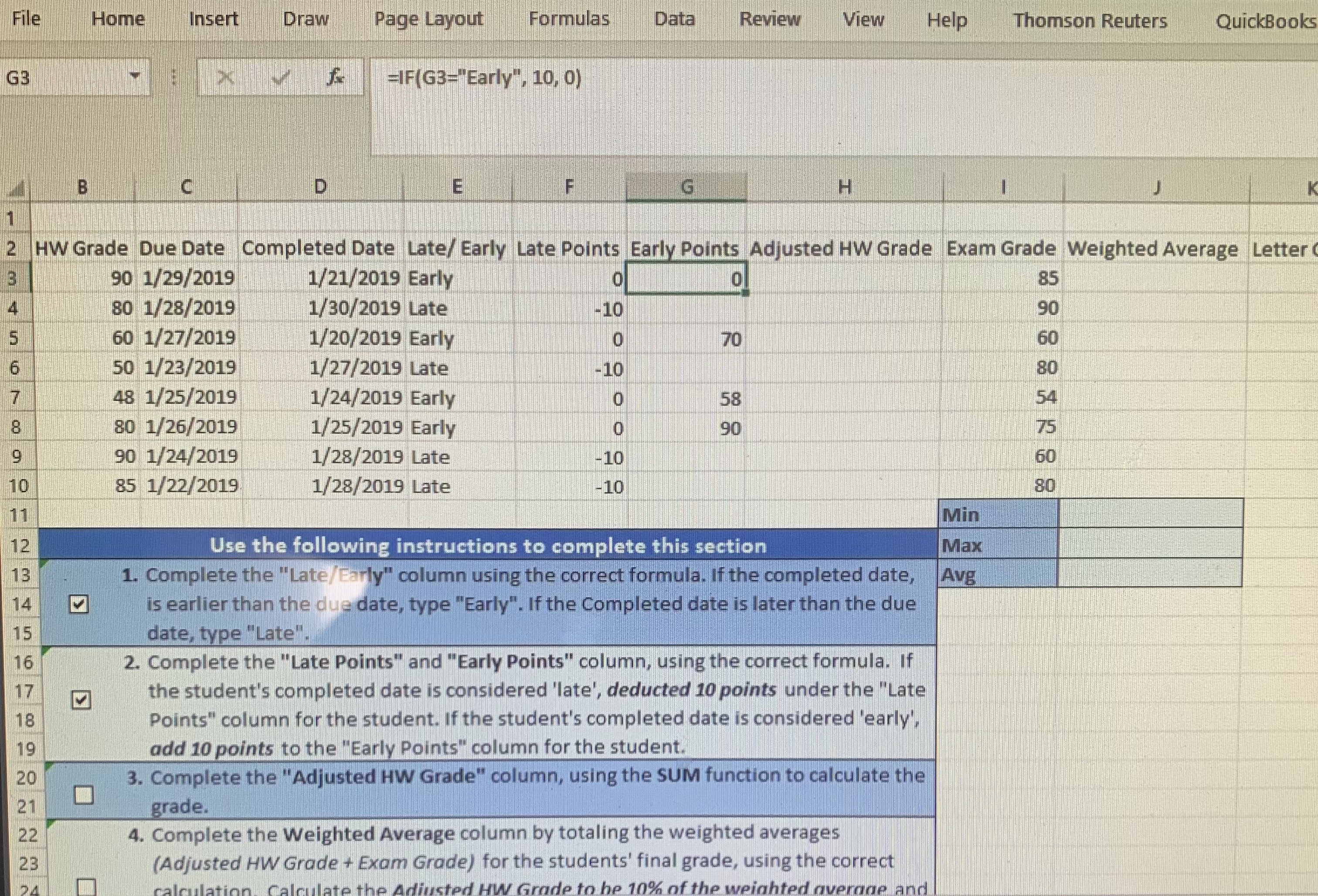
Excel Features & Functions Used in this exercise Use Color Fill & Font for formatting IF Statements Nested IF Statements Basic Calculations Weighted Grade Calculations Vlookup - Letter Grade Creating a Define Name Freeze Pane ( Column) Calculate the MIN, MAX, AVG using the formula12 Use the following instructions to complete this section Max 13 1. Complete the "Late/Early" column using the correct formula. If the completed date, Avg 14 is earlier than the due date, type "Early". If the Completed date is later than the due 15 date, type "Late". 16 2. Complete the "Late Points" and "Early Points" column, using the correct formula. if 17 the student's completed date is considered 'late', deducted 10 points under the "Late 18 Points" column for the student. If the student's completed date is considered 'early', 19 add 10 points to the "Early Points" column for the student. 20 3. Complete the "Adjusted HW Grade" column, using the SUM function to calculate the 21 grade. 22 4. Complete the Weighted Average column by totaling the weighted averages 23 (Adjusted HW Grade + Exam Grade) for the students' final grade, using the correct 24 calculation. Calculate the Adjusted HW Grade to be 10% of the weighted average and 25 the Exam Grade to be 90%% of the weighted average . 26 5. Complete the Letter Grade column, by using the correct formula. Use the following 27 grading scale for issuing the student a letter grade based on their numerical 28 "Weighted Average" score: 59 & below - F: 69-60 -D: 79-70 -C: 89-80-B; 100-90 - A. 29 6. Use the correct formula to calculate the class Min, Max, & Avg for the Weight 30 Average column. 31File Home Insert Draw Page Layout Formulas Data Review View Help Thomson Reuters QuickBooks G3 -IF(G3="Early", 10, 0) B C D E F G H 2 HW Grade Due Date Completed Date Late/ Early Late Points Early Points Adjusted HW Grade Exam Grade Weighted Average Letter 90 1/29/2019 1/21/2019 Early o 0 85 80 1/28/2019 1/30/2019 Late 10 90 60 1/27/2019 1/20/2019 Early O 70 60 50 1/23/2019 1/27/2019 Late 10 80 48 1/25/2019 1/24/2019 Early O 58 80 1/26/2019 1/25/2019 Early O 90 9 90 1/24/2019 1/28/2019 Late -10 60 10 85 1/22/2019 1/28/2019 Late 10 11 Min 12 Use the following instructions to complete this section Max 13 1. Complete the "Late/Early" column using the correct formula. If the completed date, Avg 14 is earlier than the due date, type "Early". If the Completed date is later than the due 15 date, type "Late". 16 2. Complete the "Late Points" and "Early Points" column, using the correct formula. If 17 the student's completed date is considered 'late', deducted 10 points under the "Late 18 Points" column for the student. If the student's completed date is considered 'early", 19 add 10 points to the "Early Points" column for the student. 20 3. Complete the "Adjusted HW Grade" column, using the SUM function to calculate the 21 grade. 22 4. Complete the Weighted Average column by totaling the weighted averages 23 (Adjusted HW Grade + Exam Grade) for the students' final grade, using the correct Calculate the Adjusted HW Grade to be 10% of the weighted average and
Step by Step Solution
There are 3 Steps involved in it

Get step-by-step solutions from verified subject matter experts
 Study Help