







Question: EXCEL PROBLEM Need help with this! I cant figure oout what im doing wrong. keeps saying input error?? Data Tools Outline A * C Sort
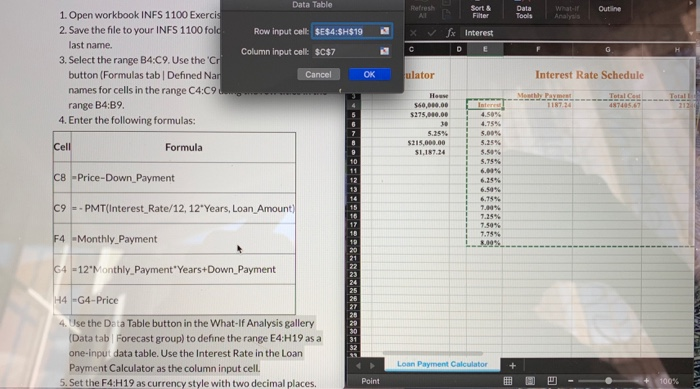
Data Tools Outline A * C Sort & Filter fx Interest D E Data Table 1. Open workbook INFS 1100 Exercis 2. Save the file to your INFS 1100 fold Row input celt: $E$4:$H$19A last name. Column input cell: $C$7 3. Select the range B4:09. Use the 'Cr button (Formulas tab | Defined Nar Cancel OK names for cells in the range C4:09........... range B4:B9. 4. Enter the following formulas: ulator Interest Rate Schedule 560,000.00 5.25% $215,000.00 51,187.24 5.00% 5.25% Formula 5.75% C8 -Price-Down Payment C9 - - PMT(Interest Rate/12, 12"Years, Loan Amount) F4 -Monthly Payment 64 -12 Monthly Payment"Years+Down Payment H4 -G4-Price SUNNNNNN 4. Use the Data Table button in the What If Analysis gallery (Data tab Forecast group) to define the range E4:H19 as a one-input data table. Use the Interest Rate in the Loan Payment Calculator as the column input cell. 5. Set the F4:H19 as currency style with two decimal places. Loan Payment Calculator Point
Step by Step Solution
There are 3 Steps involved in it

Get step-by-step solutions from verified subject matter experts
 Study Help