





Question: Excel Problem Use a formula to calculate the commission for each employee. Commission is their sales figure times the current commission rate listed in 13.

Excel Problem Excel Problem Use a formula to calculate the
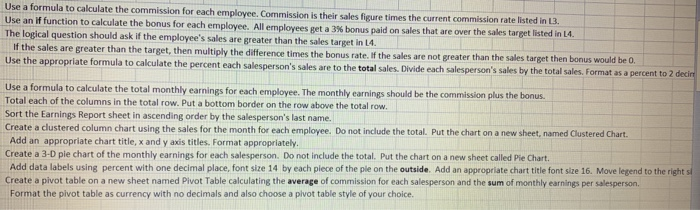
Use a formula to calculate the commission for each employee. Commission is their sales figure times the current commission rate listed in 13. Use an If function to calculate the bonus for each employee. All employees get a 3% bonus paid on sales that are over the sales target listed in L4. The local question should ask if the employee's sales are greater than the sales target in 14 If the sales are greater than the target, then multiply the difference times the bonus rate. If the sales are not greater than the sales target then bonus would be 0. Use the appropriate formula to calculate the percent each salesperson's sales are to the total sales. Divide each salesperson's sales by the total sales. Format as a percent to 2 decin Use a formula to calculate the total monthly earnings for each employee. The monthly earnings should be the commission plus the bonus Total each of the columns in the total row. Put a bottom border on the row above the total row. Sort the Earnings Report sheet in ascending order by the salesperson's last name. Create a clustered column chart using the sales for the month for each employee. Do not include the total. Put the chart on a new sheet, named Clustered Chart. Add an appropriate chart title, x and yaris titles. Format appropriately. Create a 3-D ple chart of the monthly earnings for each salesperson. Do not include the total. Put the chart on a new sheet called Pie Chart. Add data labels using percent with one decimal place, font size 14 by each piece of the ple on the outside. Add an appropriate chart title font size 16. Move legend to the right si Create a pivot table on a new sheet named Pivot Table calculating the average of commission for each salesperson and the sum of monthly earnings per salesperson Format the pivot table as currency with no decimals and also choose a pivot table style of your choice. Use a formula to calculate the commission for each employee. Commission is their sales figure times the current commission rate listed in 13. Use an If function to calculate the bonus for each employee. All employees get a 3% bonus paid on sales that are over the sales target listed in L4. The local question should ask if the employee's sales are greater than the sales target in 14 If the sales are greater than the target, then multiply the difference times the bonus rate. If the sales are not greater than the sales target then bonus would be 0. Use the appropriate formula to calculate the percent each salesperson's sales are to the total sales. Divide each salesperson's sales by the total sales. Format as a percent to 2 decin Use a formula to calculate the total monthly earnings for each employee. The monthly earnings should be the commission plus the bonus Total each of the columns in the total row. Put a bottom border on the row above the total row. Sort the Earnings Report sheet in ascending order by the salesperson's last name. Create a clustered column chart using the sales for the month for each employee. Do not include the total. Put the chart on a new sheet, named Clustered Chart. Add an appropriate chart title, x and yaris titles. Format appropriately. Create a 3-D ple chart of the monthly earnings for each salesperson. Do not include the total. Put the chart on a new sheet called Pie Chart. Add data labels using percent with one decimal place, font size 14 by each piece of the ple on the outside. Add an appropriate chart title font size 16. Move legend to the right si Create a pivot table on a new sheet named Pivot Table calculating the average of commission for each salesperson and the sum of monthly earnings per salesperson Format the pivot table as currency with no decimals and also choose a pivot table style of your choice

Step by Step Solution

There are 3 Steps involved in it

1 Expert Approved Answer
Step: 1 Unlock blur-text-image

Question Has Been Solved by an Expert!

Get step-by-step solutions from verified subject matter experts

Step: 2 Unlock
Step: 3 Unlock

Students Have Also Explored These Related General Management Questions!