







Question: Excel programming: Option pricing with a six -step binomial tree All tables and any attachments needed are attached as screenshots. I have made an excel
Excel programming: Option pricing with a six-step binomial tree
All tables and any attachments needed are attached as screenshots. I have made an excel spreadsheet for the test prep question but dont know how to attach it to the question.
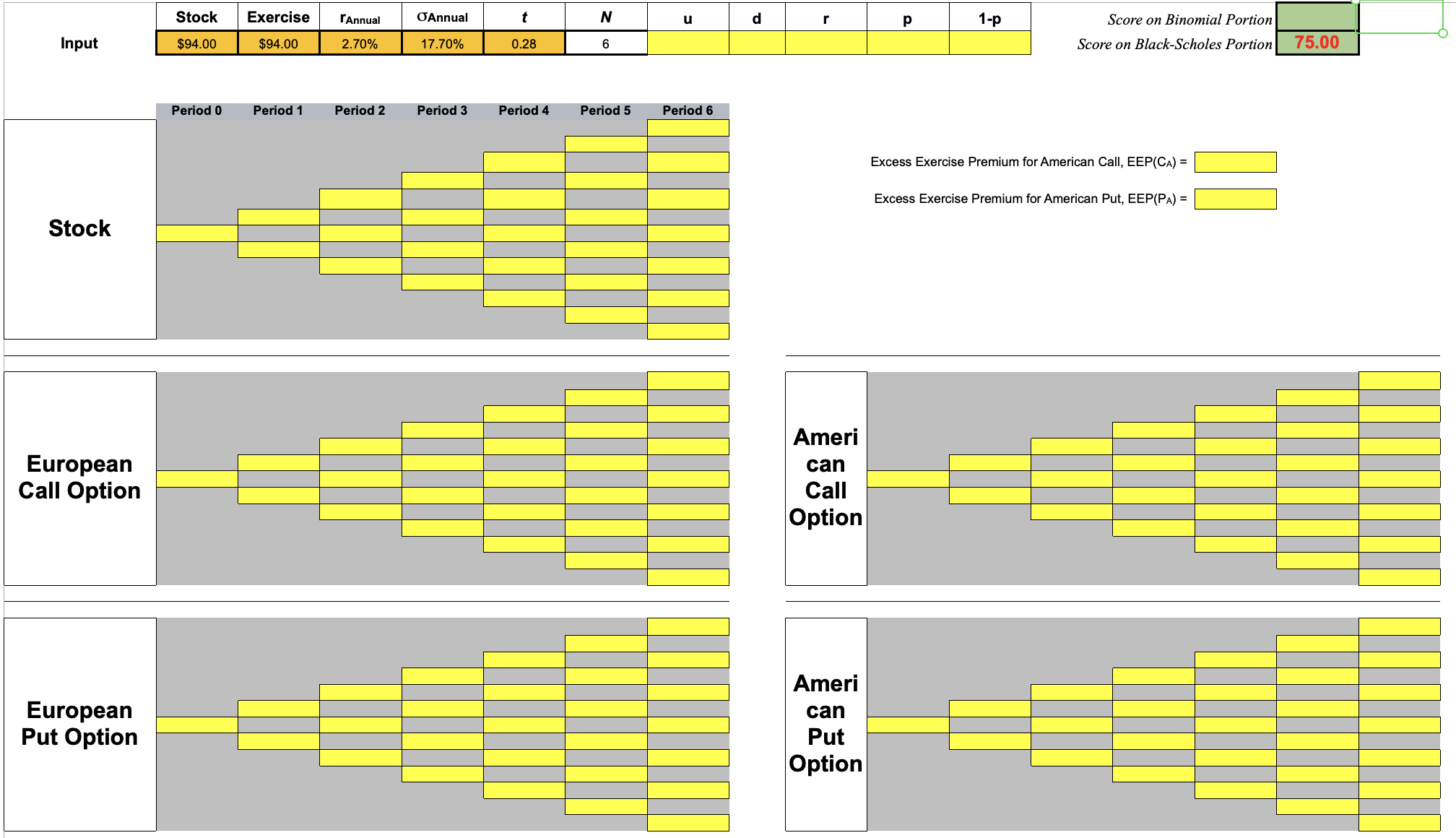
There are no personal links in this question, I have attached screenshots of the excel set up but does not need to look exactly like the screenshots. All the input numbers are in the orange cells (I have inputed that into in to the screenshots) but they table below would be the numbers needed to be inputed. Really need help getting the formulas. I have been working on it for two weeks and keep getting error message upon error message.
Stock | Exercise | rAnnual | ?Annual | T | Cmarket (C83) | Pmarket (C85) |
$94 | $94 | 2.70% | 17.70% | 0.28 | $4.06 | $3.28 |
- You need to submit an Excel file. You have six input cells: S, X, rannual, ?annual, T, and N=6. All other cells should be formulas and automatically computed. Note that the risk-free rate (rannual) is continuously compounded and that you need to use the EXP function, not (1+r)T.
- For the Binomial Model:
- Based on input variables, compute u, d, r, p, and 1-p.
- Build five trees, S, CE, PE, CA, and PA, and EEP (early exercise premium) for CA and PA.
- One stock tree: there should be only three unique formulas in the stocks tree: a root, an up node, and a down node. The rest of the nodes should be done by copy/paste one of the three unique formulas.
- Four option trees: there should be only two unique formulas for each option tree: one formula for all leaf nodes and one formula for all non-leaf nodes.
- You may not use the property that CA = CE, which means in your CA tree, you need to program the early-exercise feature of CA.
- first implement the two-step trees
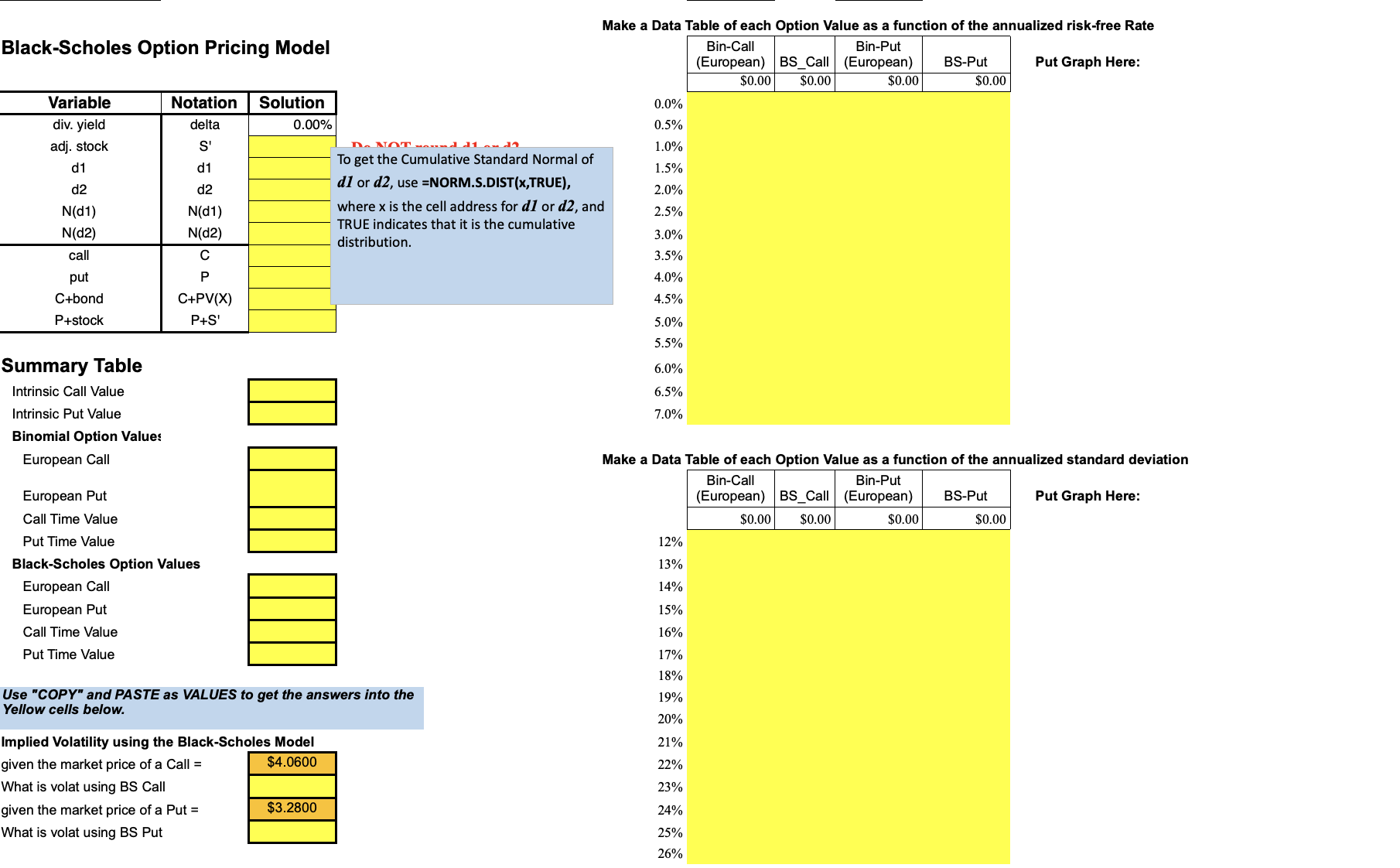
- For the Black-Scholes Model ):
- input numbers (cells B3:F3) from the first part
- Fill in the entries in the Black-Scholes section of the spreadsheet (Below the Binomial Model). Screenshot attached
- Fill in the Summary Table
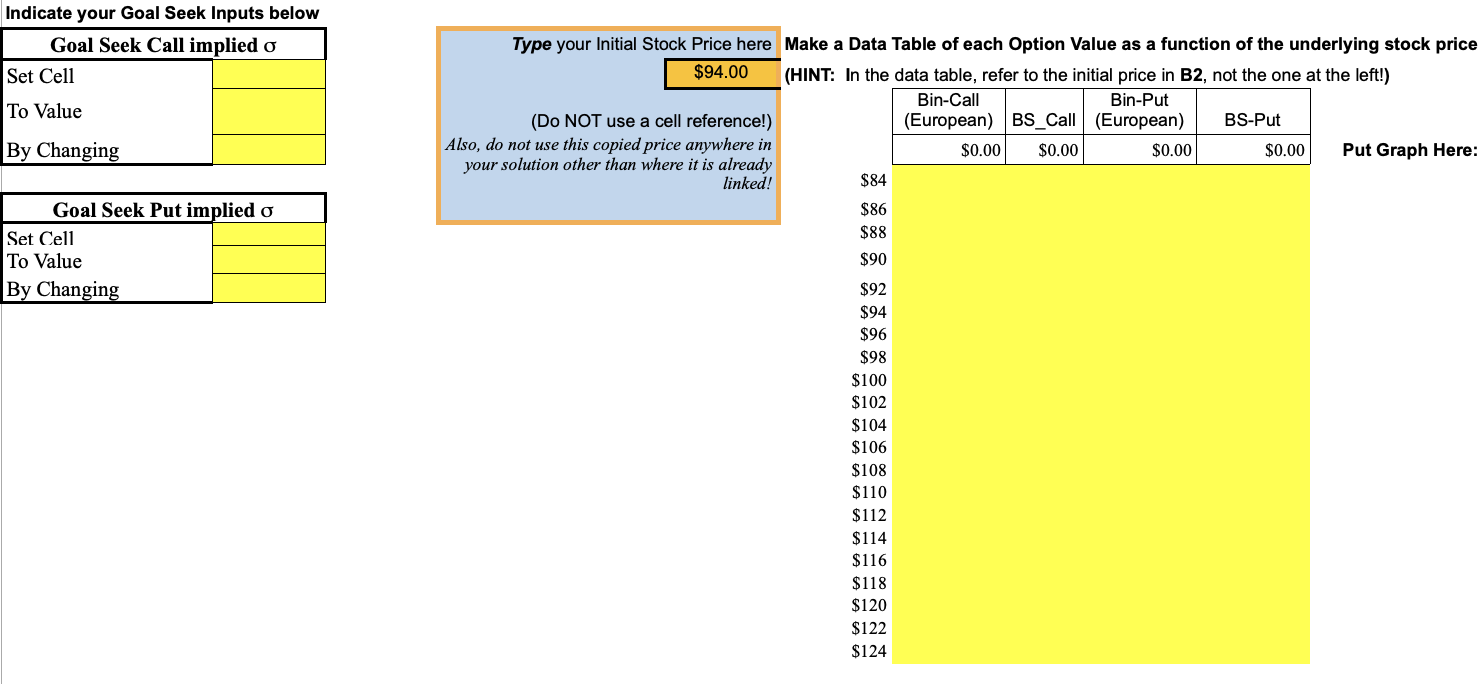
- Make a copy (NOT a cell reference) of your initial stock price into cell F90.
- Complete the three Data Tables and Graph them.
Step by Step Solution
There are 3 Steps involved in it

Get step-by-step solutions from verified subject matter experts
 Study Help