







Question: Using the worksheet Data in the attached file, write a sub that will do the following: a). use cell A3 as an anchor cell b).
Using the worksheet Data in the attached file, write a sub that will do the following:
 a). use cell A3 as an anchor cell
b). locate the cell where the word Bins is located
c). declare a dynamic array (name it Bins) as a single and a dynamic array (name it Cnt) as an integer
d). count the number of bins using range properties (i.e., count, etc)
e). re-dimension the array Bins to have the number of bins specified in the worksheet and determine in d)
f). re-dimension the array Cnt to have the number of bins plus one
g). write a sub that will count the number of times the “amount purchased” is below the first value in the Bins array and place in the first element of the array Cnt, the number of times the “amount purchased” is greater than the first value and less than or equal to the second value in the Bins array and place it in the second element of array Cnt, and so on. The last element of the array Cnt will include the number of times the “amount purchased” exceeds the last value in the Bins array.
h). write next to the column for the Bins, the numbers collected in the Cnt array. Note that the Cnt array has one more element than the Bins array.
Your code should run for a different number of Bins and a different data set with A3 as anchor cell.
Excel data is too large but in the screen cap is some of the data to use as a test case if needed but the final counts would be different than in the other screen cap.
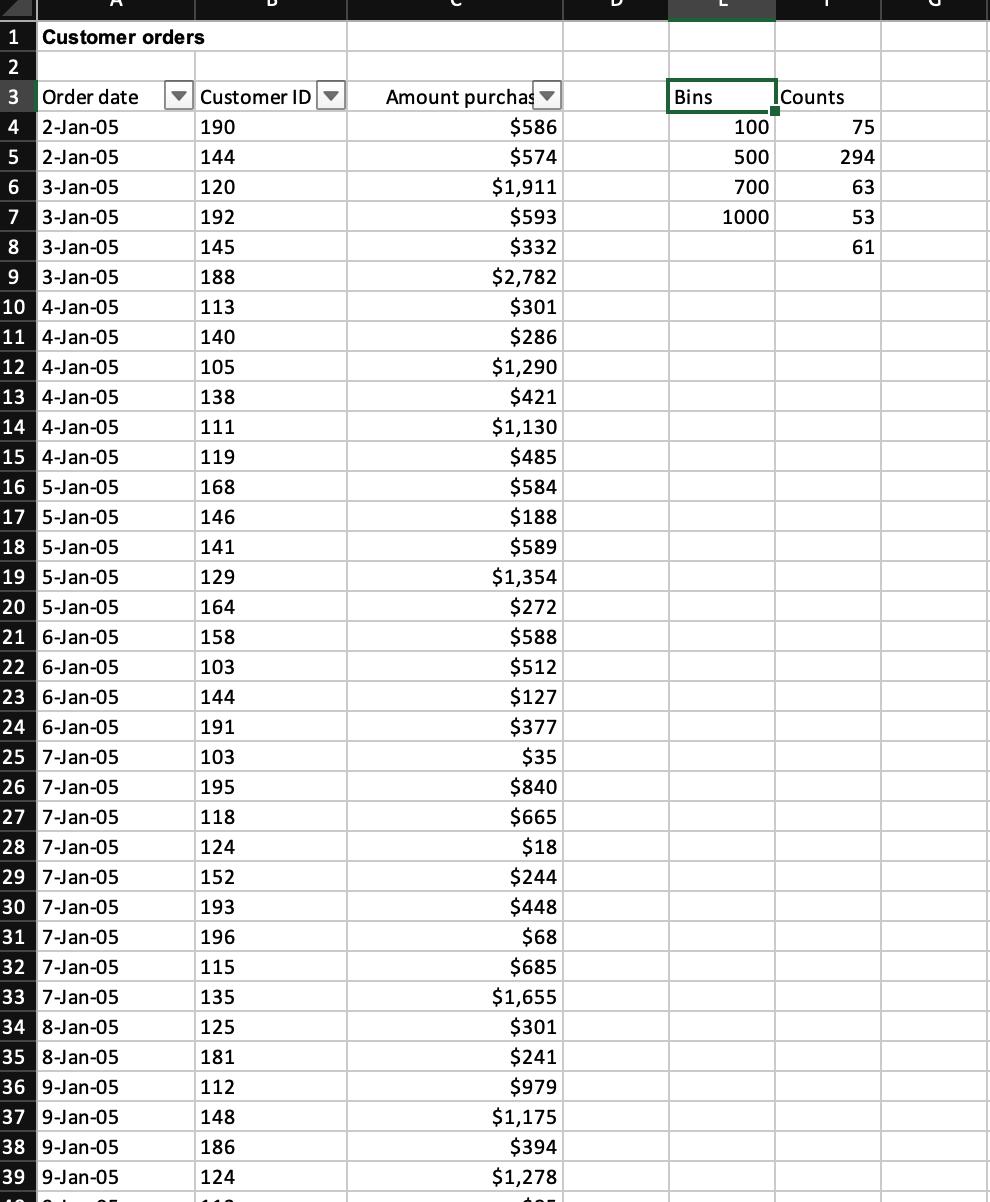
Bins 100 500 700 1000 Counts 75 294 63 53 61
Step by Step Solution
3.47 Rating (150 Votes )
There are 3 Steps involved in it
To accomplish the tasks described in your question you can use VBA Visual Basic for Applications in ... View full answer

Get step-by-step solutions from verified subject matter experts
 Study Help