





Question: Exercise 1 Animation Example-CSS Part 2- Base Code 1. Modify the base code of the animation Animation img { position: relative; animation: movingImage linear 10
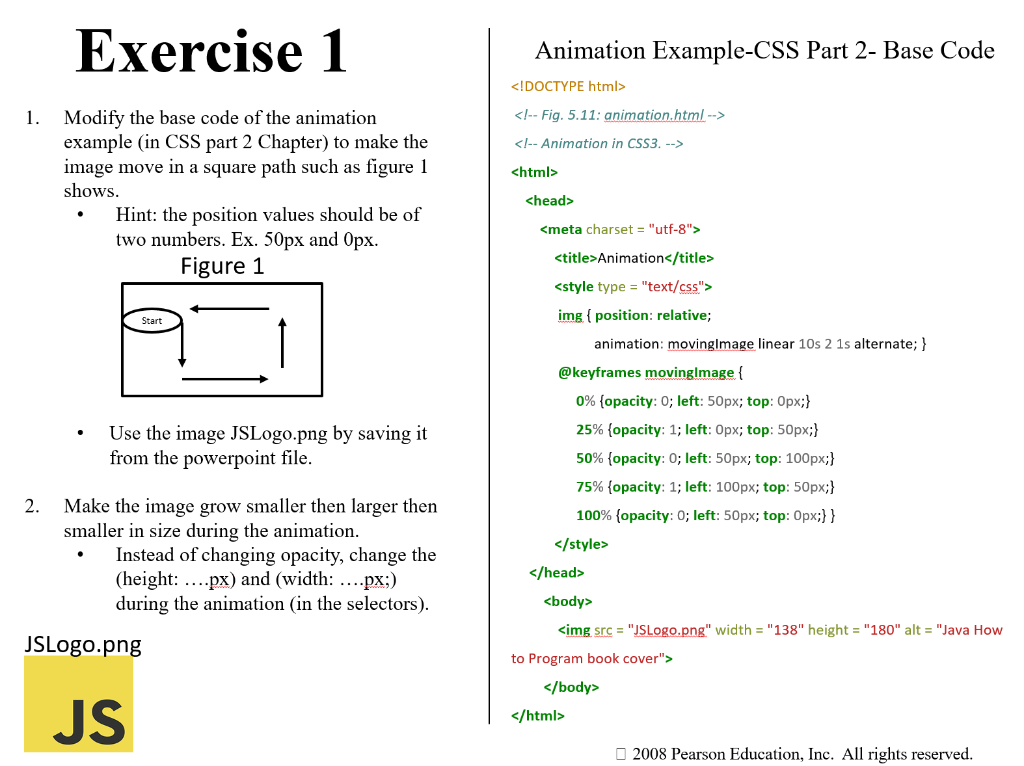
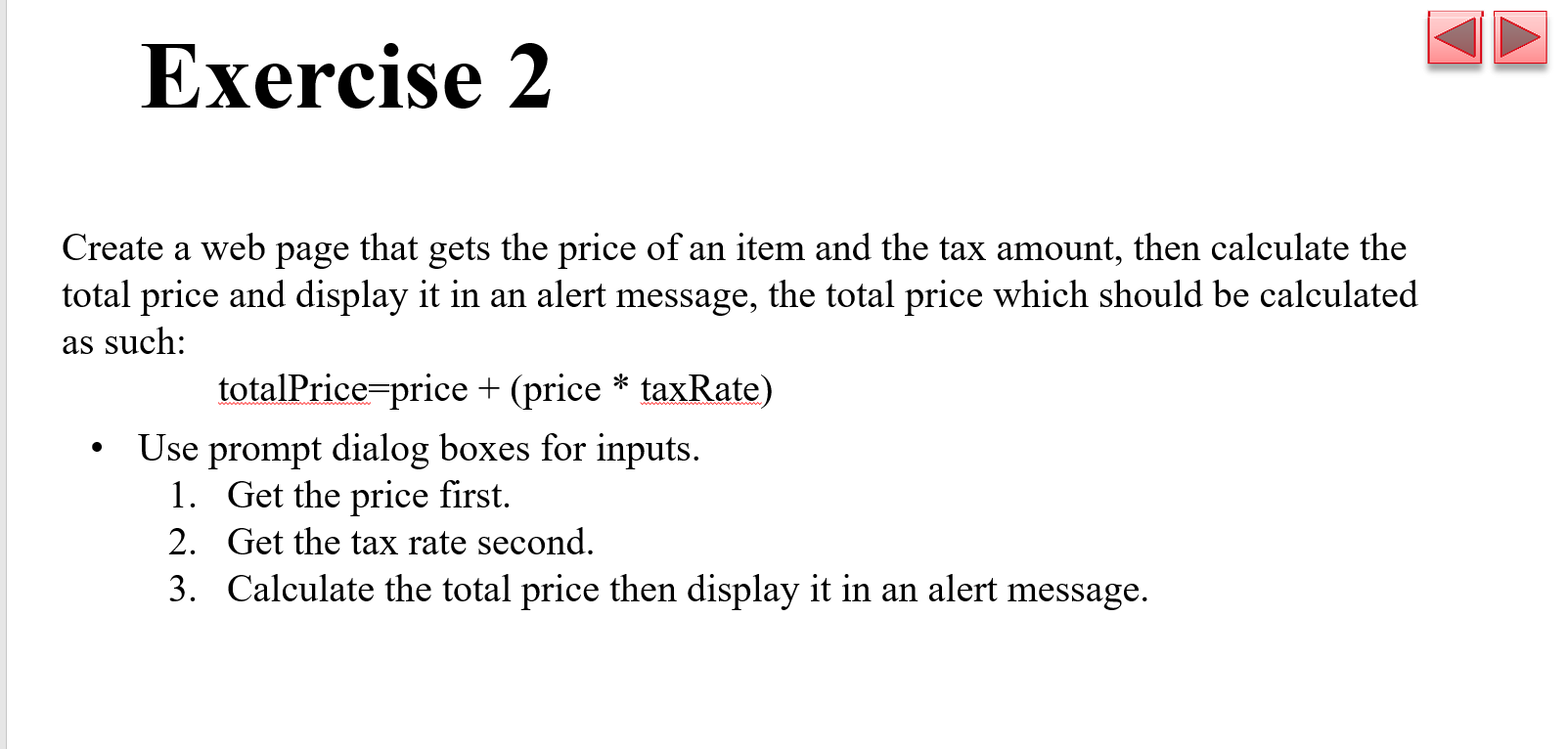
Exercise 1 Animation Example-CSS Part 2- BaseExercise 1 Animation Example-CSS Part 2- Base

Exercise 1 Animation Example-CSS Part 2- Base Code 1. Modify the base code of the animation Animation img \{ position: relative; animation: movingImage linear 10 s 21 s alternate; } @keyframes movinglmage \{ - Use the image JSLogo.png by saving it from the powerpoint file. 2. Make the image grow smaller then larger then smaller in size during the animation. - Instead of changing opacity, change the (height: ...px) and (width: ....px;) during the animation (in the selectors). 0% \{opacity: 0; left: 50px; top: 0px; 25% \{opacity: 1 ; left: 0px; top: 50px; 50\% \{opacity: 0; left: 50px; top: 100px; 75% \{opacity: 1; left: 100px; top: 50px; 100% \{opacity: 0; left: 50px; top: Opx; \} > > body / body /html> 2008 Pearson Education, Inc. All rights reserved. Create a web page that gets the price of an item and the tax amount, then calculate the total price and display it in an alert message, the total price which should be calculated as such: totalPrice=price+(pricetaxRate) - Use prompt dialog boxes for inputs. 1. Get the price first. 2. Get the tax rate second. 3. Calculate the total price then display it in an alert message

Step by Step Solution

There are 3 Steps involved in it

1 Expert Approved Answer
Step: 1 Unlock blur-text-image

Question Has Been Solved by an Expert!

Get step-by-step solutions from verified subject matter experts

Step: 2 Unlock
Step: 3 Unlock

Students Have Also Explored These Related Databases Questions!