







Question: Exercise 1: Complete the following code to obtain a GUI application (called Currency Converter) as shown in the Figure. Currency Come SAR A Trader GUI
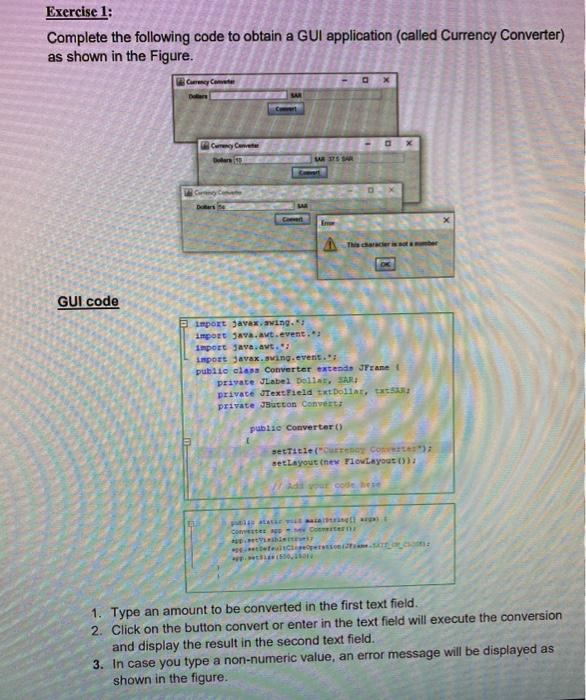
Exercise 1: Complete the following code to obtain a GUI application (called Currency Converter) as shown in the Figure. Currency Come SAR A Trader GUI code import javax.swing. import java.awt.event. Import java.awt. import javax.swing.event. public class Converter extends JFrame private JLabel Dollat, SAR private JTextField txt Dollar, private Jutton Convert public converter() setTitle("OTOY Corte) set Layout her FlowLayout()); Contes en 1. Type an amount to be converted in the first text field. 2. Click on the button convert or enter in the text field will execute the conversion and display the result in the second text field 3. In case you type a non-numeric value, an error message will be displayed as shown in the figure
Step by Step Solution
There are 3 Steps involved in it

Get step-by-step solutions from verified subject matter experts
 Study Help