







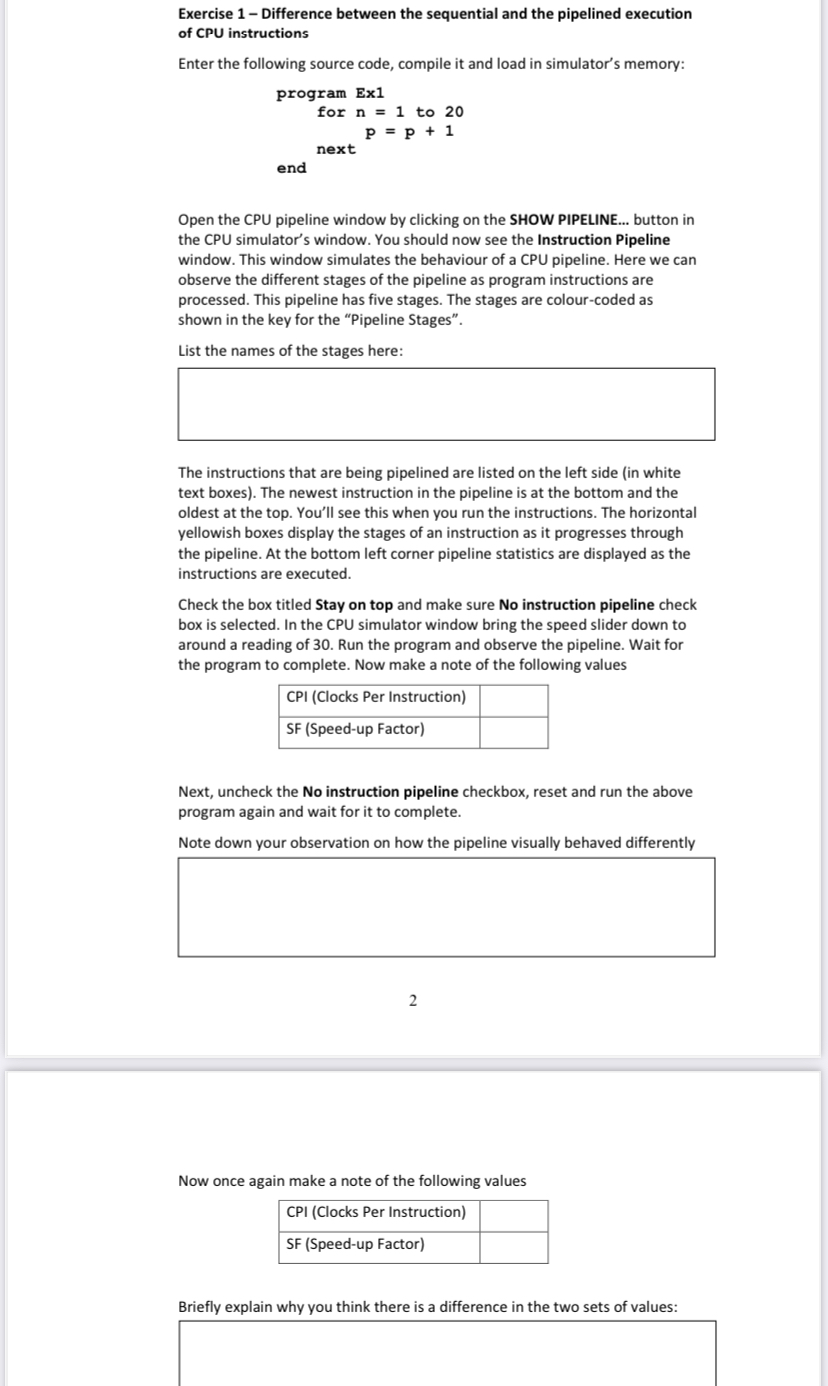
Question: Exercise 1 - Difference between the sequential and the pipelined execution of CPU instructions Enter the following source code, compile it and load in simulator's
Exercise Difference between the sequential and the pipelined execution of CPU instructions
Enter the following source code, compile it and load in simulator's memory:Open the CPU pipeline window by clicking on the SHOW PIPELINE... button in the CPU simulator's window. You should now see the Instruction Pipeline window. This window simulates the behaviour of a CPU pipeline. Here we can observe the different stages of the pipeline as program instructions are processed. This pipeline has five stages. The stages are colourcoded as shown in the key for the "Pipeline Stages".
List the names of the stages here:
The instructions that are being pipelined are listed on the left side in white text boxes The newest instruction in the pipeline is at the bottom and the oldest at the top. You'll see this when you run the instructions. The horizontal yellowish boxes display the stages of an instruction as it progresses through the pipeline. At the bottom left corner pipeline statistics are displayed as the instructions are executed.
Check the box titled Stay on top and make sure No instruction pipeline check box is selected. In the CPU simulator window bring the speed slider down to around a reading of Run the program and observe the pipeline. Wait for the program to complete. Now make a note of the following values
tableCPI Clocks Per InstructionSF Speedup Factor
Next, uncheck the No instruction pipeline checkbox, reset and run the above program again and wait for it to complete.
Note down your observation on how the pipeline visually behaved differently
Now once again make a note of the following values
tableCPI Clocks Per InstructionSF Speedup Factor
Briefly explain why you think there is a difference in the two sets of values:
Step by Step Solution
There are 3 Steps involved in it
1 Expert Approved Answer
Step: 1 Unlock

Question Has Been Solved by an Expert!
Get step-by-step solutions from verified subject matter experts
Step: 2 Unlock
Step: 3 Unlock
 Study Help