







Question: Exercise 2 Edit and send TCP packets using the protocol editor This exercise takes host A and B as a group, host C and D
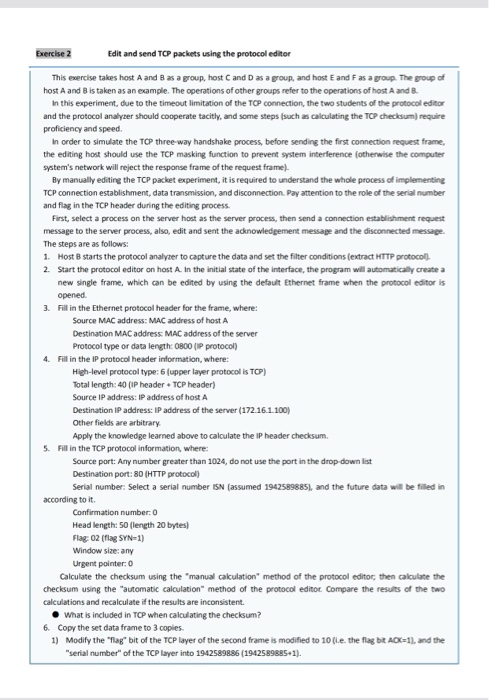
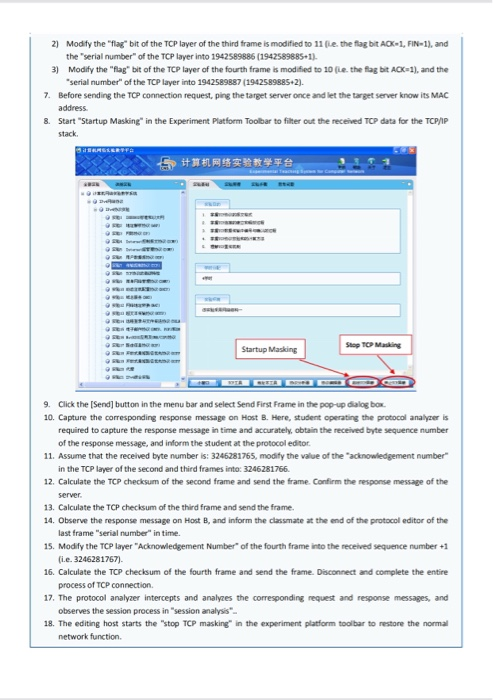
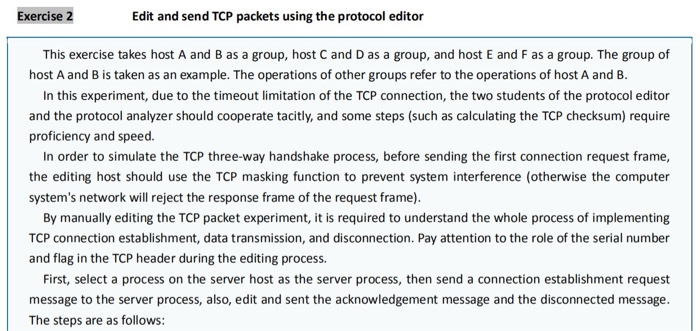
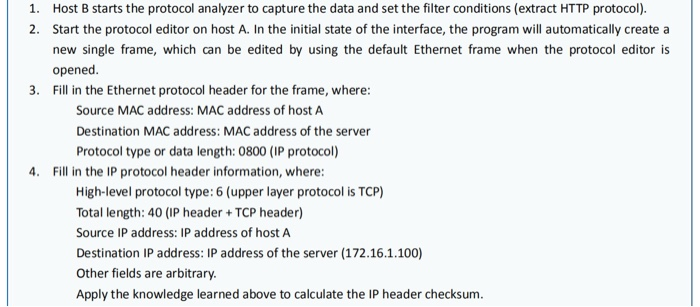
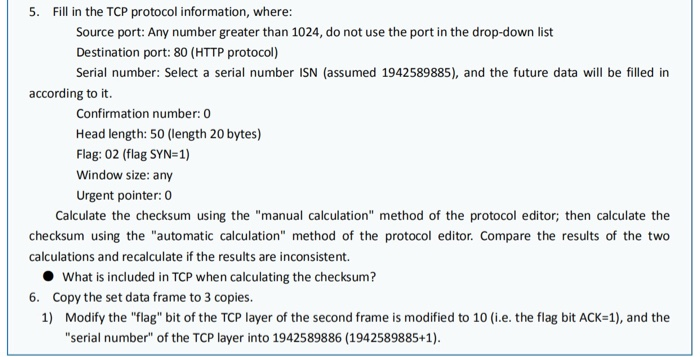
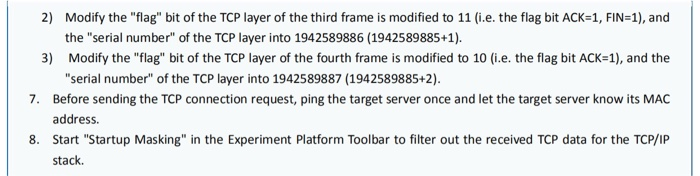
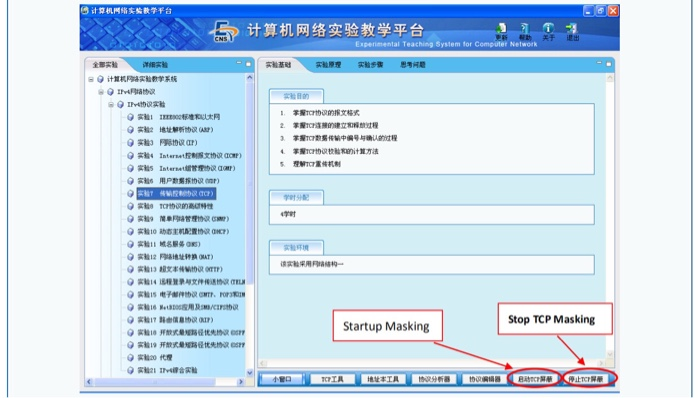
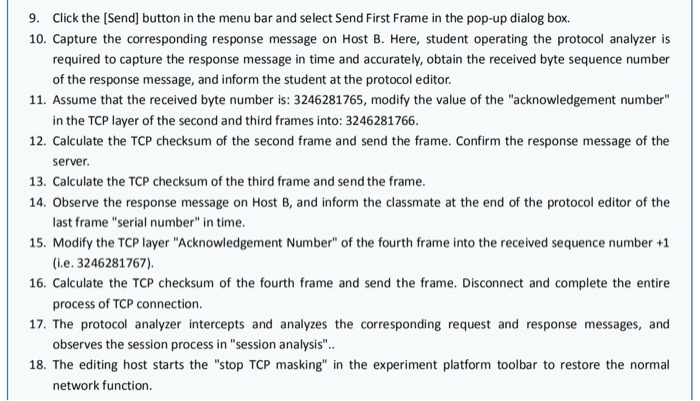
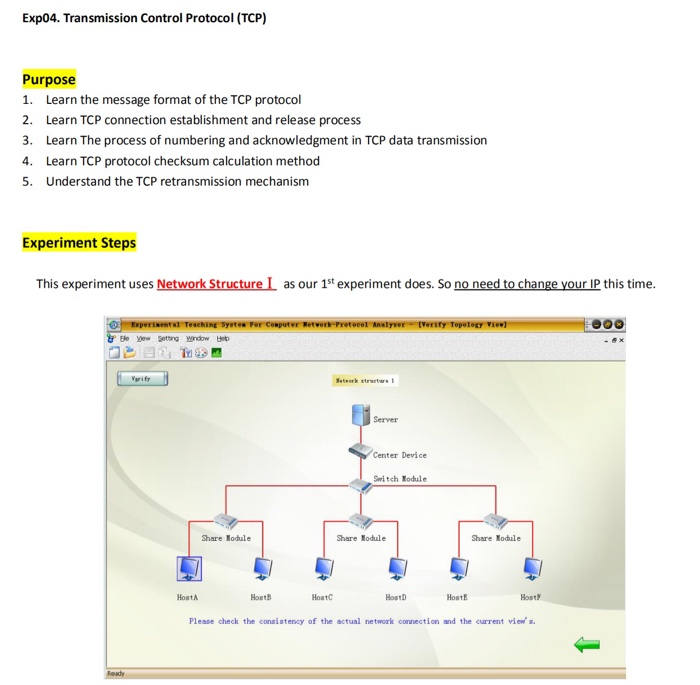
Exercise 2 Edit and send TCP packets using the protocol editor This exercise takes host A and B as a group, host C and D as a group, and host E and F as a group. The group of host A and B is taken as an example. The operations of other groups refer to the operations of host A and B. In this experiment, due to the timeout limitation of the TCP connection, the two students of the protocol editor and the protocol analyzer should cooperate tacitly, and some steps (such as calculating the TCP checksum require proficiency and speed In order to simulate the TCP three-way handshake process, before sending the first connection request frame, the editing host should use the TCP masking function to prevent system interference otherwise the computer system's network will reject the response frame of the request frame) By manually editing the TCP packet experiment, it is required to understand the whole process of implementing TCP connection establishment, data transmission, and disconnection. Pay attention to the role of the serial number and flag in the TCP header during the editing process. First, select a process on the server host as the server process, then send a connection establishment request message to the server process, also, edit and sent the acknowledgement message and the disconnected message. The steps are as follows: 1. Host B starts the protocol analyzer to capture the data and set the filter conditions (extract HTTP protocol) 2. Start the protocol editor on host A. In the initial state of the interface, the program will automatically create a new single frame, which can be edited by using the default Ethernet frame when the protocol editor is opened 3. Fill in the Ethernet protocol header for the frame, where: Source MAC address: MAC address of host A Destination MAC address: MAC address of the server Protocol type or data length: 0800 (IP protocol) 4. Fill in the IP protocol header information, where: High-level protocol type: 6 (upper layer protocol is TCP) Total length:40 (IP header + TCP header) Source IP address: IP address of host A Destination IP address: IP address of the server (172.16.1.100) Other fields are arbitrary Apply the knowledge learned above to calculate the IP header checksum. 5. Fill in the TCP protocol information, where: Source port: Any number greater than 1024, do not use the port in the drop down list Destination port: 80 (HTTP protocol) Serial number: Select a serial number ISN (assumed 1942589885), and the future data will be filled in according to it. Confirmation number: 0 Head length: 50 (length 20 bytes) Flag: 02 (flag SYN=1) Window size: any Urgent pointer: 0 Calculate the checksum using the manual calculation method of the protocol editor, then calculate the checksum using the "automatic calculation method of the protocol editor. Compare the results of the two calculations and recalculate if the results are inconsistent. What is included in TCP when calculating the checksum? 6. Copy the set data frame to 3 copies 1) Modify the "flag" bit of the TCP layer of the second frame is modified to 10 fi.e. the flag bit AOK-1), and the "serial number of the TCP layer into 1942589886 (19425898851). 2) Modify the "flag" bit of the TCP layer of the third frame is modified to 11 the fagbit AD-1, FIN-1), and the serial number of the TCP layer into 1942589886 (1942589885-1) 3) Modify the "flag" bit of the TCP layer of the fourth frame is modified to 10 the flag bit A 1 and the "serial number of the TCP layer into 1942589887 (1942589885-21 7. Before sending the TCP connection request.ping the target server once and let the target server know its MAC address & Start Startup Masking in the Experiment Platform Toolbar to filter out the received TC data for the TCP/IP Step TO Making Startup Masking 9. Click the [Send] button in the menu bar and select Send First Frame in the pop-up dialog box 10. Capture the corresponding response message on Host B. Here, student operating the protocol analyser is required to capture the response message in time and accurately obtain the received byte sequence number of the response message, and inform the student at the protocol editor 11. Assume that the received byte number is: 3246281765, modify the value of the acknowledgement number in the TCP layer of the second and third frames into: 3246281766 12. Calculate the TCP checksum of the second frame and send the frame. Confirm the response message of the Server 13. Calculate the TCP checksum of the third frame and send the frame. 14. Observe the response message on Host B, and inform the classmate at the end of the protocol editor of the last frame" serial number in time. 15. Modify the TCP layer "Acknowledgement Number of the fourth frame into the received sequence number 1 fie. 3246281757) 16. Calculate the TCP checksum of the fourth frame and send the frame. Disconnect and complete the entire process of TCP connection 17. The protocol analyzer intercepts and analyzes the corresponding request and response messages, and observes the session process in "session analysis 18. The editing host starts the "Stop TCP masking in the experiment platform toolbar to restore the normal network function Exercise 2 Edit and send TCP packets using the protocol editor This exercise takes host A and B as a group, host C and D as a group, and host E and Fas a group. The group of host A and B is taken as an example. The operations of other groups refer to the operations of host A and B. In this experiment, due to the timeout limitation of the TCP connection, the two students of the protocol editor and the protocol analyzer should cooperate tacitly, and some steps (such as calculating the TCP checksum) require proficiency and speed. In order to simulate the TCP three-way handshake process, before sending the first connection request frame, the editing host should use the TCP masking function to prevent system interference (otherwise the computer system's network will reject the response frame of the request frame). By manually editing the TCP packet experiment, it is required to understand the whole process of implementing TCP connection establishment, data transmission, and disconnection. Pay attention to the role of the serial number and flag in the TCP header during the editing process. First, select a process on the server host as the server process, then send a connection establishment request message to the server process, also, edit and sent the acknowledgement message and the disconnected message. The steps are as follows: 1. Host B starts the protocol analyzer to capture the data and set the filter conditions (extract HTTP protocol). 2. Start the protocol editor on host A. In the initial state of the interface, the program will automatically create a new single frame, which can be edited by using the default Ethernet frame when the protocol editor is opened. 3. Fill in the Ethernet protocol header for the frame, where: Source MAC address: MAC address of host A Destination MAC address: MAC address of the server Protocol type or data length: 0800 (IP protocol) 4. Fill in the IP protocol header information, where: High-level protocol type: 6 (upper layer protocol is TCP) Total length: 40 (IP header + TCP header) Source IP address: IP address of host A Destination IP address: IP address of the server (172.16.1.100) Other fields are arbitrary. Apply the knowledge learned above to calculate the IP header checksum. 5. Fill in the TCP protocol information, where: Source port: Any number greater than 1024, do not use the port in the drop-down list Destination port: 80 (HTTP protocol) Serial number: Select a serial number ISN (assumed 1942589885), and the future data will be filled in according to it. Confirmation number: 0 Head length: 50 (length 20 bytes) Flag: 02 (flag SYN=1) Window size: any Urgent pointer: 0 Calculate the checksum using the "manual calculation" method of the protocol editor; then calculate the checksum using the "automatic calculation" method of the protocol editor. Compare the results of the two calculations and recalculate if the results are inconsistent. What is included in TCP when calculating the checksum? 6. Copy the set data frame to 3 copies. 1) Modify the "flag" bit of the TCP layer of the second frame is modified to 10 (i.e. the flag bit ACK=1), and the "serial number of the TCP layer into 1942589886 (1942589885+1). 2) Modify the "flag" bit of the TCP layer of the third frame is modified to 11 i.e. the flag bit ACK=1, FIN=1), and the "serial number" of the TCP layer into 1942589886 (1942589885+1). 3) Modify the "flag" bit of the TCP layer of the fourth frame is modified to 10 (i.e. the flag bit ACK=1), and the "serial number" of the TCP layer into 1942589887 (1942589885+2). 7. Before sending the TCP connection request, ping the target server once and let the target server know its MAC address. 8. Start "Startup Masking" in the Experiment Platform Toolbar to filter out the received TCP data for the TCP/IP stack Experimental Teaching System for Computer Network - sa IPHP = @ I've th 9m0 1 TOMIREX 2 TCOIN 1. VICTOR 9) TF) ! Interasd TCF) 5 Jol III) ARCC) TCOM 4 GBP) 10 OP) 9 11 ) : 10A) hu OTT) 10 F THH 1 ITTOP 6 MONACO 9 17 1 ATF) 11 19 g20 Startup Masking Stop TCP Masking TIKIR2968 BEACH RETCH 9. Click the [Send] button in the menu bar and select Send First Frame in the pop-up dialog box. 10. Capture the corresponding response message on Host B. Here, student operating the protocol analyzer is required to capture the response message in time and accurately, obtain the received byte sequence number of the response message, and inform the student at the protocol editor. 11. Assume that the received byte number is: 3246281765, modify the value of the "acknowledgement number" in the TCP layer of the second and third frames into: 3246281766. 12. Calculate the TCP checksum of the second frame and send the frame. Confirm the response message of the server 13. Calculate the TCP checksum of the third frame and send the frame. 14. Observe the response message on Host B, and inform the classmate at the end of the protocol editor of the last frame "serial number" in time. 15. Modify the TCP layer "Acknowledgement Number" of the fourth frame into the received sequence number +1 (i.e. 3246281767) 16. Calculate the TCP checksum of the fourth frame and send the frame. Disconnect and complete the entire process of TCP connection. 17. The protocol analyzer intercepts and analyzes the corresponding request and response messages, and observes the session process in "session analysis".. 18. The editing host starts the "stop TCP masking" in the experiment platform toolbar to restore the normal network function. Exp04. Transmission Control Protocol (TCP) Purpose 1. Learn the message format of the TCP protocol 2. Learn TCP connection establishment and release process 3. Learn The process of numbering and acknowledgment in TCP data transmission 4. Learn TCP protocol checksum calculation method 5. Understand the TCP retransmission mechanism Experiment Steps This experiment uses Network Structure I as our 1st experiment does. So no need to change your IP this time. verily Topology View] Experiental Teaching System For Computer Network Protocol Analyser le Setting Window Heb DET Verify Server Center Device Switch Module Share Module Share Module Share Module Host HostB Host Host Hout Host Please check the consistency of the actual network connection and the current view's. Exercise 2 Edit and send TCP packets using the protocol editor This exercise takes host A and B as a group, host C and D as a group, and host E and F as a group. The group of host A and B is taken as an example. The operations of other groups refer to the operations of host A and B. In this experiment, due to the timeout limitation of the TCP connection, the two students of the protocol editor and the protocol analyzer should cooperate tacitly, and some steps (such as calculating the TCP checksum require proficiency and speed In order to simulate the TCP three-way handshake process, before sending the first connection request frame, the editing host should use the TCP masking function to prevent system interference otherwise the computer system's network will reject the response frame of the request frame) By manually editing the TCP packet experiment, it is required to understand the whole process of implementing TCP connection establishment, data transmission, and disconnection. Pay attention to the role of the serial number and flag in the TCP header during the editing process. First, select a process on the server host as the server process, then send a connection establishment request message to the server process, also, edit and sent the acknowledgement message and the disconnected message. The steps are as follows: 1. Host B starts the protocol analyzer to capture the data and set the filter conditions (extract HTTP protocol) 2. Start the protocol editor on host A. In the initial state of the interface, the program will automatically create a new single frame, which can be edited by using the default Ethernet frame when the protocol editor is opened 3. Fill in the Ethernet protocol header for the frame, where: Source MAC address: MAC address of host A Destination MAC address: MAC address of the server Protocol type or data length: 0800 (IP protocol) 4. Fill in the IP protocol header information, where: High-level protocol type: 6 (upper layer protocol is TCP) Total length:40 (IP header + TCP header) Source IP address: IP address of host A Destination IP address: IP address of the server (172.16.1.100) Other fields are arbitrary Apply the knowledge learned above to calculate the IP header checksum. 5. Fill in the TCP protocol information, where: Source port: Any number greater than 1024, do not use the port in the drop down list Destination port: 80 (HTTP protocol) Serial number: Select a serial number ISN (assumed 1942589885), and the future data will be filled in according to it. Confirmation number: 0 Head length: 50 (length 20 bytes) Flag: 02 (flag SYN=1) Window size: any Urgent pointer: 0 Calculate the checksum using the manual calculation method of the protocol editor, then calculate the checksum using the "automatic calculation method of the protocol editor. Compare the results of the two calculations and recalculate if the results are inconsistent. What is included in TCP when calculating the checksum? 6. Copy the set data frame to 3 copies 1) Modify the "flag" bit of the TCP layer of the second frame is modified to 10 fi.e. the flag bit AOK-1), and the "serial number of the TCP layer into 1942589886 (19425898851). 2) Modify the "flag" bit of the TCP layer of the third frame is modified to 11 the fagbit AD-1, FIN-1), and the serial number of the TCP layer into 1942589886 (1942589885-1) 3) Modify the "flag" bit of the TCP layer of the fourth frame is modified to 10 the flag bit A 1 and the "serial number of the TCP layer into 1942589887 (1942589885-21 7. Before sending the TCP connection request.ping the target server once and let the target server know its MAC address & Start Startup Masking in the Experiment Platform Toolbar to filter out the received TC data for the TCP/IP Step TO Making Startup Masking 9. Click the [Send] button in the menu bar and select Send First Frame in the pop-up dialog box 10. Capture the corresponding response message on Host B. Here, student operating the protocol analyser is required to capture the response message in time and accurately obtain the received byte sequence number of the response message, and inform the student at the protocol editor 11. Assume that the received byte number is: 3246281765, modify the value of the acknowledgement number in the TCP layer of the second and third frames into: 3246281766 12. Calculate the TCP checksum of the second frame and send the frame. Confirm the response message of the Server 13. Calculate the TCP checksum of the third frame and send the frame. 14. Observe the response message on Host B, and inform the classmate at the end of the protocol editor of the last frame" serial number in time. 15. Modify the TCP layer "Acknowledgement Number of the fourth frame into the received sequence number 1 fie. 3246281757) 16. Calculate the TCP checksum of the fourth frame and send the frame. Disconnect and complete the entire process of TCP connection 17. The protocol analyzer intercepts and analyzes the corresponding request and response messages, and observes the session process in "session analysis 18. The editing host starts the "Stop TCP masking in the experiment platform toolbar to restore the normal network function Exercise 2 Edit and send TCP packets using the protocol editor This exercise takes host A and B as a group, host C and D as a group, and host E and Fas a group. The group of host A and B is taken as an example. The operations of other groups refer to the operations of host A and B. In this experiment, due to the timeout limitation of the TCP connection, the two students of the protocol editor and the protocol analyzer should cooperate tacitly, and some steps (such as calculating the TCP checksum) require proficiency and speed. In order to simulate the TCP three-way handshake process, before sending the first connection request frame, the editing host should use the TCP masking function to prevent system interference (otherwise the computer system's network will reject the response frame of the request frame). By manually editing the TCP packet experiment, it is required to understand the whole process of implementing TCP connection establishment, data transmission, and disconnection. Pay attention to the role of the serial number and flag in the TCP header during the editing process. First, select a process on the server host as the server process, then send a connection establishment request message to the server process, also, edit and sent the acknowledgement message and the disconnected message. The steps are as follows: 1. Host B starts the protocol analyzer to capture the data and set the filter conditions (extract HTTP protocol). 2. Start the protocol editor on host A. In the initial state of the interface, the program will automatically create a new single frame, which can be edited by using the default Ethernet frame when the protocol editor is opened. 3. Fill in the Ethernet protocol header for the frame, where: Source MAC address: MAC address of host A Destination MAC address: MAC address of the server Protocol type or data length: 0800 (IP protocol) 4. Fill in the IP protocol header information, where: High-level protocol type: 6 (upper layer protocol is TCP) Total length: 40 (IP header + TCP header) Source IP address: IP address of host A Destination IP address: IP address of the server (172.16.1.100) Other fields are arbitrary. Apply the knowledge learned above to calculate the IP header checksum. 5. Fill in the TCP protocol information, where: Source port: Any number greater than 1024, do not use the port in the drop-down list Destination port: 80 (HTTP protocol) Serial number: Select a serial number ISN (assumed 1942589885), and the future data will be filled in according to it. Confirmation number: 0 Head length: 50 (length 20 bytes) Flag: 02 (flag SYN=1) Window size: any Urgent pointer: 0 Calculate the checksum using the "manual calculation" method of the protocol editor; then calculate the checksum using the "automatic calculation" method of the protocol editor. Compare the results of the two calculations and recalculate if the results are inconsistent. What is included in TCP when calculating the checksum? 6. Copy the set data frame to 3 copies. 1) Modify the "flag" bit of the TCP layer of the second frame is modified to 10 (i.e. the flag bit ACK=1), and the "serial number of the TCP layer into 1942589886 (1942589885+1). 2) Modify the "flag" bit of the TCP layer of the third frame is modified to 11 i.e. the flag bit ACK=1, FIN=1), and the "serial number" of the TCP layer into 1942589886 (1942589885+1). 3) Modify the "flag" bit of the TCP layer of the fourth frame is modified to 10 (i.e. the flag bit ACK=1), and the "serial number" of the TCP layer into 1942589887 (1942589885+2). 7. Before sending the TCP connection request, ping the target server once and let the target server know its MAC address. 8. Start "Startup Masking" in the Experiment Platform Toolbar to filter out the received TCP data for the TCP/IP stack Experimental Teaching System for Computer Network - sa IPHP = @ I've th 9m0 1 TOMIREX 2 TCOIN 1. VICTOR 9) TF) ! Interasd TCF) 5 Jol III) ARCC) TCOM 4 GBP) 10 OP) 9 11 ) : 10A) hu OTT) 10 F THH 1 ITTOP 6 MONACO 9 17 1 ATF) 11 19 g20 Startup Masking Stop TCP Masking TIKIR2968 BEACH RETCH 9. Click the [Send] button in the menu bar and select Send First Frame in the pop-up dialog box. 10. Capture the corresponding response message on Host B. Here, student operating the protocol analyzer is required to capture the response message in time and accurately, obtain the received byte sequence number of the response message, and inform the student at the protocol editor. 11. Assume that the received byte number is: 3246281765, modify the value of the "acknowledgement number" in the TCP layer of the second and third frames into: 3246281766. 12. Calculate the TCP checksum of the second frame and send the frame. Confirm the response message of the server 13. Calculate the TCP checksum of the third frame and send the frame. 14. Observe the response message on Host B, and inform the classmate at the end of the protocol editor of the last frame "serial number" in time. 15. Modify the TCP layer "Acknowledgement Number" of the fourth frame into the received sequence number +1 (i.e. 3246281767) 16. Calculate the TCP checksum of the fourth frame and send the frame. Disconnect and complete the entire process of TCP connection. 17. The protocol analyzer intercepts and analyzes the corresponding request and response messages, and observes the session process in "session analysis".. 18. The editing host starts the "stop TCP masking" in the experiment platform toolbar to restore the normal network function. Exp04. Transmission Control Protocol (TCP) Purpose 1. Learn the message format of the TCP protocol 2. Learn TCP connection establishment and release process 3. Learn The process of numbering and acknowledgment in TCP data transmission 4. Learn TCP protocol checksum calculation method 5. Understand the TCP retransmission mechanism Experiment Steps This experiment uses Network Structure I as our 1st experiment does. So no need to change your IP this time. verily Topology View] Experiental Teaching System For Computer Network Protocol Analyser le Setting Window Heb DET Verify Server Center Device Switch Module Share Module Share Module Share Module Host HostB Host Host Hout Host Please check the consistency of the actual network connection and the current view's
Step by Step Solution
There are 3 Steps involved in it

Get step-by-step solutions from verified subject matter experts
 Study Help