







Question: Exercise 2 Pivot Table You are a regional sales manager for a cosmetics company; and you have an Exce file with the raw (unprocessed) sales
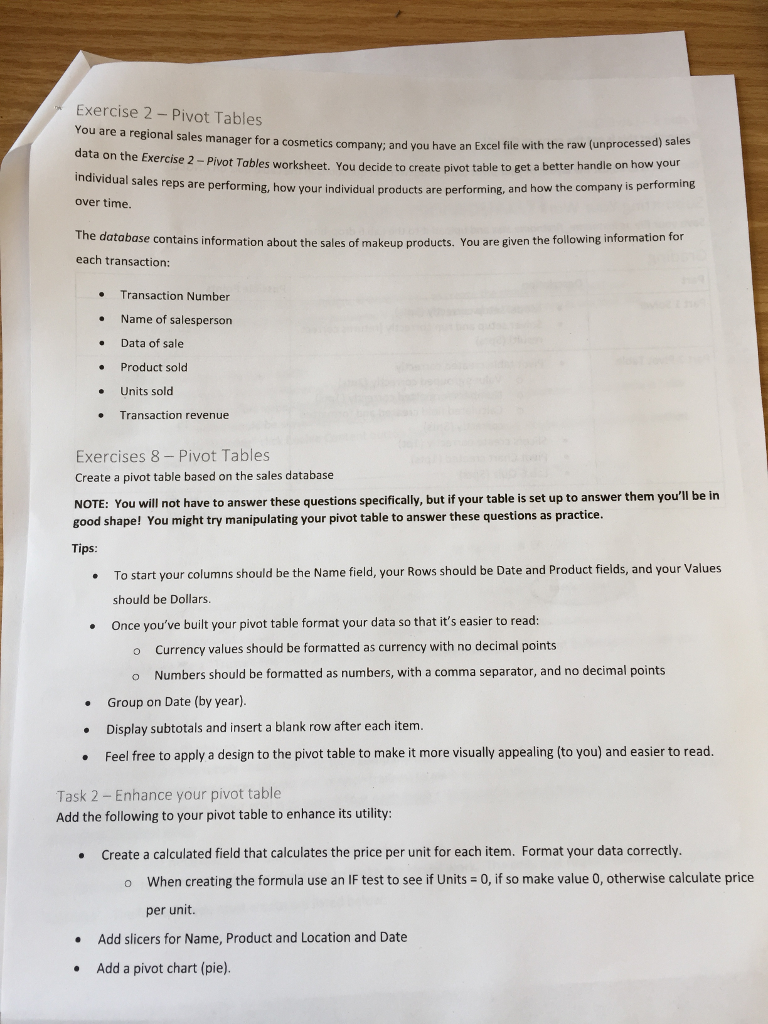
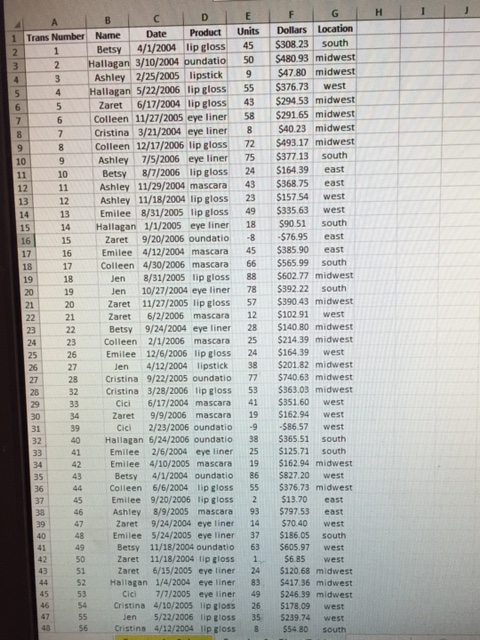
Exercise 2 Pivot Table You are a regional sales manager for a cosmetics company; and you have an Exce file with the raw (unprocessed) sales data on the Exercise 2-pivot Tables worksheet. You decide how your to create pivot table to get a better handle on individual s reps are performing, how your individual products are performing, and how the company is performing over time The database contains information about the sales of makeup products. You are given the following information for each transaction: Transaction Number Name of salesperson Data of sale Product sold Units sold Transaction revenue Exercises 8 Pivot Tables Create a pivot table based on the sales database NOTE: You will not have to answer these questions specifically, but if your table is set up to answer them you'll be in good shape! You might try manipulating your pivot table to answer these questions as practice. Tips To start your columns should be the Name field, your Rows should be Date and Product fields, and your values should be Dollars. Once you've built your pivot table format your data so that it's easier to read: o currency values should be formatted as currency with no decimal points o Numbers should be formatted as numbers, with a comma separator, and no decimal points Group on Date (by year) Display subtotals and insert a blank row after each item Feel free to apply a design to the pivot table to make it more visually appealing (to you) and easier to read. Task 2 Enhance your pivot table Add the following to your pivot table to enhance its utility: Create a calculated field that calculates the price per unit for each item. Format your data correctly. o When creating the formula use an IF test to see if Units 0, if so make value 0, otherwise calculate price per unit Add slicers for Name, Product and Location and Date Add a pivot chart (pie)
Step by Step Solution
There are 3 Steps involved in it

Get step-by-step solutions from verified subject matter experts
 Study Help