







Question: Exercise 2: practice the following commands Purpose/Description Command LS 1s -a mkdir cd directory cd cd cd pwd cp filel file2 mv filel file2 rm
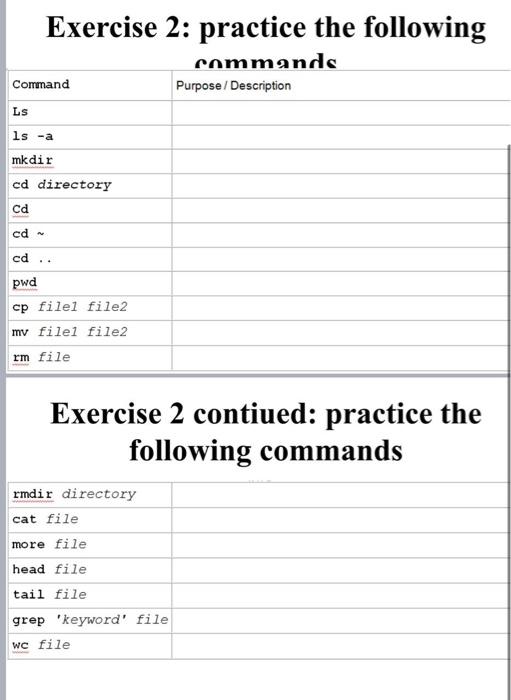
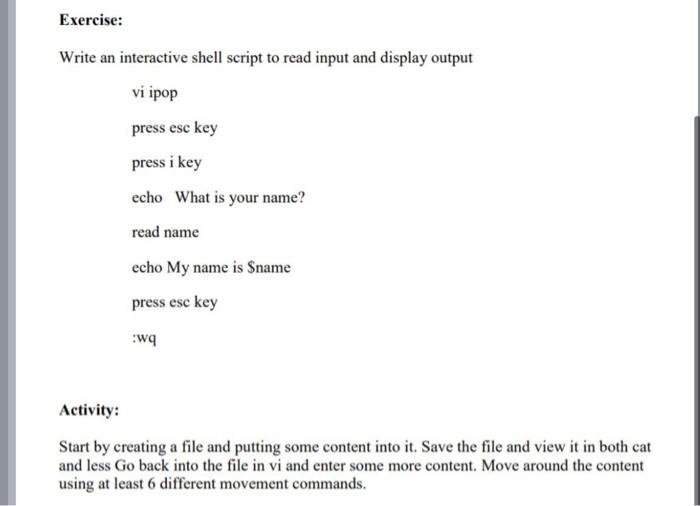
Exercise 2: practice the following commands Purpose/Description Command LS 1s -a mkdir cd directory cd cd cd pwd cp filel file2 mv filel file2 rm file Exercise 2 contiued: practice the following commands rmdir directory cat file more file head file tail file grep 'keyword' file WC file Exercise: Write an interactive shell script to read input and display output vi ipop press esc key press i key echo What is your name? read name echo My name is $name press esc key Wq Activity: Start by creating a file and putting some content into it. Save the file and view it in both cat and less Go back into the file in vi and enter some more content. Move around the content using at least 6 different movement commands
Step by Step Solution
There are 3 Steps involved in it

Get step-by-step solutions from verified subject matter experts
 Study Help