







Question: Exercise 2 : Reset Password Web Application Use Case Scenario: The web app allows a user to reset their password through a series of interactions
Exercise : "Reset Password" Web Application Use Case
Scenario:
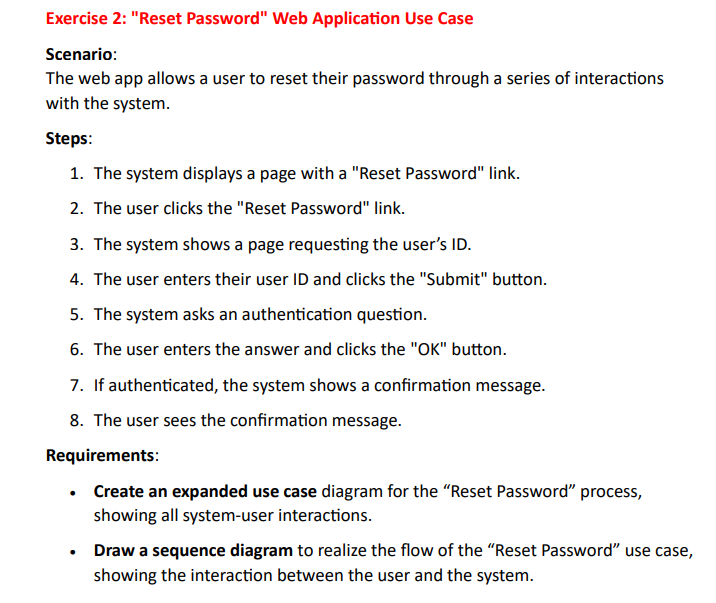
The web app allows a user to reset their password through a series of interactions with the system.
Steps:
The system displays a page with a "Reset Password" link.
The user clicks the "Reset Password" link.
The system shows a page requesting the user's ID
The user enters their user ID and clicks the "Submit" button.
The system asks an authentication question.
The user enters the answer and clicks the OK button.
If authenticated, the system shows a confirmation message.
The user sees the confirmation message.
Requirements:
Create an expanded use case diagram for the "Reset Password" process, showing all systemuser interactions.
Draw a sequence diagram to realize the flow of the "Reset Password" use case, showing the interaction between the user and the system.
Step by Step Solution
There are 3 Steps involved in it
1 Expert Approved Answer
Step: 1 Unlock

Question Has Been Solved by an Expert!
Get step-by-step solutions from verified subject matter experts
Step: 2 Unlock
Step: 3 Unlock
 Study Help