







Question: Exercise 2 : ( Use the same Index Table that you created in Exercise 1 . Copy it into sheet 2 . ) Create a
Exercise :
Use the same Index Table that you created in Exercise Copy it into sheet
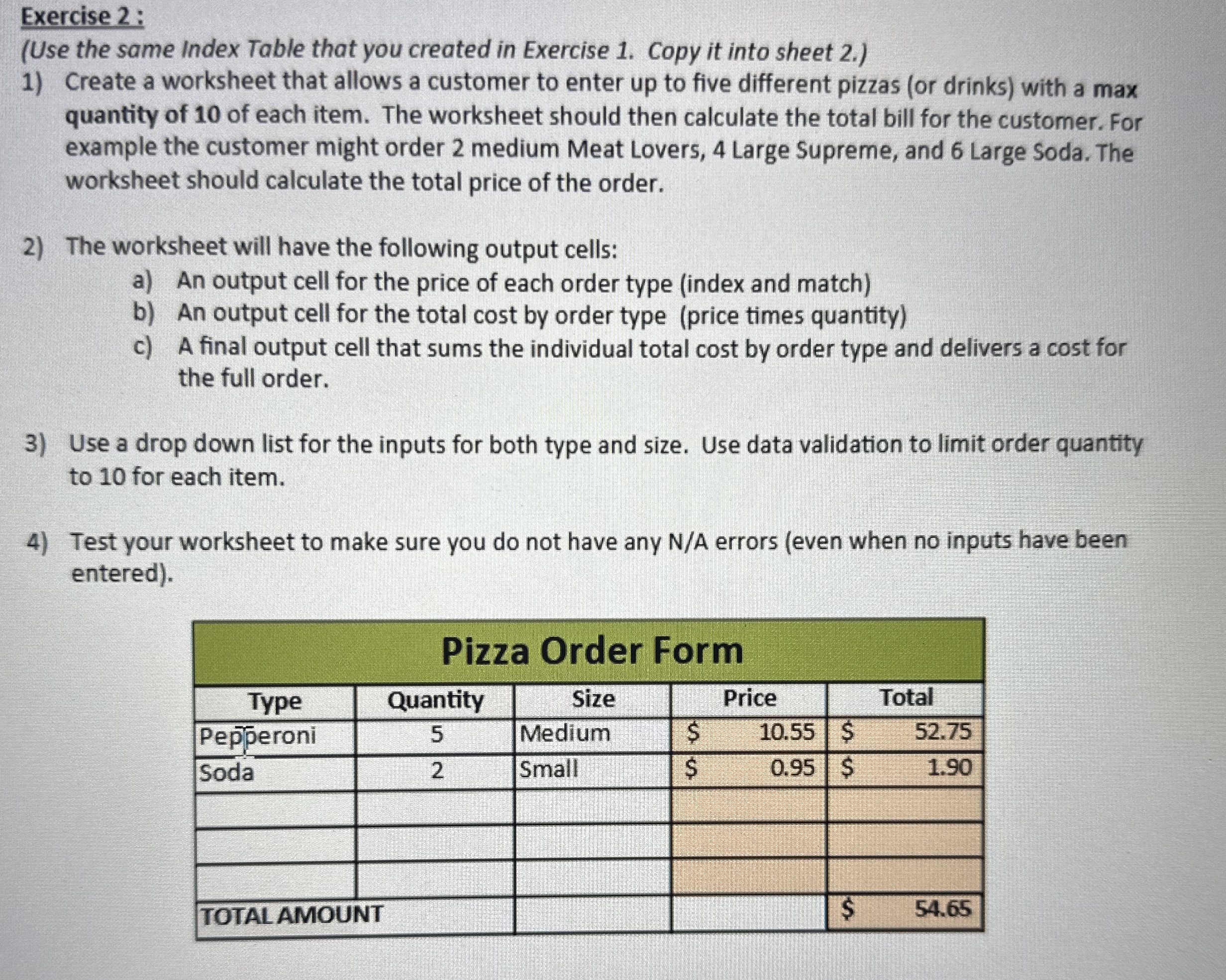
Create a worksheet that allows a customer to enter up to five different pizzas or drinks with a max quantity of of each item. The worksheet should then calculate the total bill for the customer. For example the customer might order medium Meat Lovers, Large Supreme, and Large Soda. The worksheet should calculate the total price of the order.
The worksheet will have the following output cells:
a An output cell for the price of each order type index and match
b An output cell for the total cost by order type price times quantity
c A final output cell that sums the individual total cost by order type and delivers a cost for the full order.
Use a drop down list for the inputs for both type and size. Use data validation to limit order quantity to for each item.
Test your worksheet to make sure you do not have any NA errors even when no inputs have been entered
tablePizza Order FormTypeQuantity,Size,Price,TotalPepperoniMedium,$$SodaSmall,$$TOTAL AMOUNT,,,,$
Step by Step Solution
There are 3 Steps involved in it
1 Expert Approved Answer
Step: 1 Unlock

Question Has Been Solved by an Expert!
Get step-by-step solutions from verified subject matter experts
Step: 2 Unlock
Step: 3 Unlock
 Study Help