







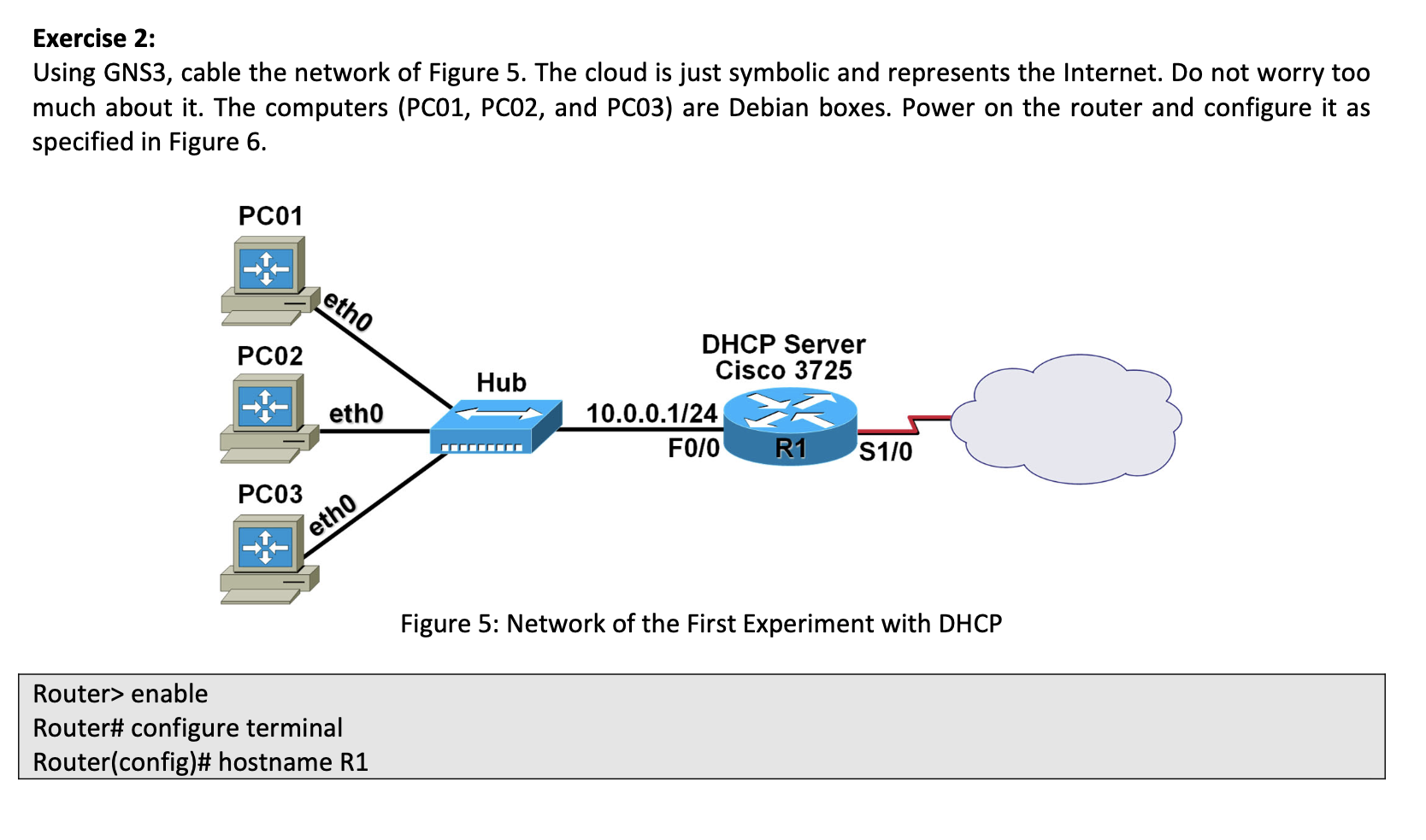
Question: Exercise 2 : Using GNS 3 , cable the network of Figure 5 . The cloud is just symbolic and represents the Internet. Do not
Exercise :
Using GNS cable the network of Figure The cloud is just symbolic and represents the Internet. Do not worry too much about it The computers PC PC and PC are Debian boxes. Power on the router and configure it as specified in Figure
Figure : Network of the First Experiment with DHCP
Router enable
Router# configure terminal
Routerconfig# hostname R
Rconfig# ip domain name jsu.edu
Rconfig# interface FastEthernet
Rconfigif# ip address
Rconfigif# no shutdown
Rconfigif# exit
Rconfig# ip dhcp pool MYPOOL
Rdhcpconfig# network
Rdhcpconfig# domainname jsu.edu
Rdhcpconfig# defaultrouter
Rdhcpconfig# dnsserver
Rdhcpconfig# lease
Rdhcpconfig# end
R# show ip dhcp pool
R# show ip dhcp binding
Figure : Configuration of the Router for the First Experiment with DHCP
Question :
Start capturing the network traffic with Wireshark in any link connected to the hub. Power on PCO Make sure it gets its network configuration through DHCP Check the DORA DHCPDISCOVERDHCPOFFERDHCPREQUEST DHCPACK exchange in Wireshark. Give as much information as you can about the DORA exchange. Keep capturing for at least minutes. Check the renewal of the lease. How frequent is the renewal? What are the messages involved? Check the DHCP pool show ip dhep pool and the DHCP binding show ip dhep binding in the router. The "debug ip dhcp server events" command can be extremely useful when troubleshooting DHCP leases with a Cisco IOS DHCP server. You have to enter this command in the privileged mode. Since the number of debugging messages can be overwhelming, you can stop the debugging process with no debug ip dhcp server events" or with no debug all".
Question :
Power on PCO What is the IP address obtained by this computer? Check the DHCP pool and the DHCP binding in the router. Power on PCO What is the IP address obtained by this computer? Check the DHCP pool and the DHCP binding in the router.
Step by Step Solution
There are 3 Steps involved in it
1 Expert Approved Answer
Step: 1 Unlock

Question Has Been Solved by an Expert!
Get step-by-step solutions from verified subject matter experts
Step: 2 Unlock
Step: 3 Unlock
 Study Help