







Question: Exercise 2-2 Modify the Test Scores program In this exercise, you'll modify the Test Scores program in figure 2-16. When you're finished, the program will
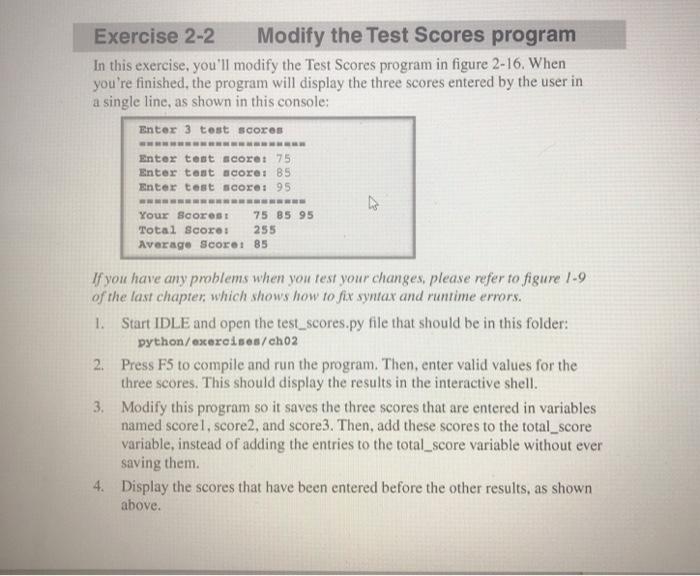
Exercise 2-2 Modify the Test Scores program In this exercise, you'll modify the Test Scores program in figure 2-16. When you're finished, the program will display the three scores entered by the user in a single line, as shown in this console: Enter 3 test scores Enter test scoret 75 Enter tant scoret B5 Enter test scoret 95 Your Scores 75 85 95 Total Score: 255 Average Score: 85 If you have any problems when you test your changes, please refer to figure 1-9 of the last chapter, which shows how to fix syntax and runtime errors. 1. Start IDLE and open the test_scores.py file that should be in this folder: python/excercises/ch02 2. Press F5 to compile and run the program. Then, enter valid values for the three scores. This should display the results in the interactive shell. 3. Modify this program so it saves the three scores that are entered in variables named scorel, score2, and score3. Then, add these scores to the total_score variable, instead of adding the entries to the total_score variable without ever saving them. 4. Display the scores that have been entered before the other results, as shown above
Step by Step Solution
There are 3 Steps involved in it

Get step-by-step solutions from verified subject matter experts
 Study Help