







Question: Exercise 4 Bit-manipulation Write a program, that Reads a double value from the console and convert it in a binary code. Print out: The binary
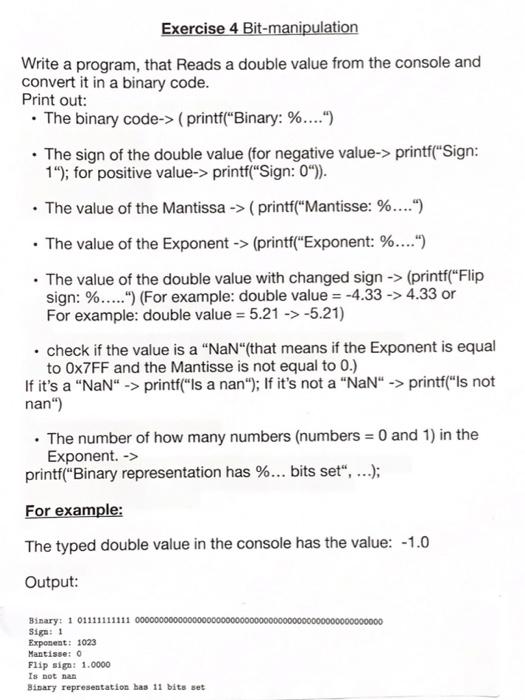
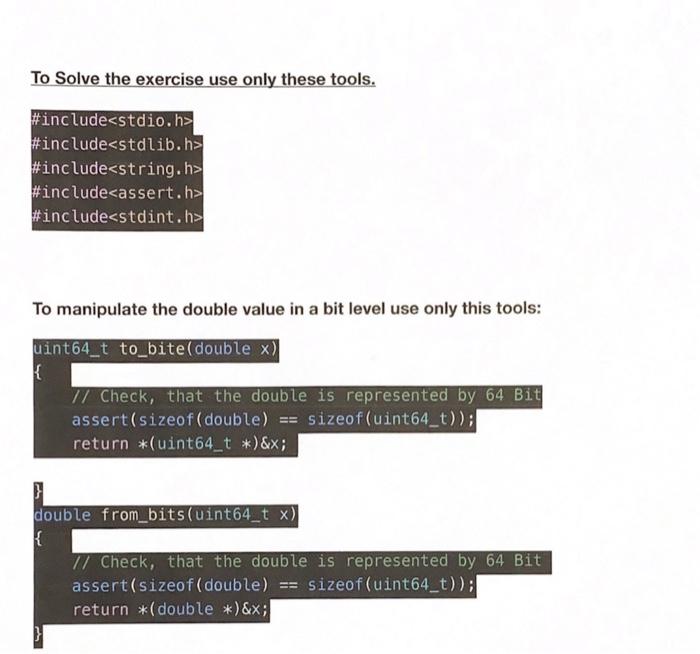
Exercise 4 Bit-manipulation Write a program, that Reads a double value from the console and convert it in a binary code. Print out: The binary code-> (printf("Binary: %....") The sign of the double value (for negative value-> printf("Sign: 1); for positive value-> printf("Sign: 0)). The value of the Mantissa -> ( printf("Mantisse: %....") The value of the Exponent -> (printf("Exponent: %.... ) The value of the double value with changed sign -> (printf("Flip sign: %.....") (For example: double value = -4.33 -> 4.33 or For example: double value = 5.21 -> -5.21) . check if the value is a "NaN"(that means if the Exponent is equal to 0x7FF and the Mantisse is not equal to 0.) If it's a NaN -> printf("Is a nan"); If it's not a "NaN -> printf("Is not nan") The number of how many numbers (numbers = 0 and 1) in the Exponent. -> printf("Binary representation has %... bits set, ...); For example: The typed double value in the console has the value: -1.0 Output: 000000 Binary: 1 01111111111 0000000 Siga: 1 Exponent: 1023 Mantisse: 0 Flip sig: 1.0000 Is not na Binary representation has 11 bits set To Solve the exercise use only these tools. #include
Step by Step Solution
There are 3 Steps involved in it

Get step-by-step solutions from verified subject matter experts
 Study Help