







Question: Exercise 4 sections to reference: searching through a file This exercise is a continuation of the previous one. You've got a new text file to
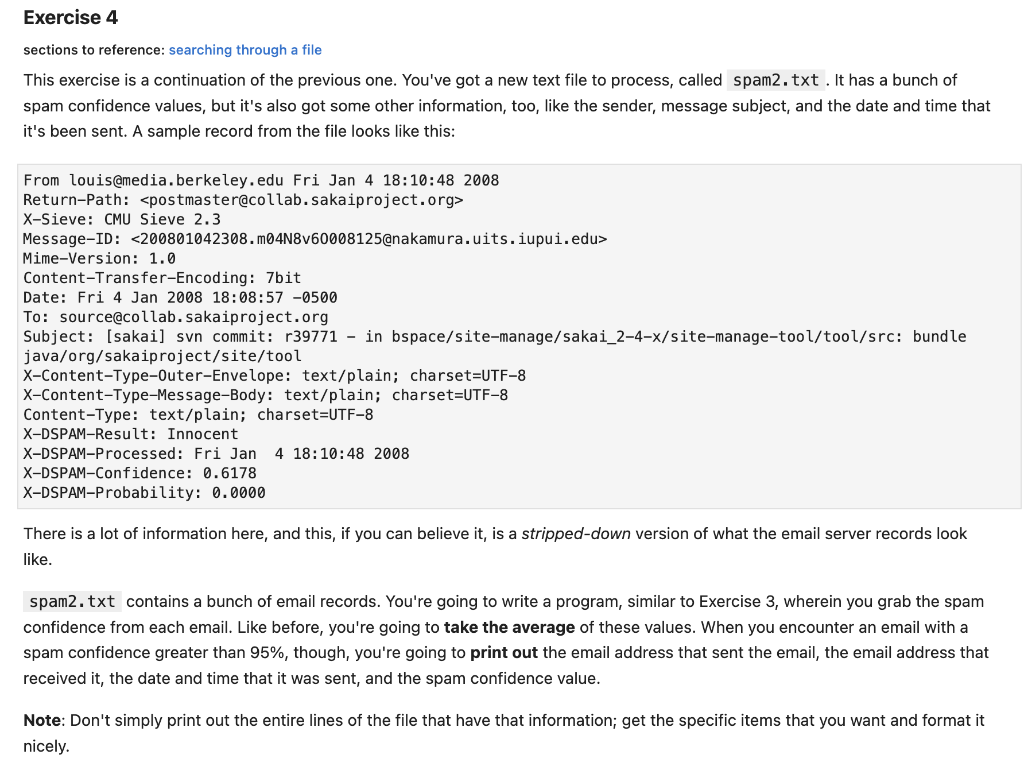
Exercise 4 sections to reference: searching through a file This exercise is a continuation of the previous one. You've got a new text file to process, called spam2.txt . It has a bunch of spam confidence values, but it's also got some other information, too, like the sender, message subject, and the date and time that it's been sent. A sample record from the file looks like this: From louis@media.berkeley.edu Fri Jan 4 18:10:48 2008 Return-Path: X-Sieve: CMU Sieve 2.3 Message-ID: Mime-Version: 1.0 Content-Transfer-Encoding: 7bit Date: Fri 4 Jan 2008 18:08:57 -0500 To: source@collab.sakaiproject.org Subject: [sakai] svn commit: r39771 - in bspace/site-manage/sakai_2-4-x/site-manage-tool/tool/src: bundle java/org/sakaiproject/site/tool X-Content-Type-0uter-Envelope: text/plain; charset=UTF-8 X-Content-Type-Message-Body: text/plain; charset=UTF-8 Content-Type: text/plain; charset=UTF-8 X-DSPAM-Result: Innocent X-DSPAM-Processed: Fri Jan 4 18:10:48 2008 X-DSPAM-Confidence: 0.6178 X-DSPAM-Probability: 0.0000 There is a lot of information here, and this, if you can believe it, is a stripped-down version of what the email server records look like. spam2. txt contains a bunch of email records. You're going to write a program, similar to Exercise 3, wherein you grab the spam confidence from each email. Like before, you're going to take the average of these values. When you encounter an email with a spam confidence greater than 95%, though, you're going to print out the email address that sent the email, the email address that received it, the date and time that it was sent, and the spam confidence value. Note: Don't simply print out the entire lines of the file that have that information; get the specific items that you want and format it nicely
Step by Step Solution
There are 3 Steps involved in it

Get step-by-step solutions from verified subject matter experts
 Study Help