







Question: Exercise 7 Step 1: Create a new editor window and save it. Use lab5ex7.py as the file name. Step 2: Use the function design recipe
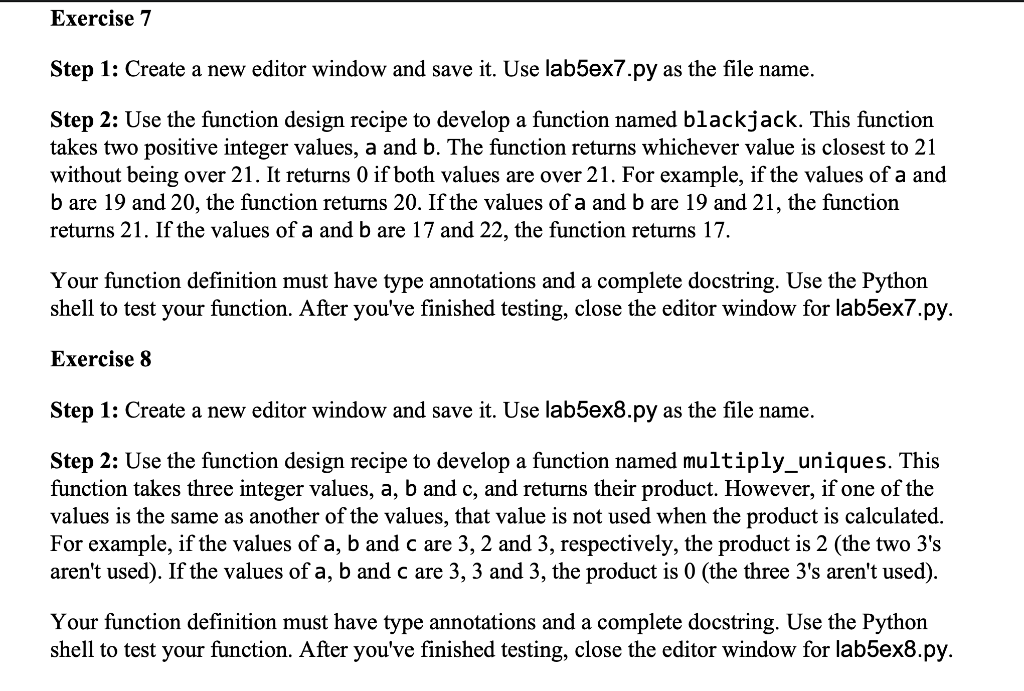
Exercise 7 Step 1: Create a new editor window and save it. Use lab5ex7.py as the file name. Step 2: Use the function design recipe to develop a function named blackjack. This function takes two positive integer values, a and b. The function returns whichever value is closest to 21 without being over 21. It returns 0 if both values are over 21. For example, if the values of a and b are 19 and 20, the function returns 20. If the values of a and b are 19 and 21, the function returns 21. If the values of a and b are 17 and 22, the function returns 17. Your function definition must have type annotations and a complete docstring. Use the Python shell to test your function. After you've finished testing, close the editor window for lab5ex7.py. Exercise 8 Step 1: Create a new editor window and save it. Use lab5ex8.py as the file name. Step 2: Use the function de i recipe to develop a function named mul ply_uniques. This function takes three integer values, a, b and c, and returns their product. However, if one of the values is the same as another of the values, that value is not used when the product is calculated. For example, if the values of a, b and c are 3, 2 and 3, respectively, the product is 2 (the two 3's aren't used). If the values of a, b and c are 3, 3 and 3, the product is 0 (the three 3's aren't used). Your function definition must have type annotations and a complete docstring. Use the Python shell to test your function. After you've finished testing, close the editor window for lab5ex8.py. Exercise 7 Step 1: Create a new editor window and save it. Use lab5ex7.py as the file name. Step 2: Use the function design recipe to develop a function named blackjack. This function takes two positive integer values, a and b. The function returns whichever value is closest to 21 without being over 21. It returns 0 if both values are over 21. For example, if the values of a and b are 19 and 20, the function returns 20. If the values of a and b are 19 and 21, the function returns 21. If the values of a and b are 17 and 22, the function returns 17. Your function definition must have type annotations and a complete docstring. Use the Python shell to test your function. After you've finished testing, close the editor window for lab5ex7.py. Exercise 8 Step 1: Create a new editor window and save it. Use lab5ex8.py as the file name. Step 2: Use the function de i recipe to develop a function named mul ply_uniques. This function takes three integer values, a, b and c, and returns their product. However, if one of the values is the same as another of the values, that value is not used when the product is calculated. For example, if the values of a, b and c are 3, 2 and 3, respectively, the product is 2 (the two 3's aren't used). If the values of a, b and c are 3, 3 and 3, the product is 0 (the three 3's aren't used). Your function definition must have type annotations and a complete docstring. Use the Python shell to test your function. After you've finished testing, close the editor window for lab5ex8.py
Step by Step Solution
There are 3 Steps involved in it

Get step-by-step solutions from verified subject matter experts
 Study Help