







Question: Exercise: Using the Wrap tool The Wrap tool wraps a sketch onto a planar or non - planar face. The options available with the Wrap
Exercise: Using the Wrap tool
The Wrap tool wraps a sketch onto a planar or nonplanar face. The options available with the Wrap tool are Emboss, Deboss, and Scribe.
Opening a part document:
Browse to the Training Folder and open a part document named: Wrap.sidprt
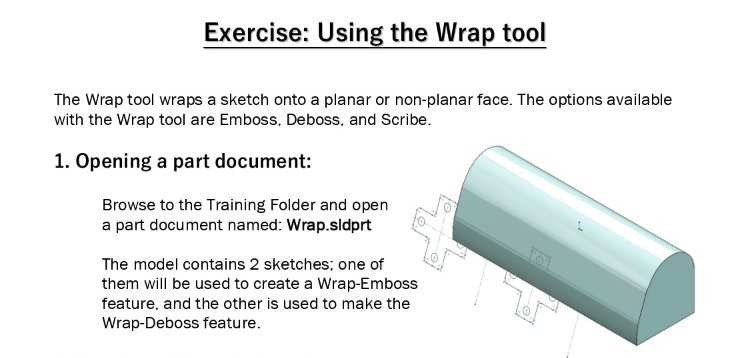
The model contains sketches; one of them will be used to create a WrapEmbos feature, and the other is used to make the WrapDeboss feature.
Step by Step Solution
There are 3 Steps involved in it
1 Expert Approved Answer
Step: 1 Unlock

Question Has Been Solved by an Expert!
Get step-by-step solutions from verified subject matter experts
Step: 2 Unlock
Step: 3 Unlock
 Study Help