







Question: Exercises 1-6 require using the dig (Domain Information Groper) application. This is standard part of Linux distributions but is not available in Windows (unless Bash
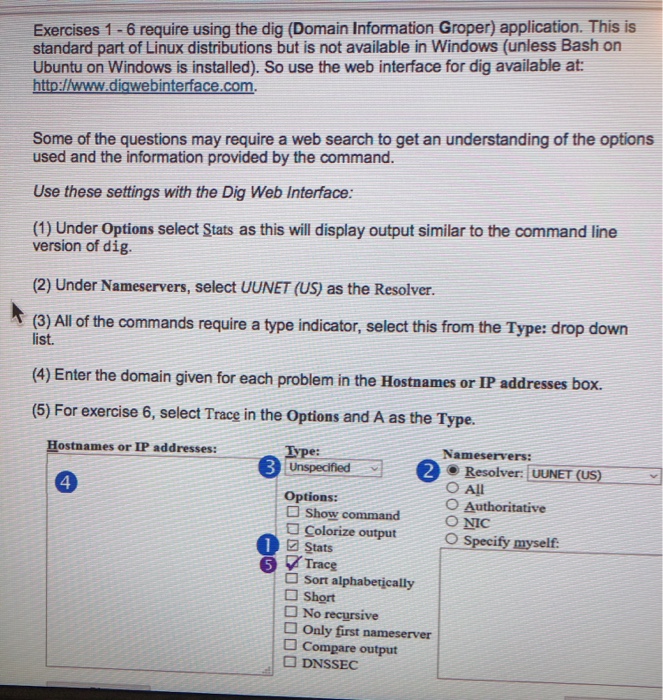
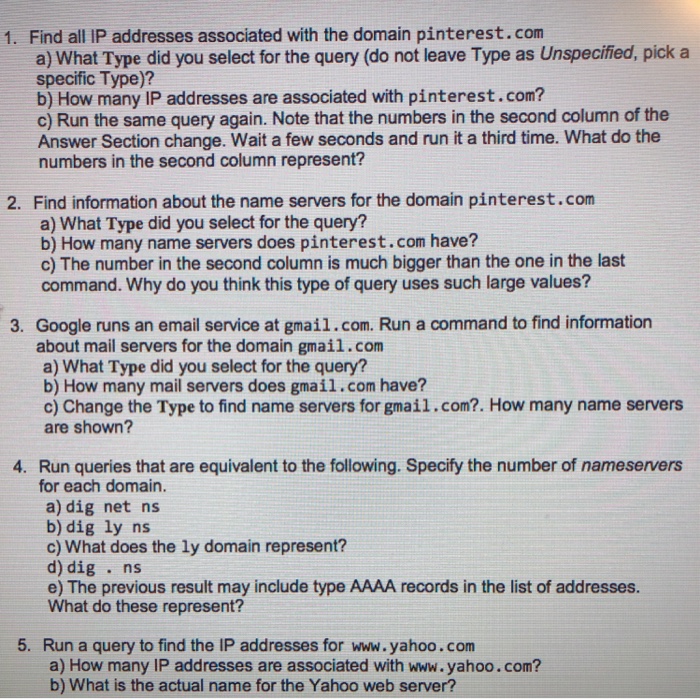
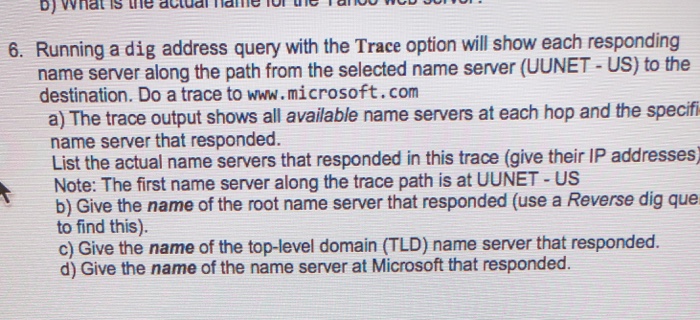
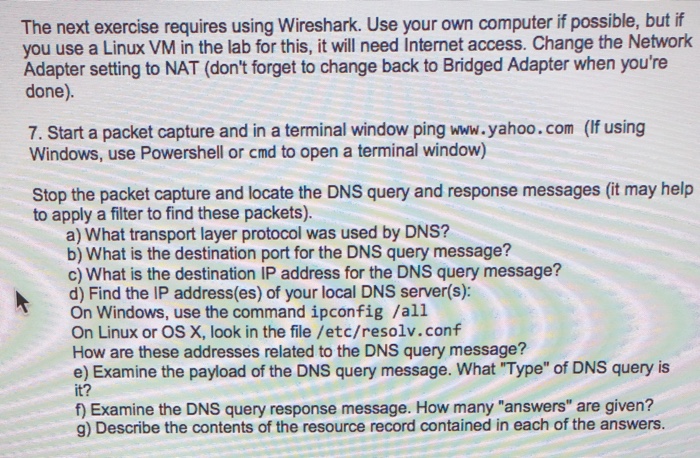
Exercises 1-6 require using the dig (Domain Information Groper) application. This is standard part of Linux distributions but is not available in Windows (unless Bash on Ubuntu on Windows is installed). So use the web interface for dig available at http://www.digwebinterface.com. Some of the questions may require a web search to get an understanding of the options used and the information provided by the command. Use these settings with the Dig Web Interface: (1) Under Options select Stats as this will display output similar to the command line version of dig. (2) Under Nameservers, select UUNET (US) as the Resolver. (3) Al of the commands require a type indicator, select this from the Type: drop down list. (4) Enter the domain given for each problem in the Hostnames or IP addresses box. (5) For exercise 6, select Trace in the Options and A as the Type. ostnames or IP addresses: Type: Nameservers: 2 Resolver: UUNET (US) O All O Authoritative 4 Options: Show command ?? Colorize outut Specify myself 1 stats 5 Trace a Sort alphabetically a Short No recursive a Only first nameserver D Compare output ? DNSSEC
Step by Step Solution
There are 3 Steps involved in it

Get step-by-step solutions from verified subject matter experts
 Study Help