







Question: Explain the values greater than zero MySQL Workbench Local instance MySQL80 X File Edit View Query Database SQL 9 + Server Tools Scripting Scripting Help
Explain the values greater than zero
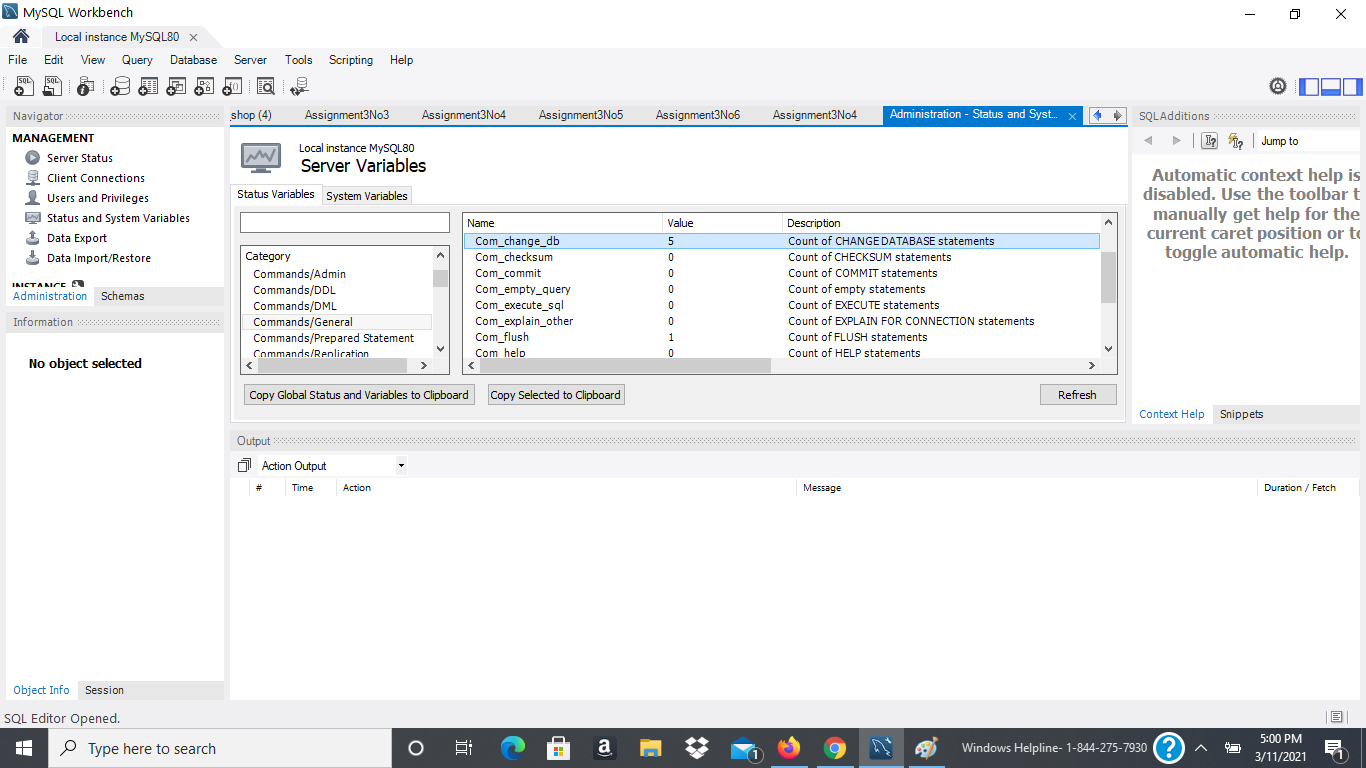
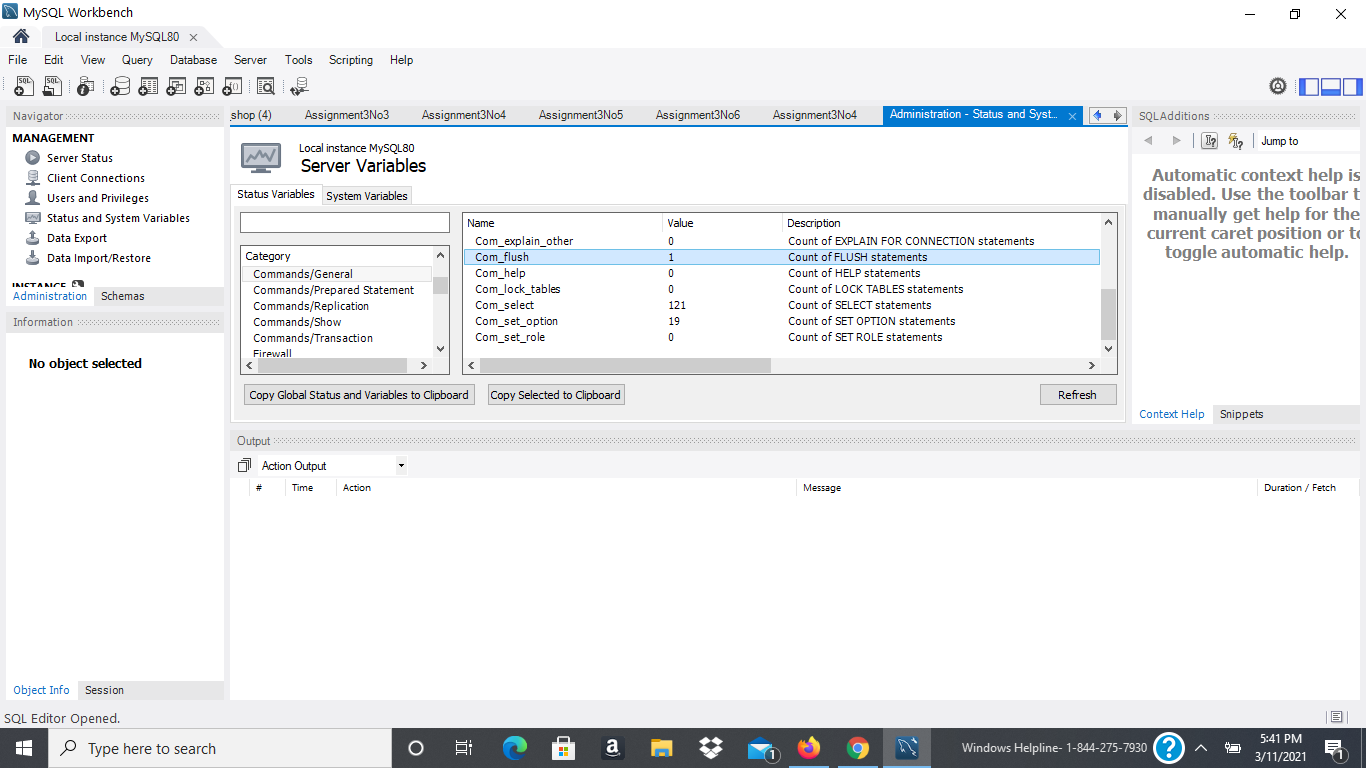
MySQL Workbench Local instance MySQL80 X File Edit View Query Database SQL 9 + Server Tools Scripting Scripting Help Assignment3N06 Assignment3N04 Administration - Status and Syst... SQL Additions | T 1 Jump to Navigator wwwwwwwwwwwww shop (4) Assignment3N03 Assignment3N04 Assignment3No5 MANAGEMENT Local instance MySQL80 Server Status M Server Variables Client Connections Users and Privileges Status Variables System Variables Status and System Variables Name 1 Data Export Com_change_db Data Import/Restore Category Com_checksum Commands/Admin Com_commit INICTANICE Administration Schemas Commands/DDL Com_empty_query Commands/DML Com_execute_sal Information Commands/General Com_explain_other Commands/Prepared Statement Com_flush Commands/Replication Com help No object selected > Automatic context help is disabled. Use the toolbart manually get help for the current caret position or to toggle automatic help. Value 5 0 0 0 U 0 0 0 1 0 Description Count of CHANGE DATABASE statements Count of CHECKSUM statements Count of COMMIT statements Count of empty statements Count of EXECUTE statements Count of EXPLAIN FOR CONNECTION statements Count of FLUSH statements Count of HELP statements Copy Global Status and Variables to Clipboard Copy Selected to Clipboard Refresh Context Help Snippets Output 0 Action Output # Time Action Message Duration / Fetch Object Info Session SQL Editor Opened. Type here to search o a E Windows Helpline- 1-844-275-7930? 5:00 PM 3/11/2021 MySQL Workbench Local instance MySQL80 X File Edit View Query Database SQL 9 + Server Tools Scripting Scripting Help Assignment3N06 Assignment3N04 Administration - Status and Syst... SQL Additions | I? Jump to Navigatore shop (4) Assignment3N03 Assignment3N04 Assignment3N05 MANAGEMENT Local instance MySQL80 Server Status M Server Variables Client Connections Users and Privileges Status Variables System Variables Status and System Variables Name 1 Data Export Com_explain_other Data Import/Restore Category Com_flush Commands/General Com_help INICTANICE Administration Schemas Commands/Prepared Statement Com_lock_tables Commands/Replication Com_select Information Commands/Show com_set_option Commands/Transaction Com_set_role Firewall No object selected Automatic context help is disabled. Use the toolbart manually get help for the current caret position or to toggle automatic help. Value 0 1 0 U 0 121 19 0 Description Count of EXPLAIN FOR CONNECTION statements Count of FLUSH statements Count of HELP statements Count of LOCK TABLES statements Count of SELECT statements Count of SET OPTION statements Count of SET ROLE statements Copy Global Status and Variables to Clipboard Copy Selected to Clipboard Refresh Context Help Snippets Output 0 Action Output # Time Action Message Duration / Fetch Object Info Session SQL Editor Opened. Type here to search 3 a Windows Helpline- 1-844-275-7930? 5:41 PM 3/11/2021
Step by Step Solution
There are 3 Steps involved in it

Get step-by-step solutions from verified subject matter experts
 Study Help