







Question: Explanation about the code and the wire in depth # ! / usr / bin / env python import... LedPin = 1 7 # pin
Explanation about the code and the wire in depth
#usrbinenv python
import...
LedPin
# pin
LedPin
ButtonPin
GPIO.setwarningsFalse
GPIO.setmodeGPIOBCM # Numbers GPIOs by standard marking
GPIO.setupLedPin GPIO.OUT # Set LedPin's mode is output
GPIO.outputLedPin GPIO.HIGH # Set LedPin highV to turn off led
GPIO.setupLedPin GPIO.OUT # Set LedPin's mode is output
GPIO.outputLedPin GPIO.HIGH # Set LedPin highV to turn off led
# Set ButtonPin's mode as input with the internal pullup
GPIO.setupButtonPin
GPIO.IN pullupdown GPIO.PUDUP
while True:
GPIO. input
GPIO.outputLedPin GPIO.LOW # led on
GPIO.outputLedPin GPIO.HIGH # led on
else:
print led off'
GPIO.outputLedPin GPIO.HIGH# led off
GPIoutputLedPin GPIO.LOW # led on
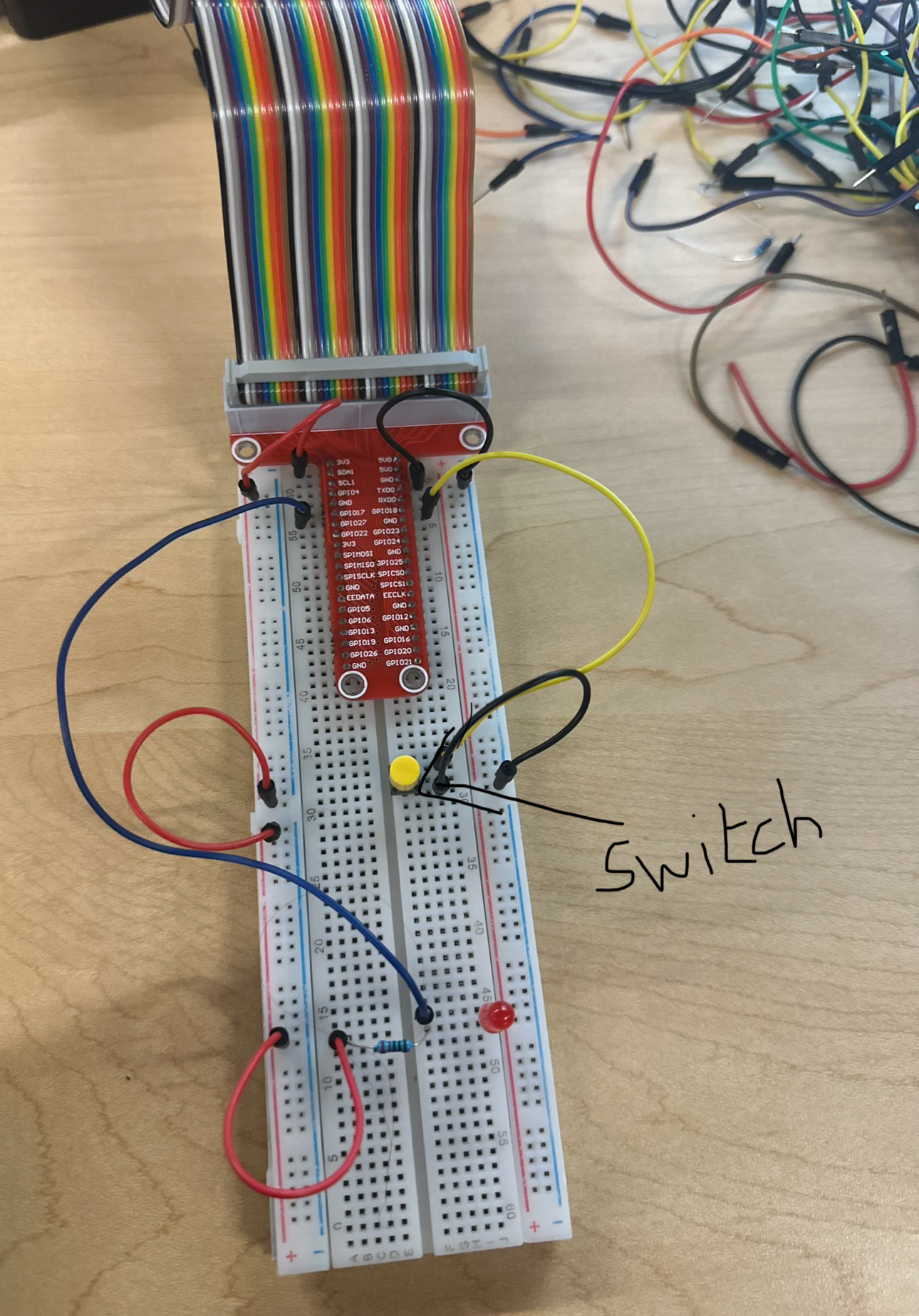
Step by Step Solution
There are 3 Steps involved in it
1 Expert Approved Answer
Step: 1 Unlock

Question Has Been Solved by an Expert!
Get step-by-step solutions from verified subject matter experts
Step: 2 Unlock
Step: 3 Unlock
 Study Help