







Question: Extra 6-1 Develop the Temperature Converter In this exercise, youll use radio buttons to determine whether the conversion is from Fahrenheit to Celsius or vice
Extra 6-1 Develop the Temperature Converter
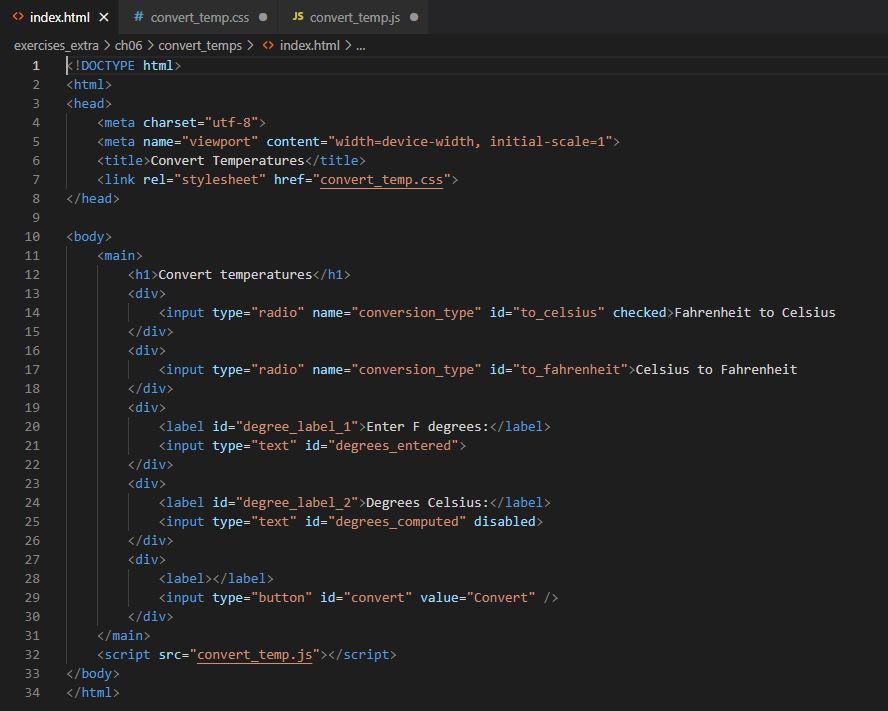
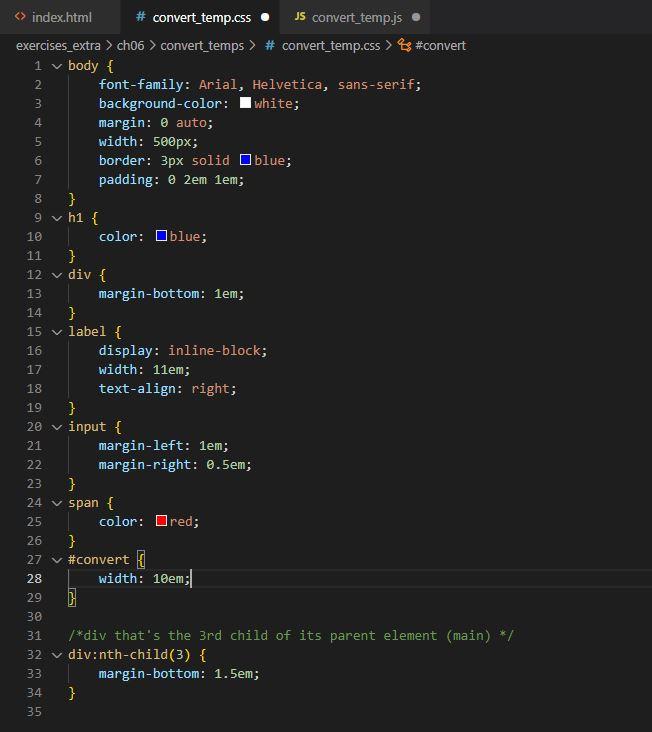
In this exercise, youll use radio buttons to determine whether the conversion is from Fahrenheit to Celsius or vice versa. Youll also modify the DOM so the labels change when a radio button is clicked, and the page displays an error message when the user enters invalid data.
1. Open the application in this folder:
exercises_extra\ch06\convert_temps\
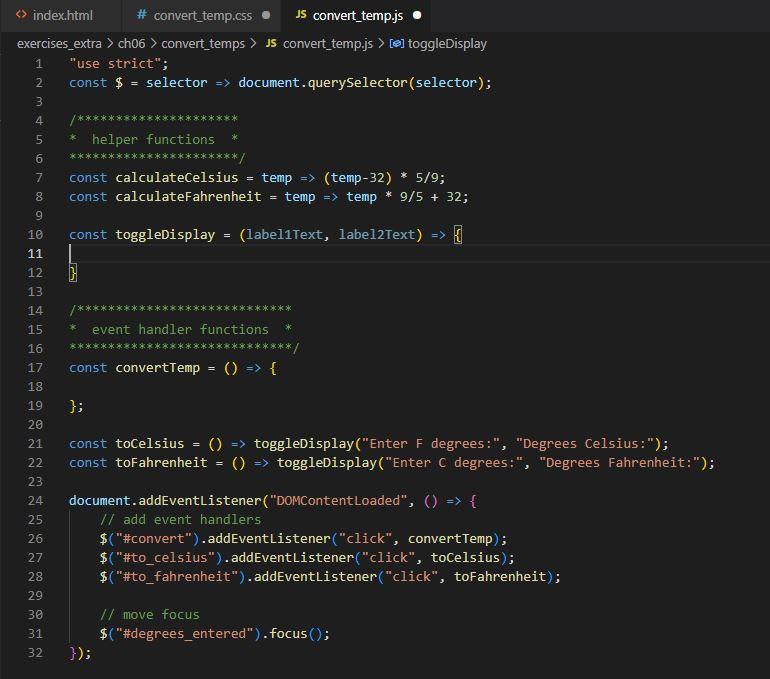
2. Note that the JavaScript file has some starting JavaScript code, including the $() function, three helper functions, three event handler functions, and a DOMContentLoaded event handler that attaches the three event handlers.
3. Review how the toCelsius() and toFarhenheit() event handler functions call the toggleDisplay() helper function and pass it strings to display. Also note that the toggleDisplay() helper function and the convertTemp() event handler function are incomplete.
4. Code the toggleDisplay() function so it changes the text in the labels for the text boxes to the values in the parameters that it receives. It should also clear the disabled text box where the computed temperature is displayed.
5. Code the convertTemp() function without any data validation. It should use the helper functions to calculate the temperature based on which radio button is checked. The value returned by the helper functions should be rounded to zero decimal places.
6. Add data validation to the convertTemp() function. If the entry is note a valid number, a validation message should be displayed in the element with the id of message.
7. Add any finishing touches to the application whenever thats appropriate. This can be things like moving the focus to the first text box and selecting the text, clearing a previous error message, or clearing a previously computed temperature value.
Upload your completed files here when you have finished the assignment.
k!DOCTYPE html> html head> meta name="viewport" content="width=device-width, initial-scale=1" link rel="stylesheet" href=" convert_temp.css" / head body main> hi Convert temperatures /h1 div Linput type="radio" name="conversion_type" id="to_celsius" checked>Fahrenheit to Celsius / div div > Celsius to Fahrenheit /div div label id="degree_label_1" Enter F degrees: / label / div div label id="degree_label_2" Degrees Celsius: /1abel / div div label label /> /div / main script src = " convert_temp.j 5/ script / body index.html \# convert_temp.css - Js convert_temp.js exercises_extra > ch06 > convert_temps > JS convert_temp.js > [ 6] toggleDisplay
Step by Step Solution
There are 3 Steps involved in it

Get step-by-step solutions from verified subject matter experts
 Study Help