







Question: EXTRA CREDIT ASSIGNMENT (Must be done individually) ENGR 1204 Programming Languages in Engineering Assignment 8 Objective: Modify the Four Function Calculator GUI program shown in
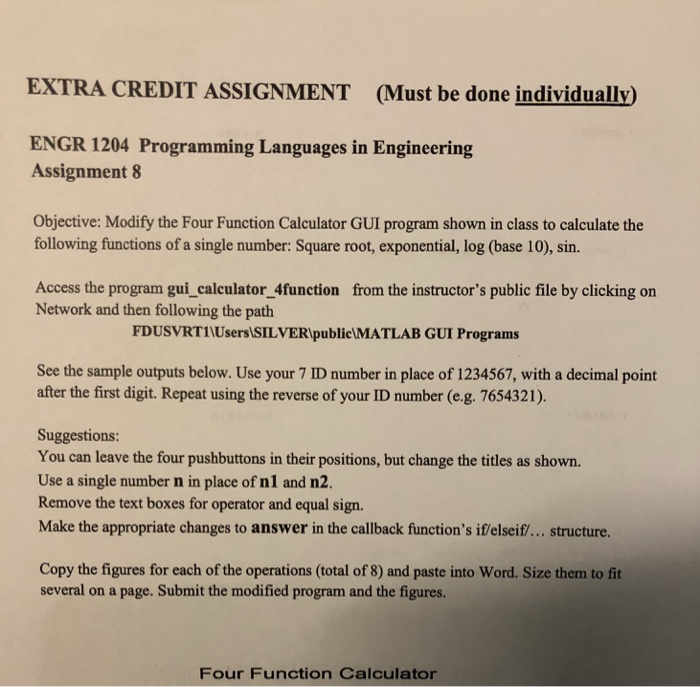
EXTRA CREDIT ASSIGNMENT (Must be done individually) ENGR 1204 Programming Languages in Engineering Assignment 8 Objective: Modify the Four Function Calculator GUI program shown in class to calculate the following functions of a single number: Square root, exponential, log (base 10), sin. Access the program gui_calculator_4function from the instructor's public file by clicking on Network and then following the path FDUSVRTINUsers SILVERIpublieLMATLAB GUI Programs See the sample outputs below. Use your 7 ID number in place of 1234567, with a decimal point after the first digit. Repeat using the reverse of your ID number (e.g. 7654321). Suggestions: You can leave the four pushbuttons in their positions, but change the titles as shown. Use a single number n in place of nl and n2. Remove the text boxes for operator and equal sign Make the appropriate changes to answer in the callback function's if/elseif/... structure Copy the figures for each of the operations (total of 8) and paste into Word. Size them to fit several on a page. Submit the modified program and the figures. Four Function Calculator EXTRA CREDIT ASSIGNMENT (Must be done individually) ENGR 1204 Programming Languages in Engineering Assignment 8 Objective: Modify the Four Function Calculator GUI program shown in class to calculate the following functions of a single number: Square root, exponential, log (base 10), sin. Access the program gui_calculator_4function from the instructor's public file by clicking on Network and then following the path FDUSVRTINUsers SILVERIpublieLMATLAB GUI Programs See the sample outputs below. Use your 7 ID number in place of 1234567, with a decimal point after the first digit. Repeat using the reverse of your ID number (e.g. 7654321). Suggestions: You can leave the four pushbuttons in their positions, but change the titles as shown. Use a single number n in place of nl and n2. Remove the text boxes for operator and equal sign Make the appropriate changes to answer in the callback function's if/elseif/... structure Copy the figures for each of the operations (total of 8) and paste into Word. Size them to fit several on a page. Submit the modified program and the figures. Four Function Calculator
Step by Step Solution
There are 3 Steps involved in it

Get step-by-step solutions from verified subject matter experts
 Study Help