



Question: Extract the timestamp and the phone number from each specific line into separate variables (e.g., timestamp and phone_number). For example, you can use the split
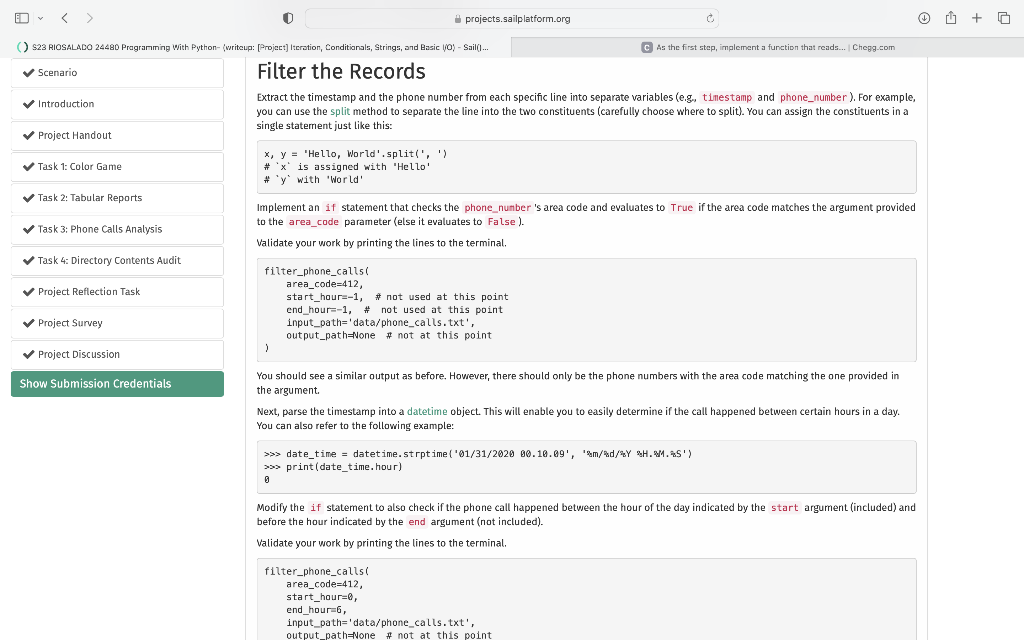
Extract the timestamp and the phone number from each specific line into separate variables (e.g., timestamp and phone_number). For example, you can use the split method to separate the line into the two constituents (carefully choose where to split). You can assign the constituents in a single statement just like this:
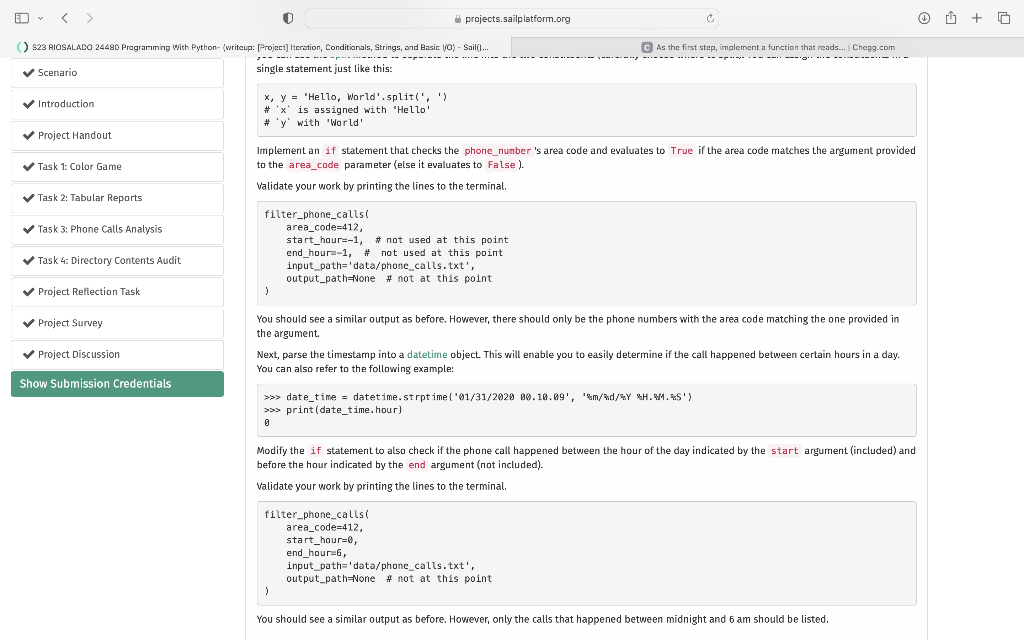
x, y = 'Hello, World'.split(', ') # `x` is assigned with 'Hello' # `y` with 'World' Implement an if statement that checks the phone_number's area code and evaluates to True if the area code matches the argument provided to the area_code parameter (else it evaluates to False).
Please note I cannot add the data/phone_calls.txt file it is too large.
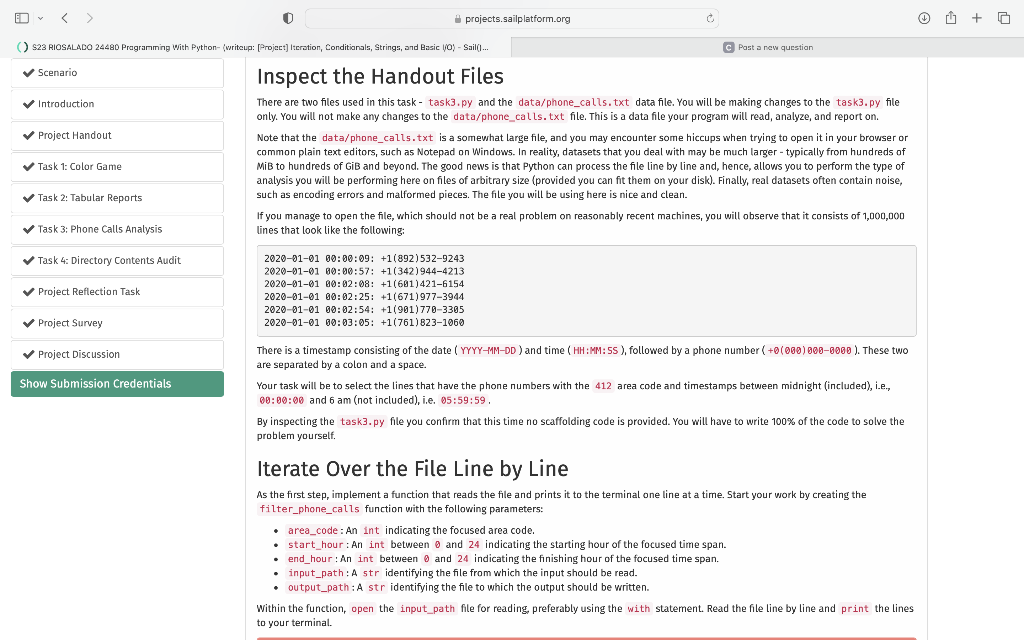
Inspect the Handout Files There are two files used in this task - task3.py and the data/phone_calls.txt data file. You will be making changes to the task3.py file only. You will not make any changes to the data/phone_calls. txt file. This is a data file your program will read, analyze, and report on. Note that the data/phone_calls.txt is a somewhat large file, and you may encounter some hiccups when trying to open it in your browser or common plain text editors, such as Notepad on Windows. In reality, datasets that you deal with may be much larger - typically from hundreds of MiB to hundreds of GiB and beyond. The good news is that Python can process the file line by line and, hence, allows you to perform the type of analysis you will be performing here on files of arbitrary size (provided you can fit them on your disk). Finally, real datasets often contain noise, such as encoding errors and malformed pieces. The file you will be using here is nice and clean. If you manage to open the file, which should not be a real problem on reasonably recent machines, you will observe that it consists of 1,000,000 lines that look like the following: 2020010100:00:09:+1(892)53292432020010160:00:57:+1(342)94442132020010100:02:08:+1(601)42161542020010100:02:25:+1(671)97739442020010100:02:54:+1(901)77033052020010100:03:05:+1(761)8231060 There is a timestamp consisting of the date ( YYYY-MM-DD ) and time ( HH:MM: SS ), followed by a phone number (+0(000)0000000 ). These two are separated by a colon and a space. Your task will be to select the lines that have the phone numbers with the 412 area code and timestamps between midnight (included), i.e., 00:00:00 and 6 am (not included), i.e. 05:59:59. By inspecting the task3. py file you confirm that this time no scaffolding code is provided. You will have to write 100% of the code to solve the problem yourself. Iterate Over the File Line by Line As the first step, implement a function that reads the file and prints it to the terminal one line at a time. Start your work by creating the filter_phone_calls function with the following parameters: - area_code : An int indicating the focused area code. - start_hour: An int between and 24 indicating the starting hour of the focused time span. - end_hour : An int between and 24 indicating the finishing hour of the focused time span. - input_path: A str identifying the file from which the input should be read. - output_path : A str identifying the file to which the output should be written. Within the function, open the input_path file for reading. preferably using the with statement. Read the file line by line and print the lines to your terminal. Filter the Records Extract the timestamp and the phone number from each specific line into separate variables (e.g. timestamp and phone_number). For example, you can use the split method to separate the line into the two constituents (carefully choose where to split). You can assign the constituents in a single statement just like this: x,y= 'Hello, World',split(', ') \# ' x is assigned with 'Hello' " 'y' with 'World' Implement an if statement that checks the phone_number 's area code and evaluates to True if the area code matches the argument provided to the area_cade parameter (else it evaluates to False). Validate your work by printing the lines to the terminal. filter_phone_callsi area_code=412, start_hour=-1, \# not used at this point end_hour=-1, \# not used at this point input_path='data/phone_calls.txt', output_path=None \# not at this point , You should see a similar output as before. However, there should only be the phone numbers with the area code matching the one provided in the argument. Next, parse the timestamp into a datetime object. This will enable you to easily determine if the call happened between certain hours in a day. You can also refer to the following example: Modify the if statement to also check if the phone call happened between the hour of the day indicated by the start argument (included) and before the hour indicated by the end argument (not included). Validate your work by printing the lines to the terminal. filter_phone_callsi area_code =412, start_hour=0, end_hour=6, input_path= 'data/phone_calls.txt', projects.sailplatform.org c [: [Project] Iteration, Conditianals, Strings, and Basic lyoy - Sail(1... As the first step, implement a function that reads... | Chegg-eom single statement just like this: x,y= "Hello, World':split(', ') \#' x ' is assigned with "Hello' "' y ' with 'World' Implement an if statement that checks the phone_number 's area code and evaluates to True if the area code matches the argument provided to the area_code parameter (else it evaluates to False). Validate your work by printing the lines to the terminal. filter_phone_callsi area_code=412, start_hour=-1, N not used at this point end_hour=-1, \# not used at this point input_path='data/phone_calls.txt', output_path=None \#not at this point You should see a similar output as before. However, there should only be the phone numbers with the area code matching the one provided in the argument. Next, parse the timestamp into a datetime object. This will enable you to easily determine if the call happened between certain hours in a day. You can also refer to the following example: Modify the if statement to also check if the phone call happened between the hour of the day indicated by the start argument (included) and before the hour indicated by the end argument (not included). Validate your work by printing the lines to the terminal. filter_phone_calls' area_code =412, start_hour=0, end_hour=6, input_path='data/phone_calls.txt', output_path=None \#not at this point ) You should see a similar output as before. However, only the calls that happened between midnight and 6 am should be listed
Step by Step Solution
There are 3 Steps involved in it

Get step-by-step solutions from verified subject matter experts