







Question: f Problem 4: MATLAB programming (S0 points) write a generic (ie. non-problem specific) MATLAB function that implements the bisection method. The function should have the
f 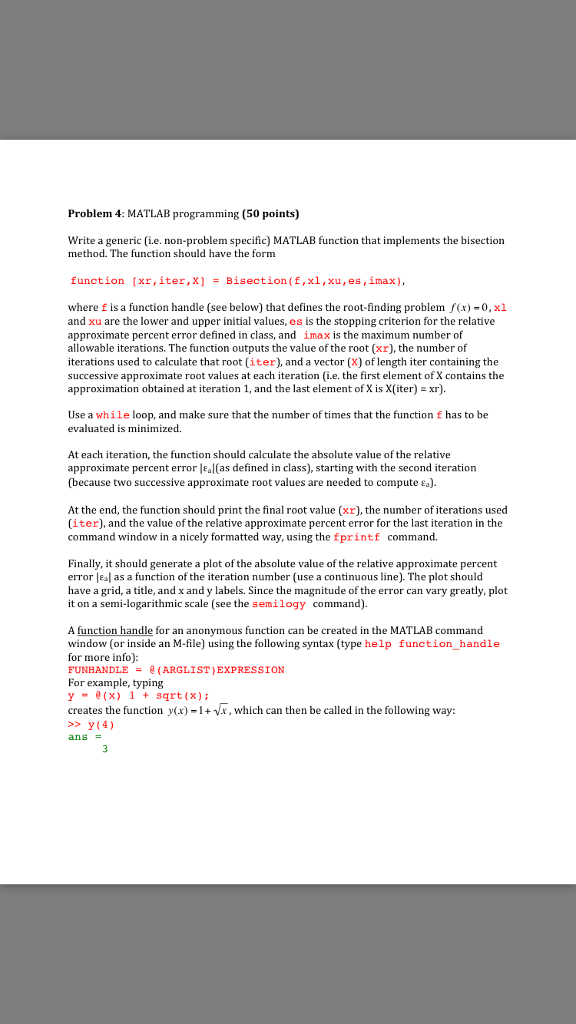
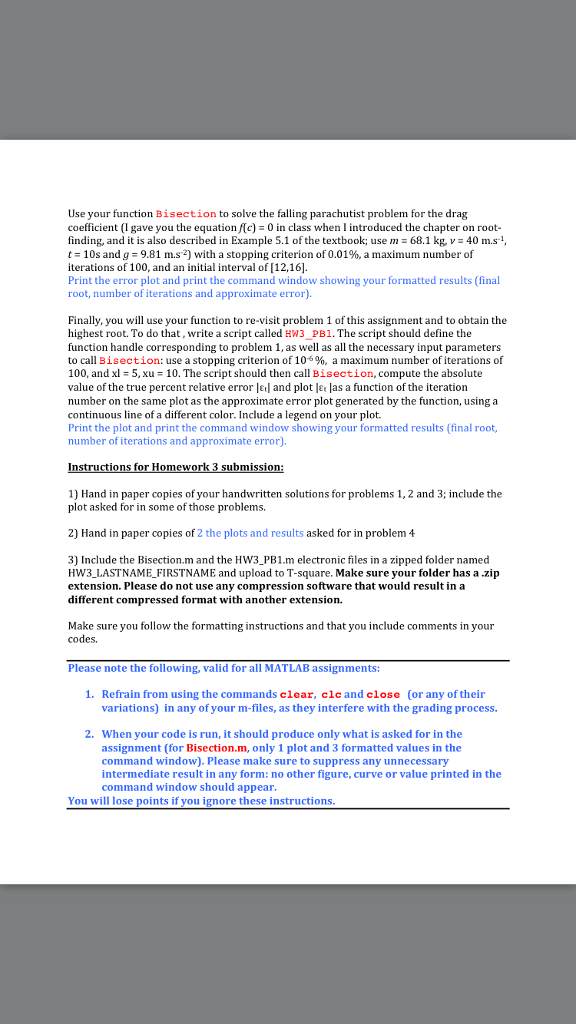
Problem 4: MATLAB programming (S0 points) write a generic (ie. non-problem specific) MATLAB function that implements the bisection method. The function should have the form function [xr , iter,X) Bisection ( f , xi , xu , es,imax) where f is a function handle (see below) that defines the root-finding problem f(x)-0,x1 and xu are the lower and upper initial values, es is the stopping criterion for the relative approximate percent error defined in class, and imax is the maximum number of allowable iterations. The function outputs the value of the root (xr), the number of iterations used to calculate that root (iter), and a vector (X) of length iter containing the successive approximate root values at each iteration (i.e. the first element of X contains the approximation obtained at iteration 1, and the last element of X is X(iter)xr) Use a while loop, and make sure that the number of times that the function f has to be evaluated is minimized. At each iteration, the function should calculate the absolute value of the relative approximate percent error al(as defined in class), starting with the second iteration (because two successive approximate root values are needed to compute ). At the end, the function should print the final root value (xr), the number of iterations used (iter), and the value of the relative approximate percent error for the last iteration in the command window in a nicely formatted way, using the fprintf command. Finally, it should generate a plot of the absolute value of the relative approximate percent error |sal as a function of the iteration number (use a continuos lie). The plot should have a grid, a title, and x and y labels. Since the magnitude of the error can vary greatly, plot it on a semi-logarithmic scale (see the semilogy command). A function handle for an anonymous function can be created in the MATLAB command window (or inside an M-file) using the following syntax (type help function_handle for more info): FUNHANDLE = @(ARGLIST ) EXPRESSION For example, typing y-e(x) 1+sqrt(x) creates the function y(x)-1+vx, which can then be called in the following way: y(4)
Step by Step Solution
There are 3 Steps involved in it

Get step-by-step solutions from verified subject matter experts
 Study Help