







Question: Faces button in WebGl that toggles between assigning a single color for each vertex of a face and assigning a different color for each vertex
 "Faces" button in WebGl that toggles between assigning a single color for each vertex of a face and assigning a different color for each vertex so colors are interpolated across each face
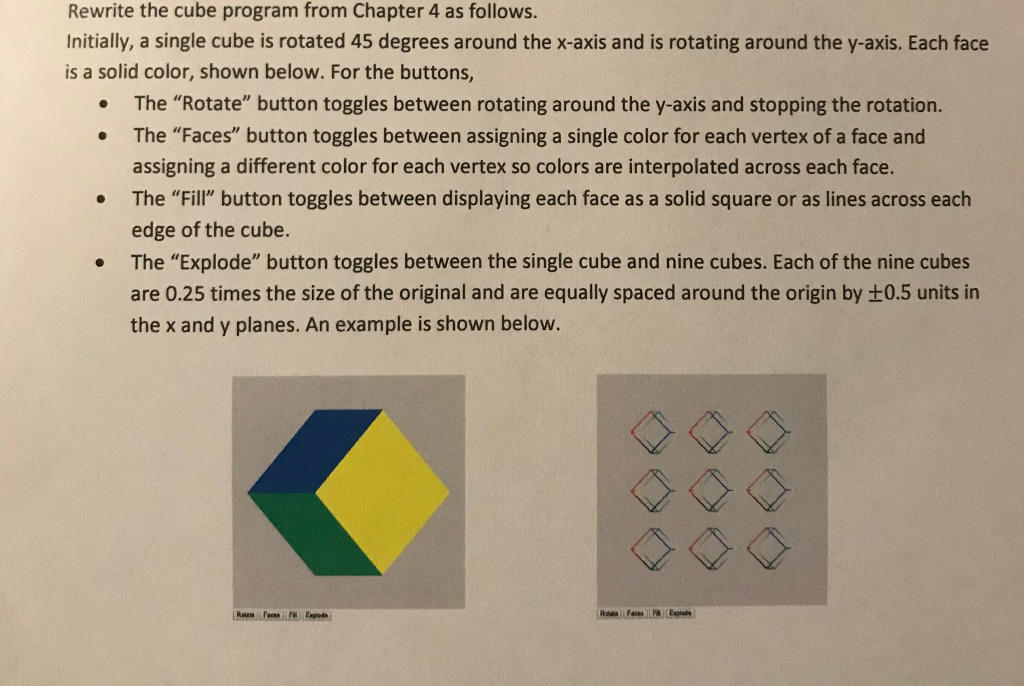
Rewrite the cube program from Chapter 4 as follows. Initially, a single cube is rotated 45 degrees around the x-axis and is rotating around the y-axis. Each face is a solid color, shown below. For the buttons, The "Rotate" button toggles between rotating around the y-axis and stopping the rotation. The "Faces" button toggles between assigning a single color for each vertex of a face and assigning a different color for each vertex so colors are interpolated across each face. . . The "Fill" button toggles between displaying each face as a solid square or as lines across each edge of the cube. The "Explode" button toggles between the single cube and nine cubes. Each of the nine cubes are 0.25 times the size of the original and are equally spaced around the origin by 0.5 units in the x and y planes. An example is shown below
Step by Step Solution
There are 3 Steps involved in it

Get step-by-step solutions from verified subject matter experts
 Study Help