



Question: Fao SUBNET 2 SUBNET 1 Server-PT Server Fa0/2 Gig0/1 Fao Gig0/0 Fa0/1 Fa0/1 Fa0/2 PC-PT PC1 2911 R1 2960-24 N Fa0/3 Switcho 2960-24TT Switch 1
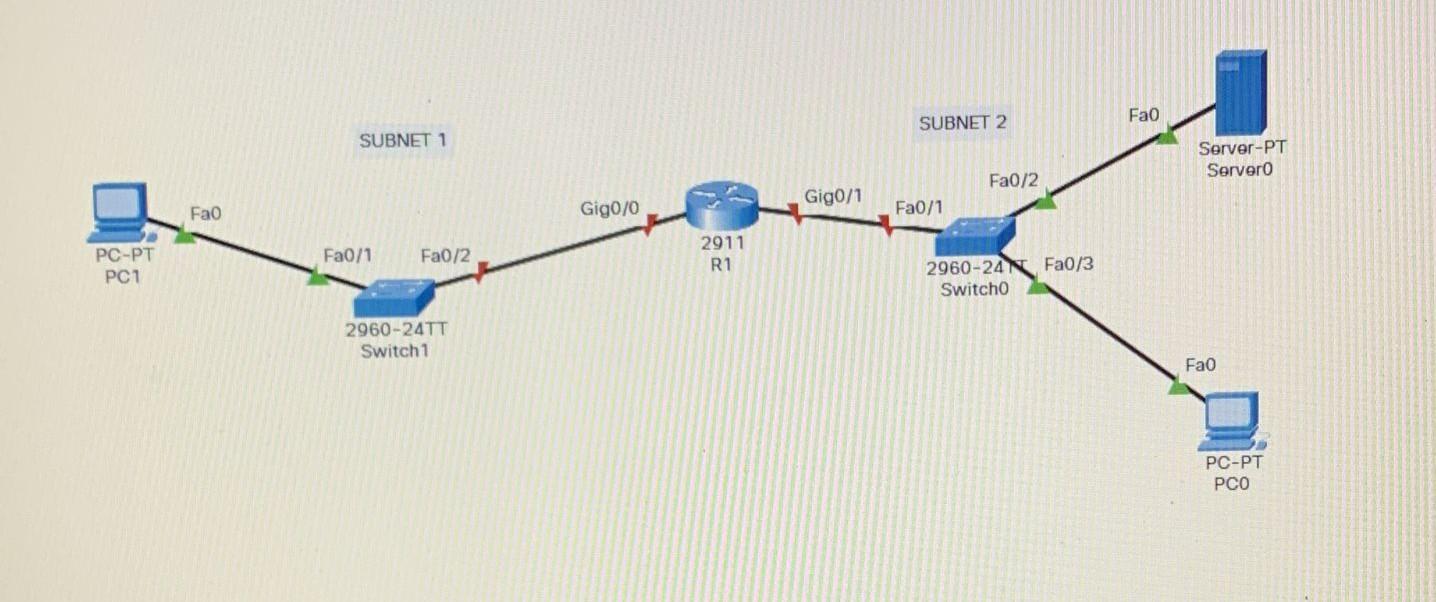
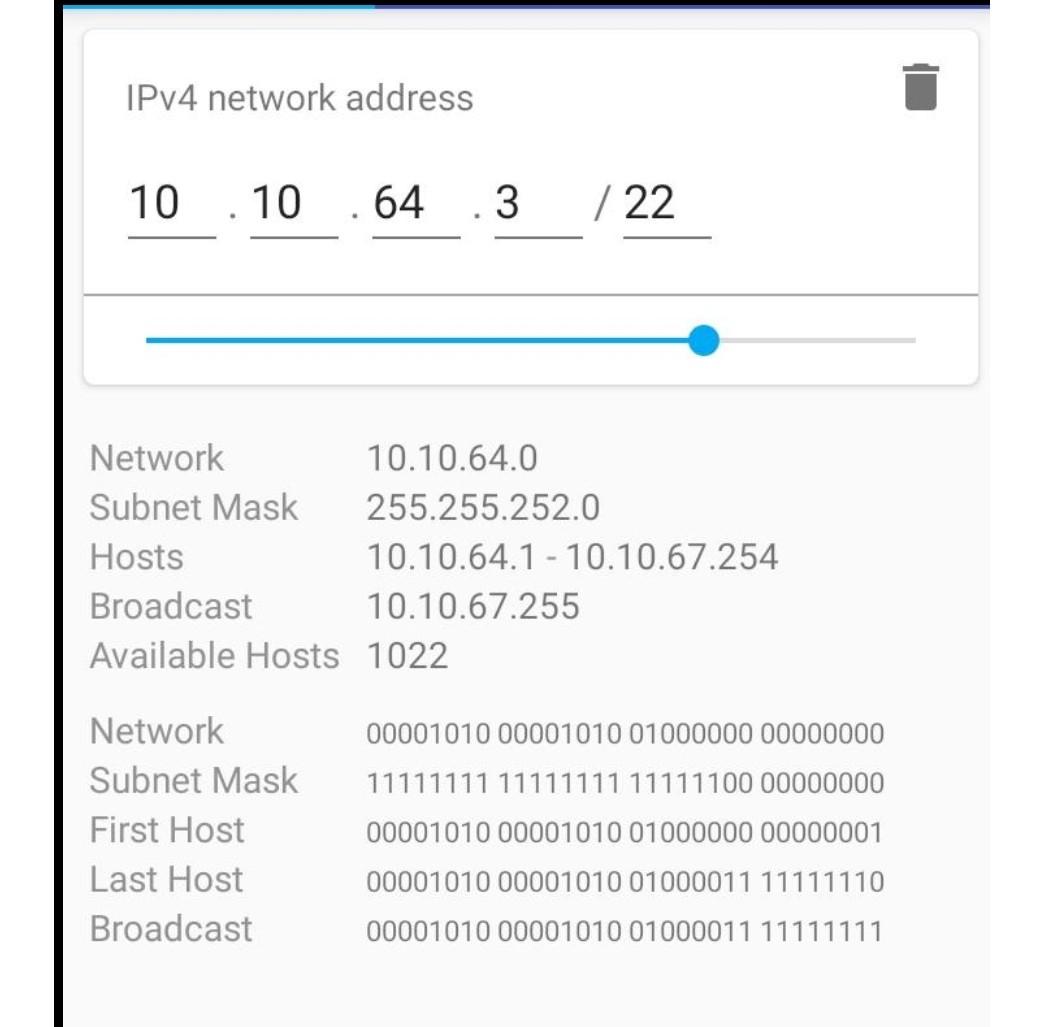
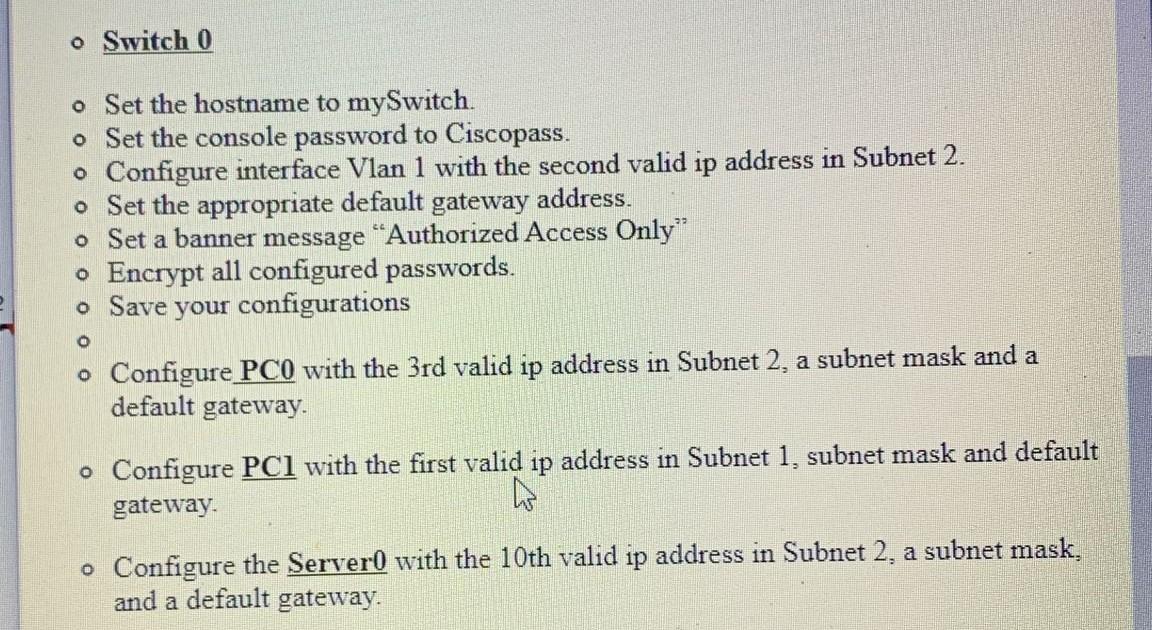
Fao SUBNET 2 SUBNET 1 Server-PT Server Fa0/2 Gig0/1 Fao Gig0/0 Fa0/1 Fa0/1 Fa0/2 PC-PT PC1 2911 R1 2960-24 N Fa0/3 Switcho 2960-24TT Switch 1 Fao PC-PT PCO IPv4 network address 10 .10 .64 .3 /22 Network 10.10.64.0 Subnet Mask 255.255.252.0 Hosts 10.10.64.1 - 10.10.67.254 Broadcast 10.10.67.255 Available Hosts 1022 Network Subnet Mask First Host Last Host Broadcast 00001010 00001010 01000000 00000000 11111111 11111111 11111100 00000000 00001010 00001010 01000000 00000001 00001010 00001010 01000011 11111110 00001010 00001010 01000011 11111111 o Switch 0 o Set the hostname to mySwitch. o Set the console password to Ciscopass. o Configure interface Vlan 1 with the second valid ip address in Subnet 2. o Set the appropriate default gateway address. o Set a banner message "Authorized Access Only o Encrypt all configured passwords. o Save your configurations O o Configure PC0 with the 3rd valid ip address in Subnet 2. a subnet mask and a default gateway. o Configure PC1 with the first valid ip address in Subnet 1, subnet mask and default gateway. W o Configure the Server with the 10th valid ip address in Subnet 2. a subnet mask, and a default gateway
Step by Step Solution
There are 3 Steps involved in it

Get step-by-step solutions from verified subject matter experts