







Question: / // Fig. 3.16: GradeBook.cpp // Implementations of the GradeBook member-function definitions. // The setCourseName function performs validation. #include #include GradeBook.h // include definition of
/
// Fig. 3.16: GradeBook.cpp // Implementations of the GradeBook member-function definitions. // The setCourseName function performs validation. #include
// constructor initializes courseName with string supplied as argument GradeBook::GradeBook( string name ) { setCourseName( name ); // validate and store courseName } // end GradeBook constructor
// function that sets the course name; // ensures that the course name has at most 25 characters void GradeBook::setCourseName( string name ) { if ( name.size()
if ( name.size() > 25 ) // if name has more than 25 characters { // set courseName to first 25 characters of parameter name courseName = name.substr( 0, 25 ); // start at 0, length of 25
cerr
// function to get the course name string GradeBook::getCourseName() const { return courseName; // return object's courseName } // end function getCourseName
// display a welcome message to the GradeBook user void GradeBook::displayMessage() const { // call getCourseName to get the courseName cout
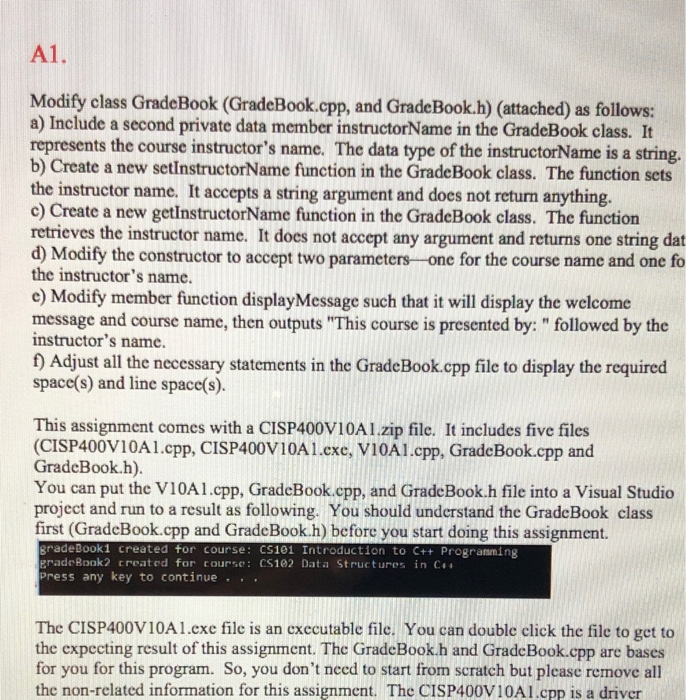
Modify class GradeBook (GradeBook.cpp, and GradeBook.h) (attached) as follows: a) Include a second private data member instructorName in the GradeBook class. It represents the course instructor's name. The data type of the instructorName is a string. b) Create a new setInstructorName function in the GradeBook class. The function sets the instructor name. It accepts a string argument and does not return anything. c) Create a new getInstructorName function in the GradeBook class. The function retrieves the instructor name. It does not accept any argument and returns one string dat d) Modify the constructor to accept two parametersone for the course name and one fo the instructor's name. e) Modify member function display Message such that it will display the welcome message and course name, then outputs "This course is presented by:" followed by the instructor's name. f) Adjust all the necessary statements in the GradeBook.cpp file to display the required space(s) and line space(s). This assignment comes with a CISP400V10A1.zip file. It includes five files (CISP400V10Al.cpp, CISP400V10Al.exe, VI0Al.cpp, GradeBook.cpp and GradeBook.h). You can put the V10Al.cpp, GradeBook.cpp, and GradeBook.h file into a Visual Studio project and run to a result as following. You should understand the GradeBook class first (GradeBook.cpp and GradeBook.h) before you start doing this assignment. gradeBook1 created for course: CS101 Introduction to C++ Programming erade Rook2 created for course: CS102 Data Structures in C++ Press any key to continue .:. The CISP400V10A1.exe file is an executable file. You can double click the file to get to the expecting result of this assignment. The GradeBook.h and GradeBook.cpp are bases for you for this program. So, you don't need to start from scratch but please remove all the non-related information for this assignment. The CISP400V10Al.cpp is a driver
Step by Step Solution
There are 3 Steps involved in it

Get step-by-step solutions from verified subject matter experts
 Study Help