







Question: File Salary.java contains most of a program that takes as input an employee's salary and a rating of the employee's performance and computes the raise
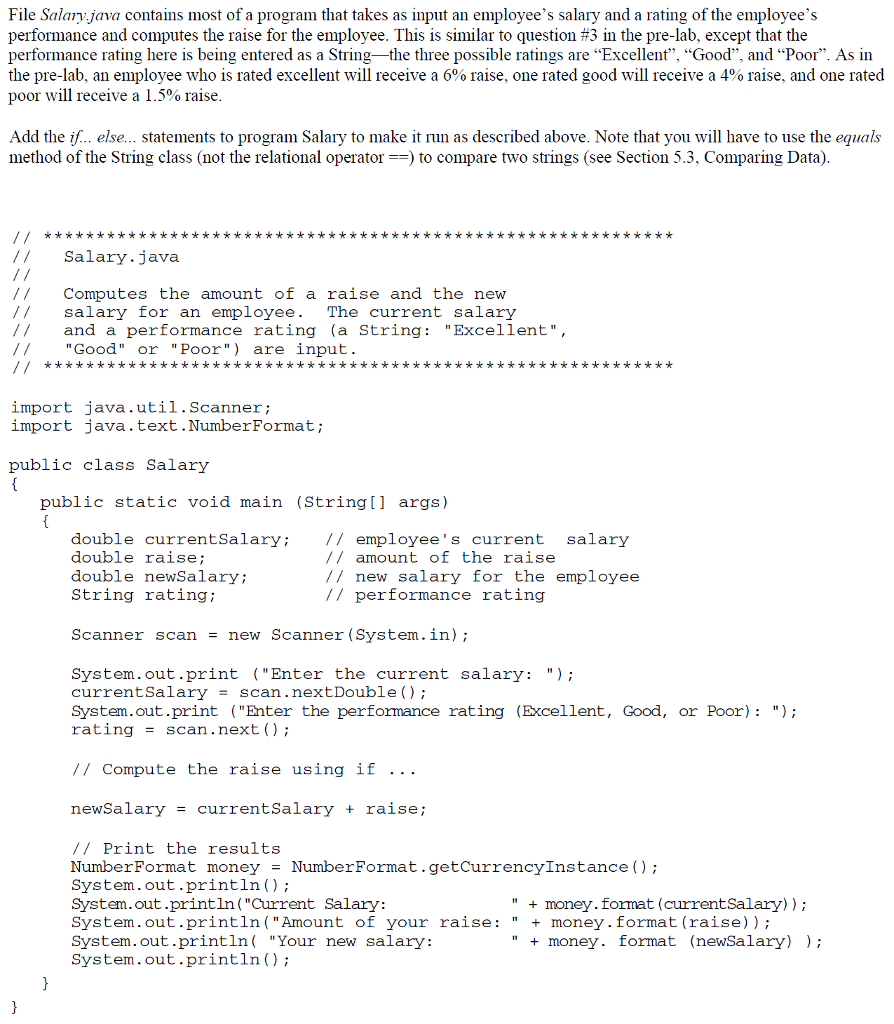
File Salary.java contains most of a program that takes as input an employee's salary and a rating of the employee's performance and computes the raise for the employee. This is similar to question #3 in the pre-lab, except that the performance rating here is being entered as a String-the three possible ratings are "Excellent", "Good", and "Poor". As in the pre-lab, an employee who is rated excellent will receive a 6% raise, one rated good will receive a 4% raise, and one rated poor will receive a 1.5% raise Add the if... else... statements to program Salary to make it run as described above. Note that you will have to use the equals method of the String class (not the relational operator to compare two strings (see Section 5.3. Comparing Data) I1 Salary.java Computes the amount of a raise and the new /salary for an employee. The current salary / and a performance rating (a String "Excellent", //Good" or "Poor") are input. import java.util.Scanner; import java.text.NumberFormat; public class Salary public static void main (String[] args) double currentSalary:l/ employee's current salary double raise double newSalary; String rating / amount of the raise // new salary for the employee // performance rating Scanner scan - new Scanner (System.in); System.out.print ("Enter the current salary:"); currentsalaryscan.nextDouble () System.out.print ("Enter the performance rating (Excellent, Good, or Poor):") rating = scan . next ( ) ; // Compute the raise using if .. . newSalary-currentSalary + raise; // Print the results NumberFormat moneyNumberFormat.getCurrencyInstance ) System.out.println); System.out.println("Current Salary: System.out.println(Amount of your raise:"money.format (raise)) System.out.println( "Your new salary: System.out.println) "money. format (currentSalary)) + money. format (newSalary) )
Step by Step Solution
There are 3 Steps involved in it

Get step-by-step solutions from verified subject matter experts
 Study Help