







Question: Files: Person.java PersonReader.java // Reads Person records from a file into an ArrayList PersonGenerator.java // Creates an ArrayList of Person objects and writes to a
Files: Person.java PersonReader.java // Reads Person records from a file into an ArrayList
PersonGenerator.java // Creates an ArrayList of Person objects and writes to a file
SafeInput.java // Library of console input routines
PersonTest.java // Junit test file for Person class Fields: (No change here from the Practicum)
String firstName String lastName String ID // should never change sequence of digits
String title // a prefix: Mr. Mrs. Ms, Prof. Dr. Hon. Etc.
int YOB // Year of birth // Range should be 1940 - 2000 Additional methods (All should be tested in JUnit):
public String fullName() // returns firstName, space, lastName
public String formalName() // returns title, space, fullName
public String getAge() // returns the age assuming the current year p
Public String getAge(int year) // uses YOB to calculate age for a specified year // use the Calendar object to do these.
Public String toCSVDataRecord() // returns a comma separated value (csv) String suitable to writing to a java text file.
Be sure to sue this function when you save data to the file. You can used the for each loop to traverse the ArrayList and use this function to generate the CSV record to write. When you read the data in from the CSV text file, instantiate a Person object from each record and store the Person objects within an ArrayList of type . Similarly, when in PersonGenerator as the user enters the data fields for each person, use it to create a Person Object and again store it in an ArrayList and then write all the records to the text file when they are finished. separate the fields of this single record into an array. Then use the array data to create an object and add it to the arrayList. Your table of Person or Product data should be generated from the ArrayList.
*****COMMENTS***
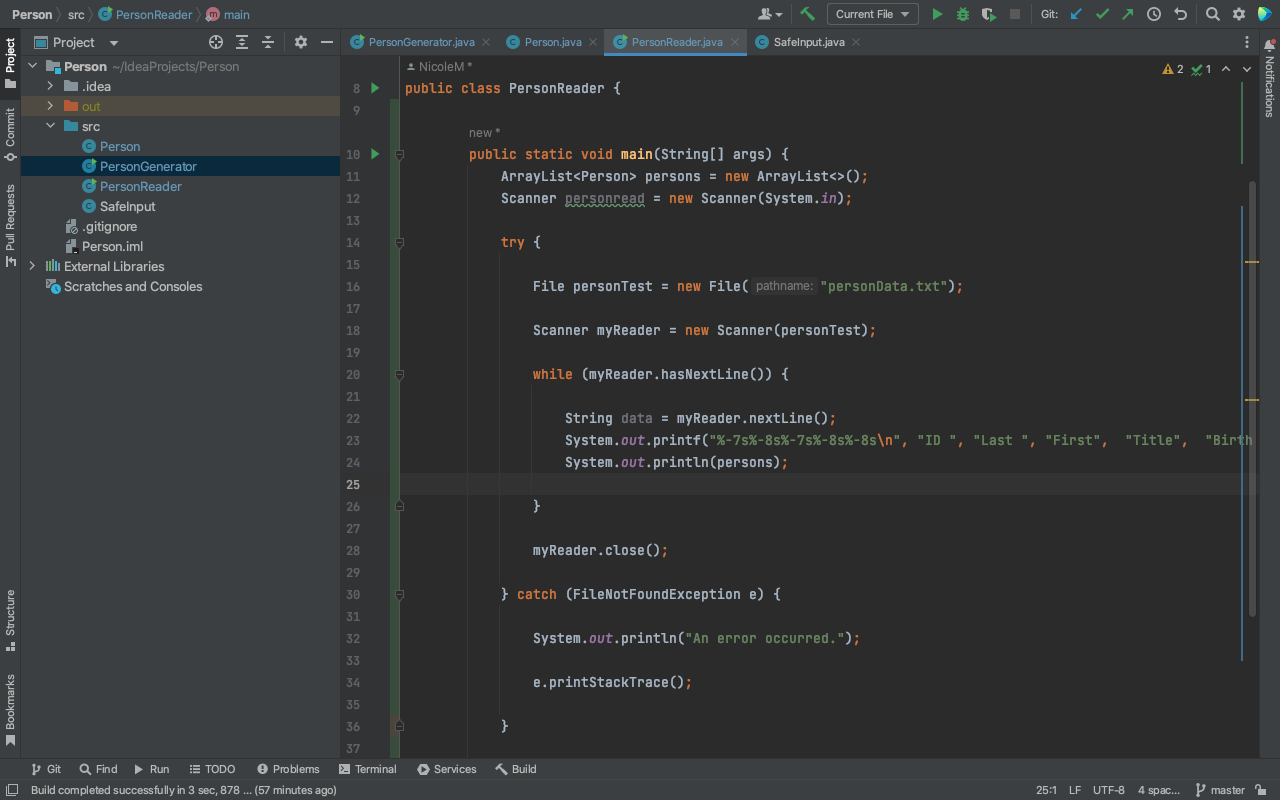
I included what I have so far. My main issue is trying to figure out how to store my person object in a array list and how to use the split method. Also how to use the data to create an object
Step by Step Solution
There are 3 Steps involved in it

Get step-by-step solutions from verified subject matter experts
 Study Help