







Question: Finally, after developing all of your code, you must test and deploy the dashboard to make sure that all of your components work. To complete
Finally, after developing all of your code, you must test and deploy the dashboard to make sure that all of your components work. To complete this step, run your IPYNB file. You must either take screenshots or create a screencast of your dashboard and widget functionality. Each of your screenshots or your screencast should contain the Grazioso Salvare logo and your unique identifier. Your screenshots or screencast must show the following:
The starting state of your dashboard, which should include your widgets for the interactive options to filter data such as radio items or dropdowns the interactive data table, and the charts
Executions of your dashboard, showing the widgets after each of the following data filters has been applied four screenshots total:
Water Rescue
Mountain or Wilderness Rescue
Disaster or Individual Tracking
Reset returns all widgets to their original, unfiltered state
You will include all of these screenshots, or your screencast, in your README file when describing the functionality of your project. These screenshots are required as they demonstrate proof of your dashboards functionality.
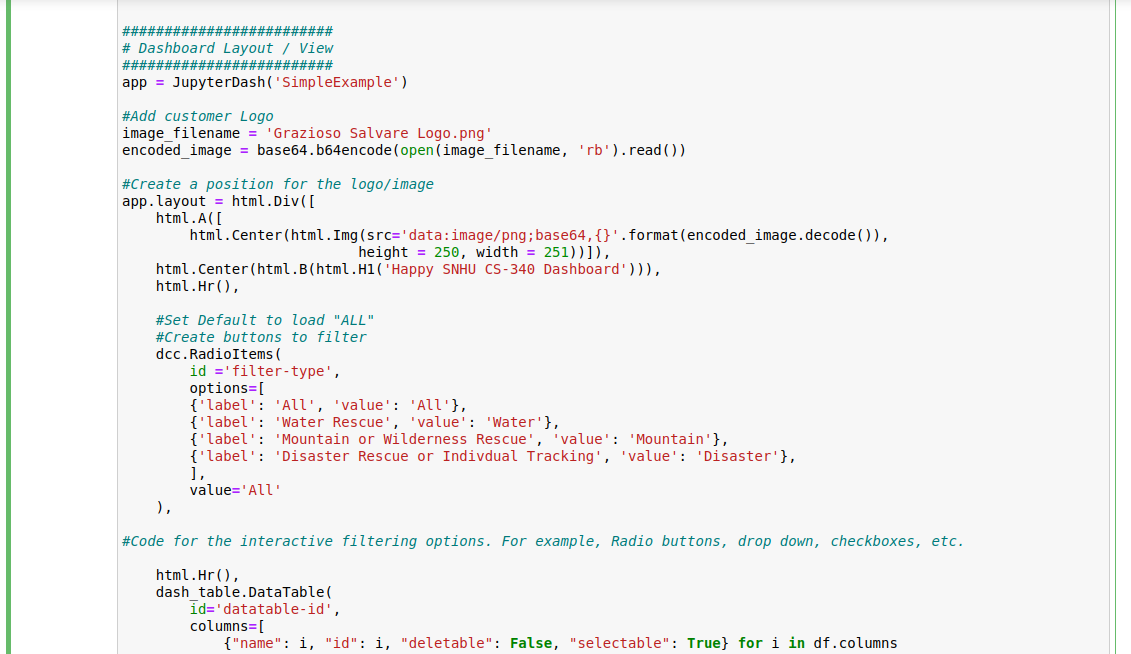
I have the entire code taken in images. The only issues remaining is getting the filters to work. Please take a look at my code and help a student out, I have reached out multiple times for assistance from my professor within the class and they have refused to aid in any manner. Please let me know what you think. Thank you
Step by Step Solution
There are 3 Steps involved in it
1 Expert Approved Answer
Step: 1 Unlock

Question Has Been Solved by an Expert!
Get step-by-step solutions from verified subject matter experts
Step: 2 Unlock
Step: 3 Unlock
 Study Help