







Question: find attached and try to complete the User Guide template for this python scrip. the python how work was all about use coding to build
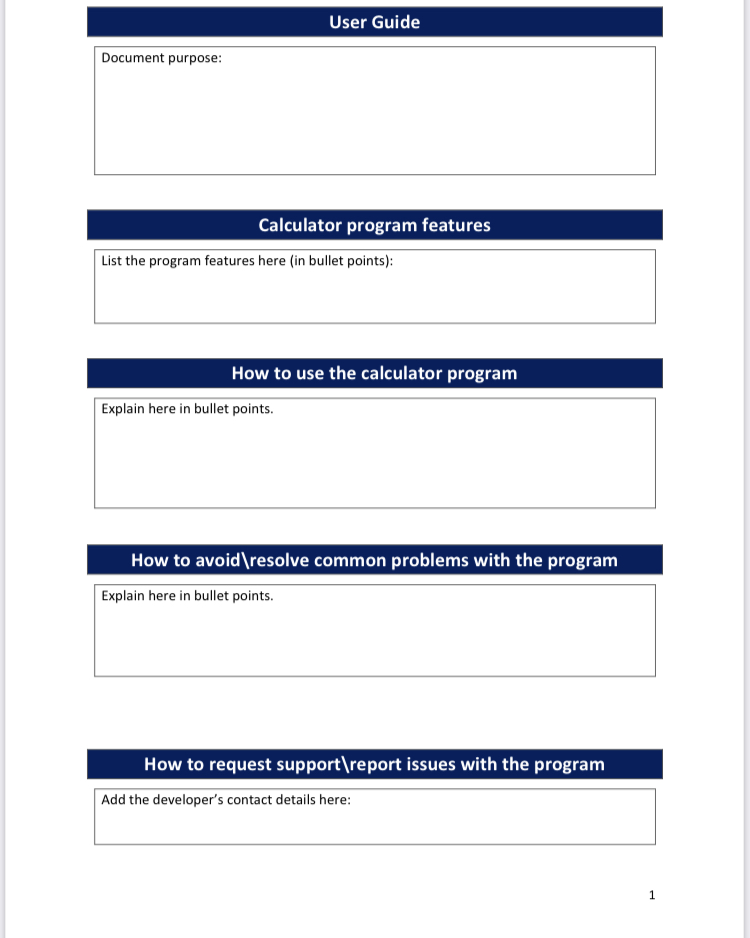
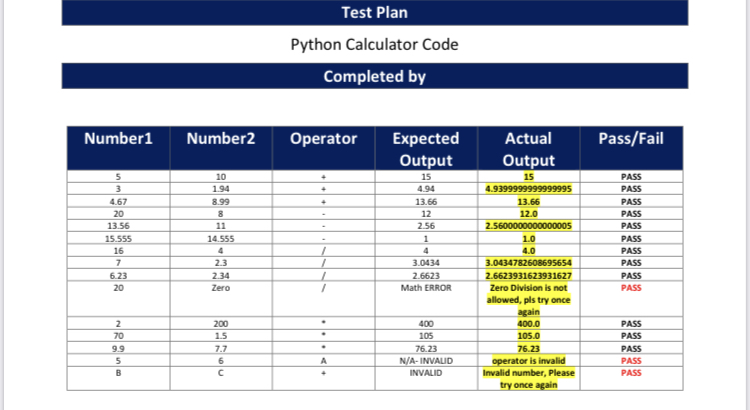
find attached and try to complete the User Guide template for this python scrip. the python how work was all about use coding to build a calculator that can do mathematical calculations And to test the calculator. pls find attached the Python scripts and the calculator test plan And the User Guide template.
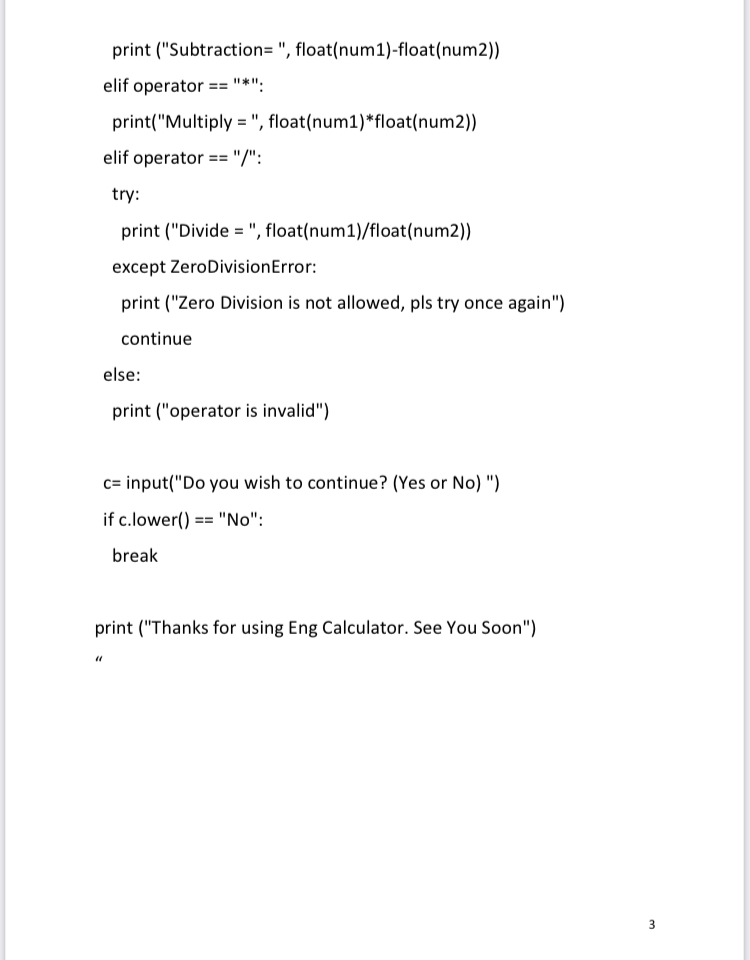
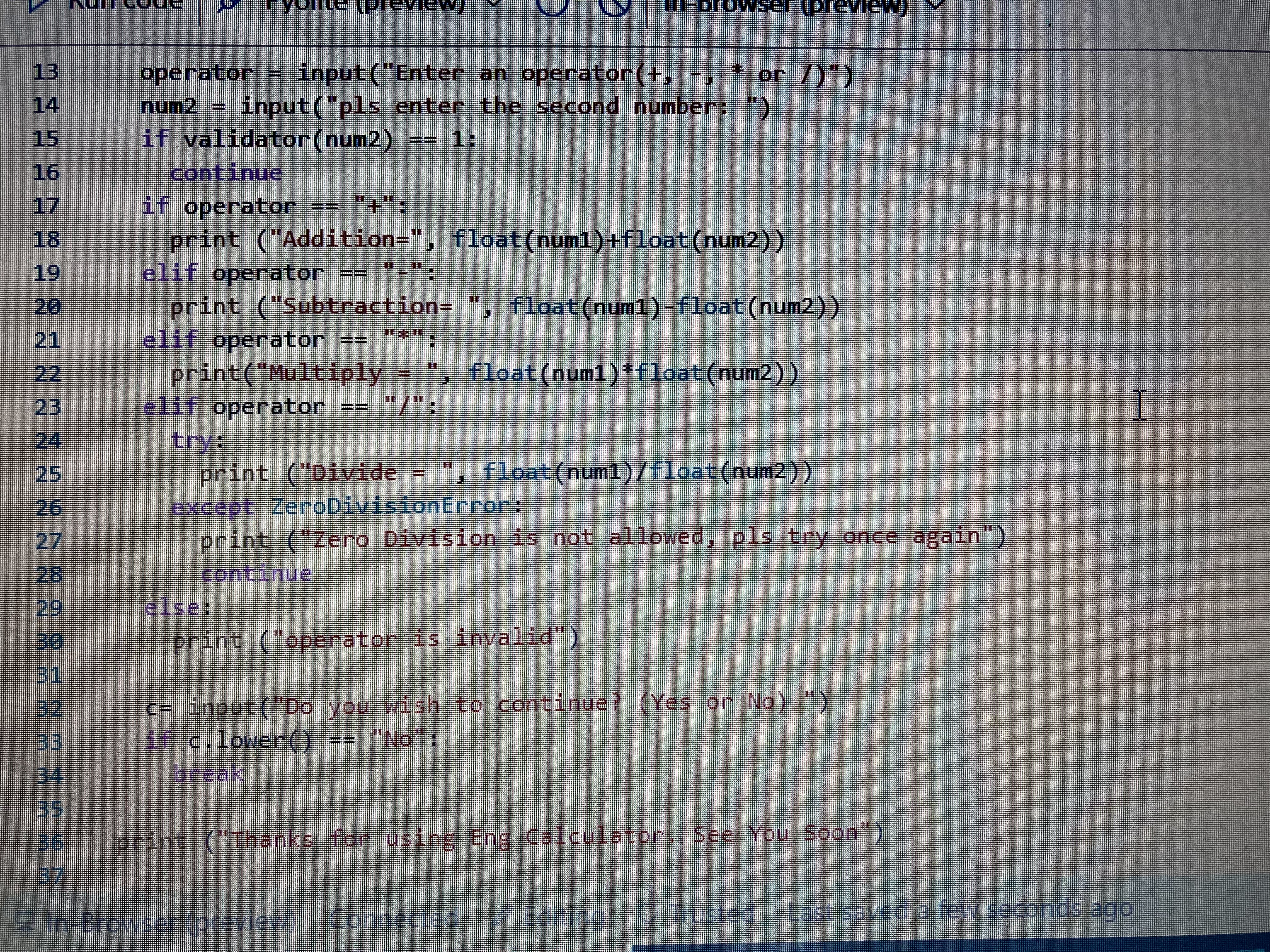
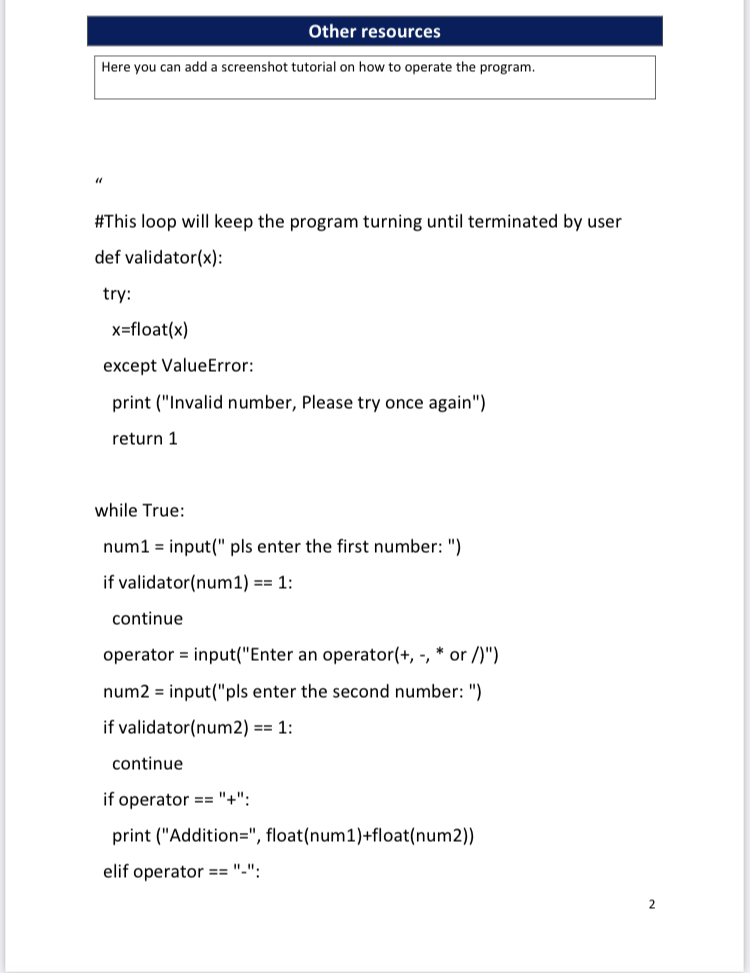
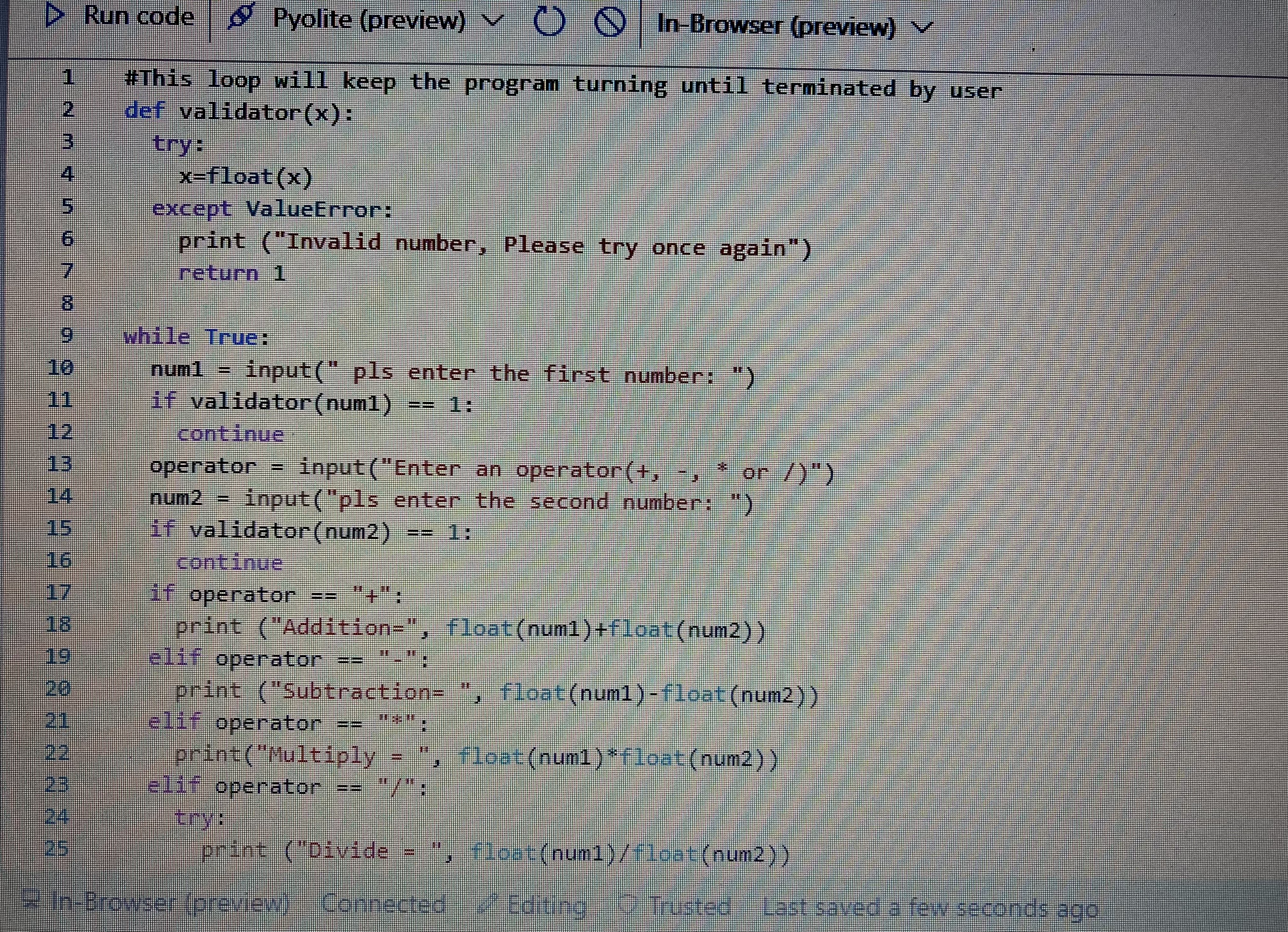
print ("Subtraction= ", float(num1)-float(num2)) elif operator == "*" print("Multiply = ", float(num1)*float(num2)) elif operator == "/": try: print ("Divide = ", float(num1)/float(num2)) except ZeroDivision Error: print ("Zero Division is not allowed, pls try once again") continue else: print ("operator is invalid") c=input("Do you wish to continue? (Yes or No) ") if c.lower() == "No": break print ("Thanks for using Eng Calculator. See You Soon") 3
Step by Step Solution
There are 3 Steps involved in it

Get step-by-step solutions from verified subject matter experts
 Study Help