





Question: Firewalls & Packet Filtering 1. Background As discussed in class, firewalls are one of the most used capablities we have to secure our networks. These
 Firewalls & Packet Filtering 1. Background As discussed in class, firewalls

are one of the most used capablities we have to secure our

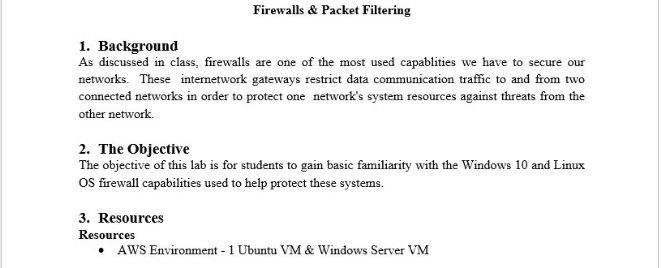
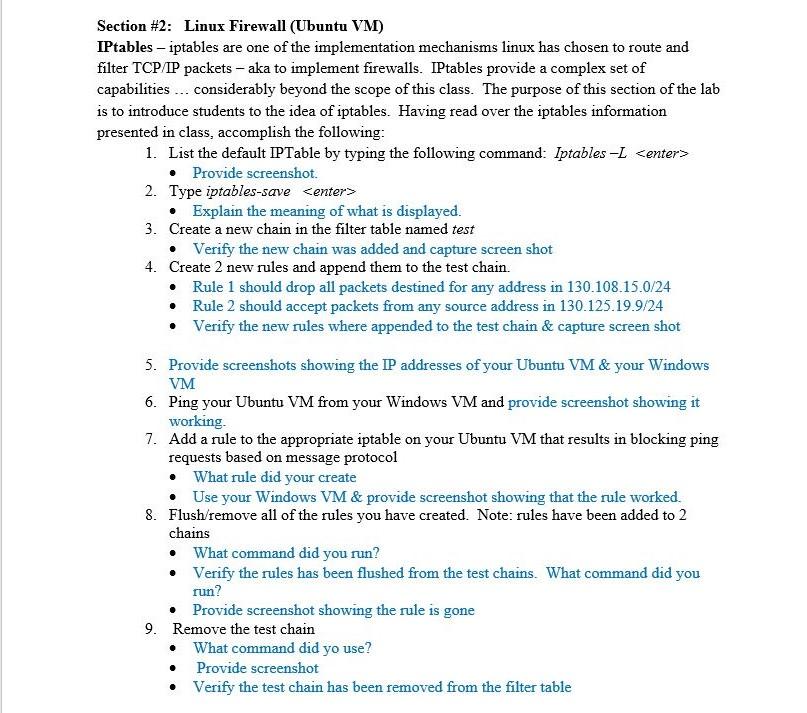
Firewalls & Packet Filtering 1. Background As discussed in class, firewalls are one of the most used capablities we have to secure our networks. These internetwork gateways restrict data communication traffic to and from two connected networks in order to protect one network's system resources against threats from the other network 2. The Objective The objective of this lab is for students to gain basic familiarity with the Windows 10 and Linux Os firewall capabilities used to help protect these systems. 3. Resources Resources AWS Environment - 1 Ubuntu VM & Windows Server VM Section #2: Linux Firewall (Ubuntu VM) IPtables - iptables are one of the implementation mechanisms linux has chosen to route and filter TCP/IP packets - aka to implement firewalls. IPtables provide a complex set of capabilities ... considerably beyond the scope of this class. The purpose of this section of the lab is to introduce students to the idea of iptables. Having read over the iptables information presented in class, accomplish the following: 1. List the default IPTable by typing the following command: Iptables -L Provide screenshot 2. Type iptables-save Explain the meaning of what is displayed. 3. Create a new chain in the filter table named test Verify the new chain was added and capture screen shot 4. Create 2 new rules and append them to the test chain. Rule 1 should drop all packets destined for any address in 130.108.15.0/24 Rule 2 should accept packets from any source address in 130.125.19.9/24 Verify the new rules where appended to the test chain & capture screen shot 5. Provide screenshots showing the IP addresses of your Ubuntu VM & your Windows VM 6. Ping your Ubuntu VM from your Windows VM and provide screenshot showing it working. 7. Add a rule to the appropriate iptable on your Ubuntu VM that results in blocking ping requests based on message protocol What rule did your create Use your Windows VM & provide screenshot showing that the rule worked. 8. Flush/remove all of the rules you have created. Note: rules have been added to 2 chains What command did you run? Verify the rules has been flushed from the test chains. What command did you run? Provide screenshot showing the rule is gone 9. Remove the test chain What command did yo use? Provide screenshot Verify the test chain has been removed from the filter table Firewalls & Packet Filtering 1. Background As discussed in class, firewalls are one of the most used capablities we have to secure our networks. These internetwork gateways restrict data communication traffic to and from two connected networks in order to protect one network's system resources against threats from the other network 2. The Objective The objective of this lab is for students to gain basic familiarity with the Windows 10 and Linux Os firewall capabilities used to help protect these systems. 3. Resources Resources AWS Environment - 1 Ubuntu VM & Windows Server VM Section #2: Linux Firewall (Ubuntu VM) IPtables - iptables are one of the implementation mechanisms linux has chosen to route and filter TCP/IP packets - aka to implement firewalls. IPtables provide a complex set of capabilities ... considerably beyond the scope of this class. The purpose of this section of the lab is to introduce students to the idea of iptables. Having read over the iptables information presented in class, accomplish the following: 1. List the default IPTable by typing the following command: Iptables -L Provide screenshot 2. Type iptables-save Explain the meaning of what is displayed. 3. Create a new chain in the filter table named test Verify the new chain was added and capture screen shot 4. Create 2 new rules and append them to the test chain. Rule 1 should drop all packets destined for any address in 130.108.15.0/24 Rule 2 should accept packets from any source address in 130.125.19.9/24 Verify the new rules where appended to the test chain & capture screen shot 5. Provide screenshots showing the IP addresses of your Ubuntu VM & your Windows VM 6. Ping your Ubuntu VM from your Windows VM and provide screenshot showing it working. 7. Add a rule to the appropriate iptable on your Ubuntu VM that results in blocking ping requests based on message protocol What rule did your create Use your Windows VM & provide screenshot showing that the rule worked. 8. Flush/remove all of the rules you have created. Note: rules have been added to 2 chains What command did you run? Verify the rules has been flushed from the test chains. What command did you run? Provide screenshot showing the rule is gone 9. Remove the test chain What command did yo use? Provide screenshot Verify the test chain has been removed from the filter table

Step by Step Solution

There are 3 Steps involved in it

1 Expert Approved Answer
Step: 1 Unlock blur-text-image
Question Has Been Solved by an Expert!

Get step-by-step solutions from verified subject matter experts

Step: 2 Unlock
Step: 3 Unlock

Students Have Also Explored These Related Databases Questions!