







Question: First Audit Action Sheet 1: Suspicious Suppliers is solved, so you can see how it should look like. Page As the new member of the
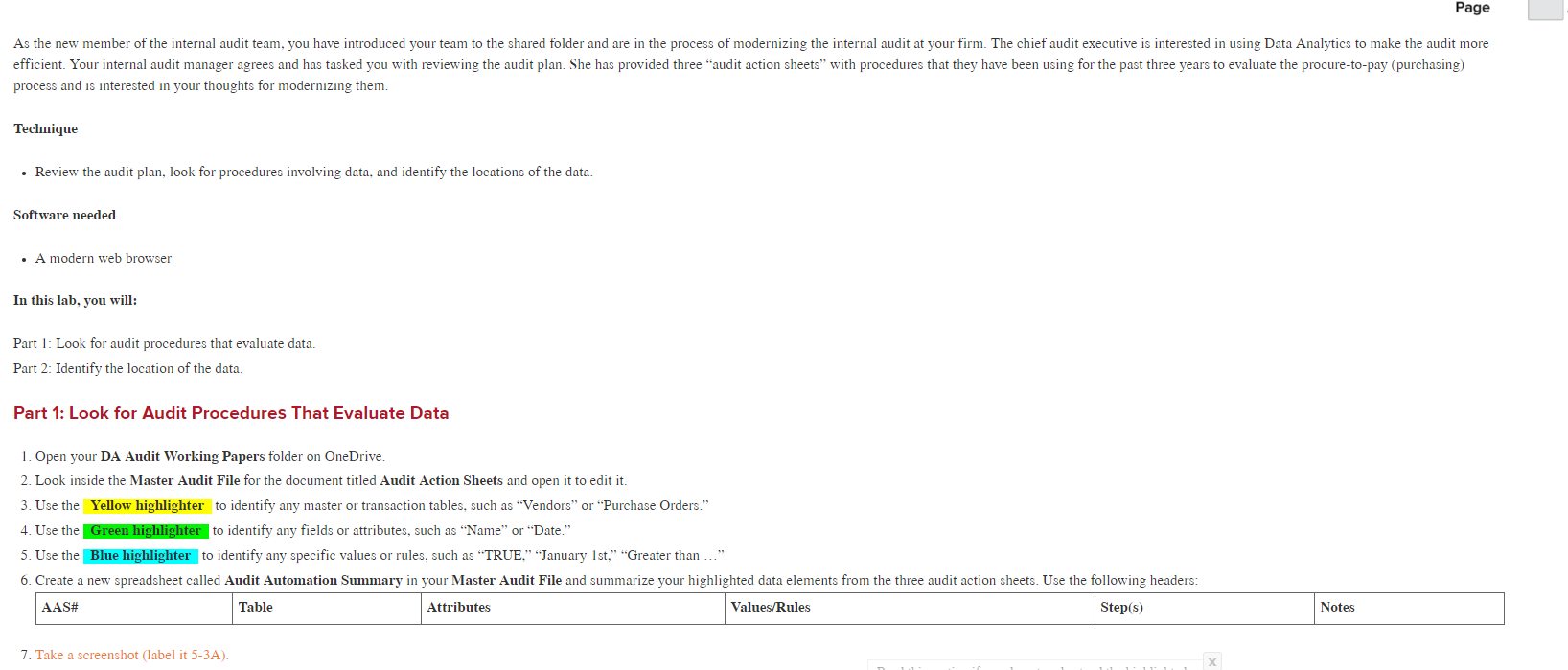
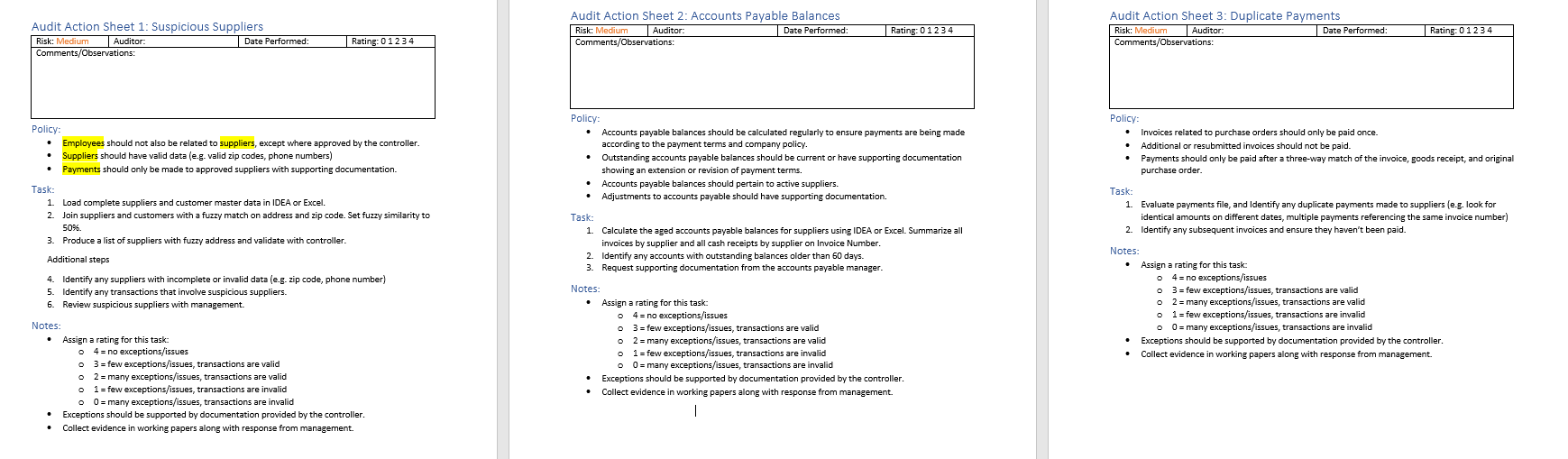
First "Audit Action Sheet 1: Suspicious Suppliers" is solved, so you can see how it should look like.
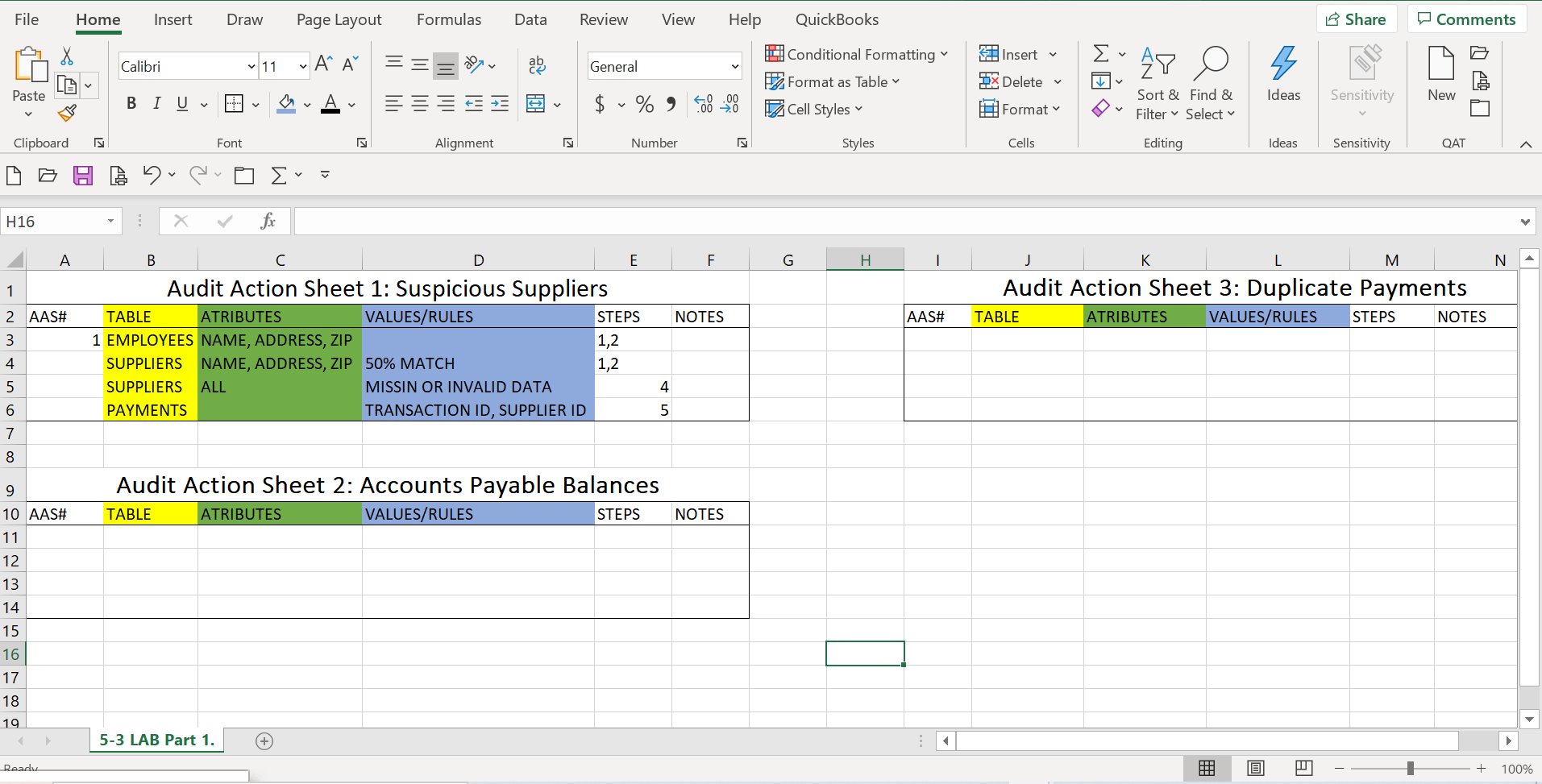
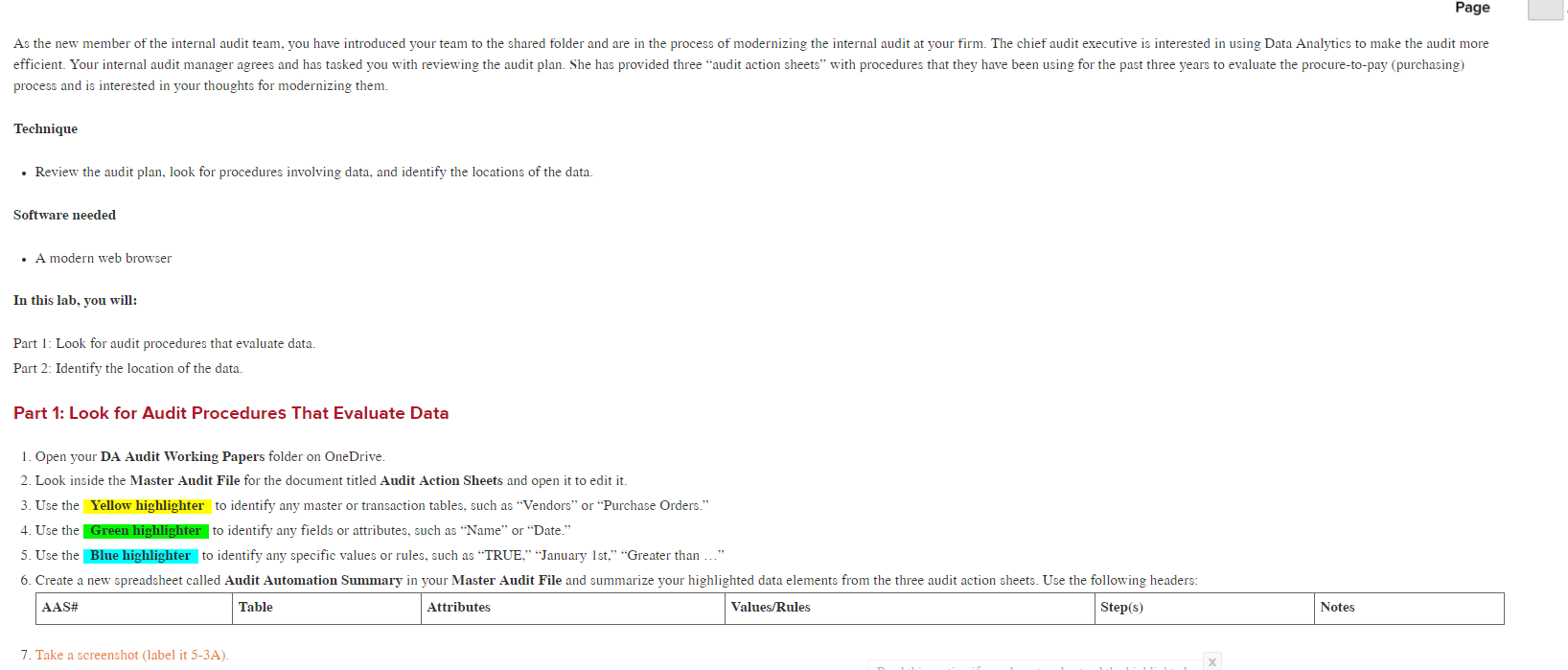
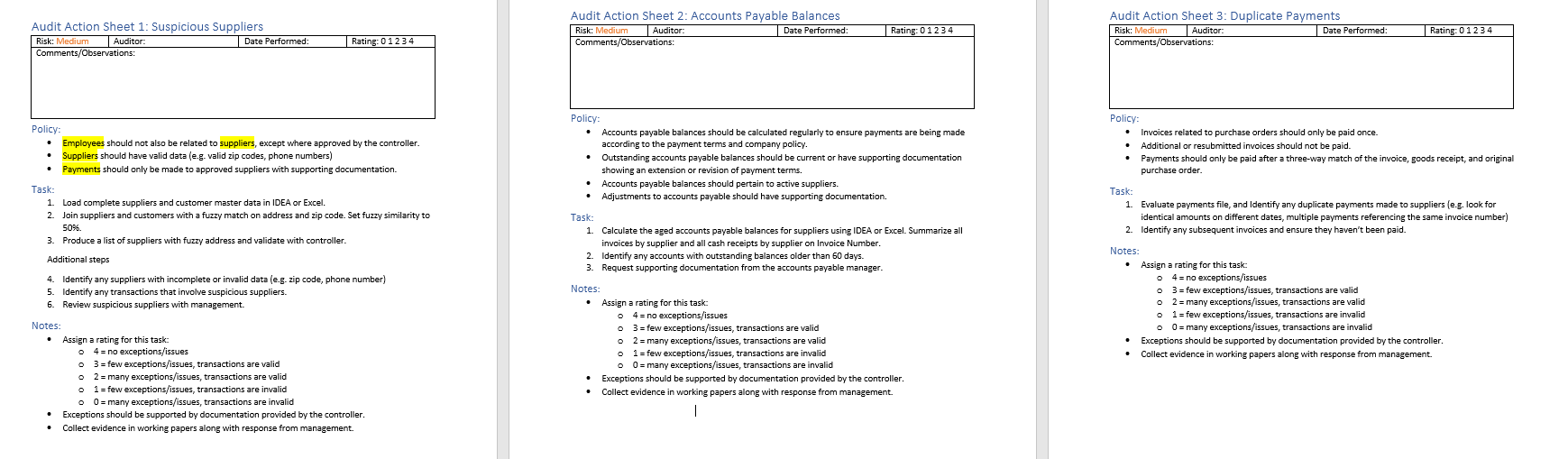
Page As the new member of the internal audit team, you have introduced your team to the shared tblder and are in the process of modernizing the internal audit at your firm. The chief audit executive is interested in using Data Analytics to make the audit more efficient. Your internal audit manager agrees and has tasked you with reviewing the audit plan. She has provided three "audit action sheets" with placedures that they have been using for the past three years to evaluate the procure-to-pay (purchasing) process and is interested in your thoughts for modernizing them. Technique Review the audit plan, look for procedurs involving data, and identify the locations of the data. Software needed A modern web browser In this lab, you will: Part I : Look for audit procedures that evaluate data. Part 2: Identify the location of the data. Part 1: Look for Audit Procedures That Evaluate Data Open your DA Audit Working Papers folder on OneDrive. 2. Look inside the Master Audit File for the document titled Audit Action Sheets and open it to edit it. Use the Yellow highlighter to identify any master or transaction tables, such as "Vendors" or "Purchase Orders." 4. Use the LILGreen highlighter to identify any fields or attributes, such as ' 'Name" or "Date." 5 Use the Blue highlighter to identify any specific values or rules, such as "TRUE," "January 1st," "Greater than 6. Create a new spreadsheet called Audit Automation Summary in your Master Audit File and summarize your highlighted data elements from the three audit action sheets. Use the following headers: AAS# _ Take a screenshot (label it 5-3A). Table Attributes Values/R ules Step(s) Notes
Step by Step Solution
There are 3 Steps involved in it

Get step-by-step solutions from verified subject matter experts
 Study Help