







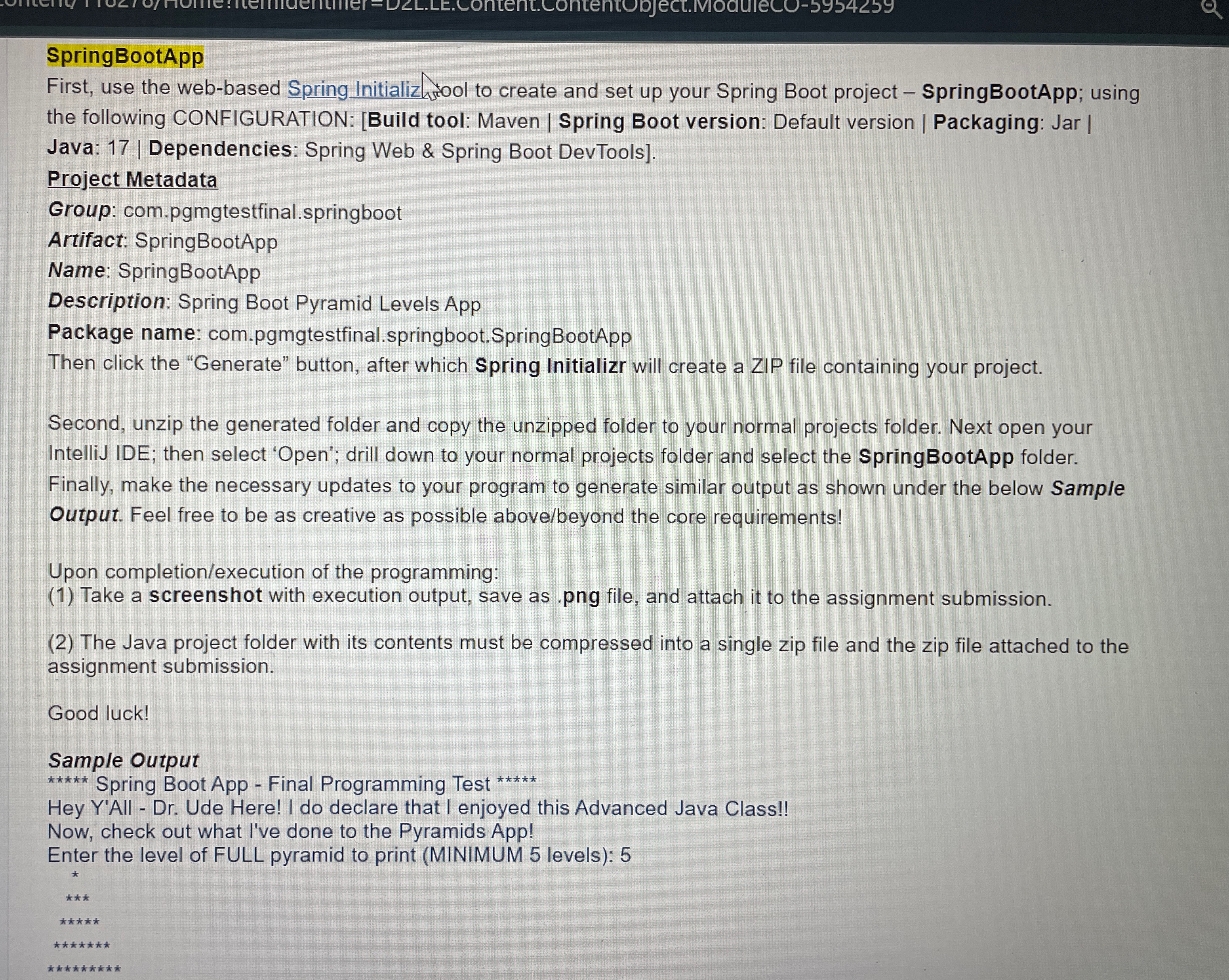
Question: First, use the web - based Spring Initializr tool to create and set up your Spring Boot project SpringBootApp; using the following CONFIGURATION: [ Build
First, use the webbased Spring Initializr tool to create and set up your Spring Boot project SpringBootApp; using the following CONFIGURATION: Build tool: Maven Spring Boot version: Default version Packaging: Jar Java: Dependencies: Spring Web & Spring Boot DevToolsProject MetadataGroup: com.pgmgtestfinal.springbootArtifact: SpringBootAppName: SpringBootAppDescription: Spring Boot Pyramid Levels AppPackage name: com.pgmgtestfinal.springboot.SpringBootAppThen click the Generate button, after which Spring Initializr will create a ZIP file containing your project. Second, unzip the generated folder and copy the unzipped folder to your normal projects folder. Next open your IntelliJ IDE; then select Open; drill down to your normal projects folder and select the SpringBootApp folder. Finally, make the necessary updates to your program to generate similar output as shown under the below Sample Output. Feel free to be as creative as possible abovebeyond the core requirements! Upon completionexecution of the programming: Take a screenshot with the execution output, save as png file, and attach it to the assignment submission. The Java project folder with its contents must be compressed into a single zip file and the zip file attached to the assignment submission. Good luck! Sample Output:Enter the level of FULL pyramid to print MINIMUM levels:
Step by Step Solution
There are 3 Steps involved in it
1 Expert Approved Answer
Step: 1 Unlock

Question Has Been Solved by an Expert!
Get step-by-step solutions from verified subject matter experts
Step: 2 Unlock
Step: 3 Unlock
 Study Help