







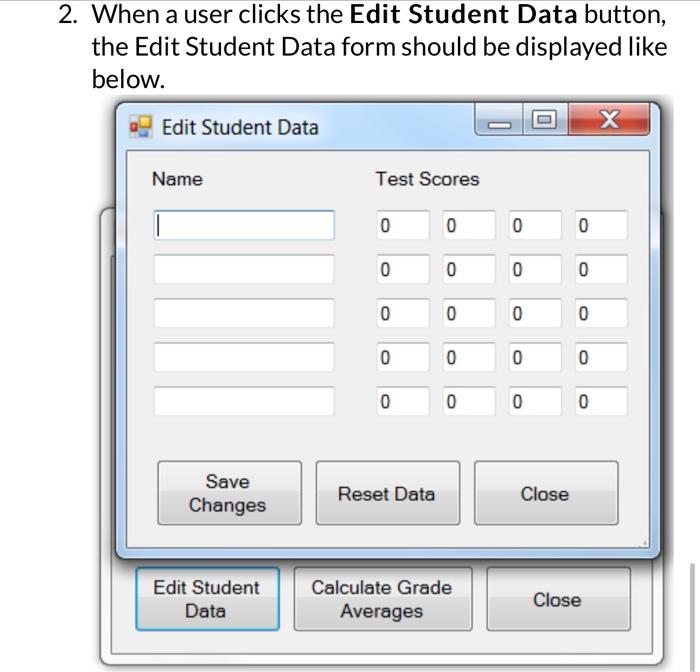
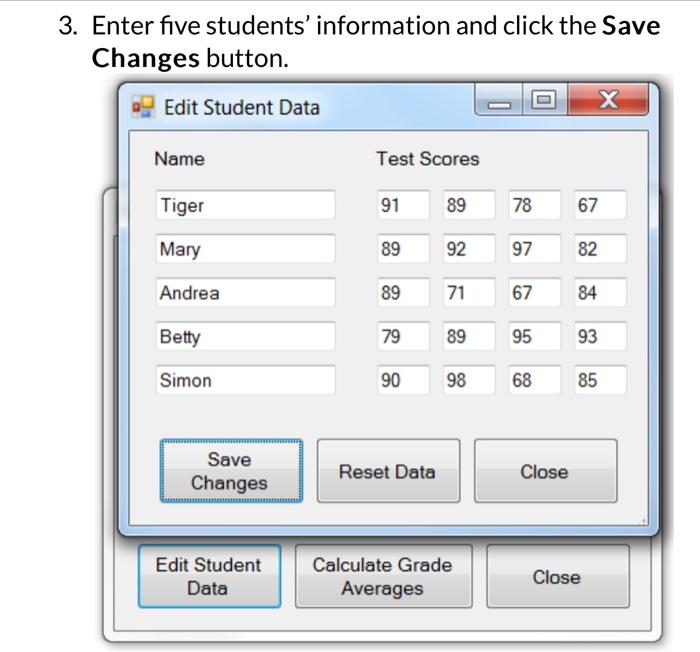
Question: Fix changes on visual studio c# Input button procedure. You should clear the names and scores arrays. If name textbox is empty, the entire row
Input button procedure.
- You should clear the names and scores arrays.
- If name textbox is empty, the entire row should be skippted without processing score textbox in the same row.
3. if a score textbox has non-integer number or less than O or greater than 100, the whole process should stop and display error
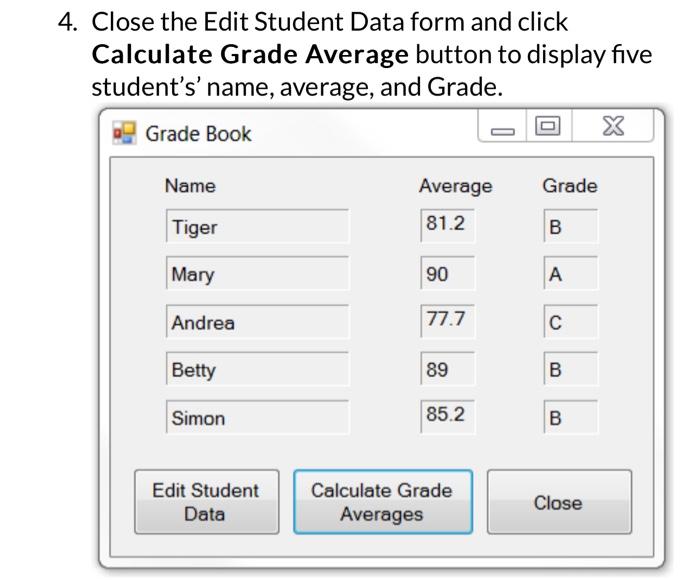
Form1:
- if a name row is empty, the entire row should be left blank.
- MessageBox.Show("Enter a number between O and 100");
Form1 is output form, there is no place to enter any number. Remove this statement.
Fix mistakes
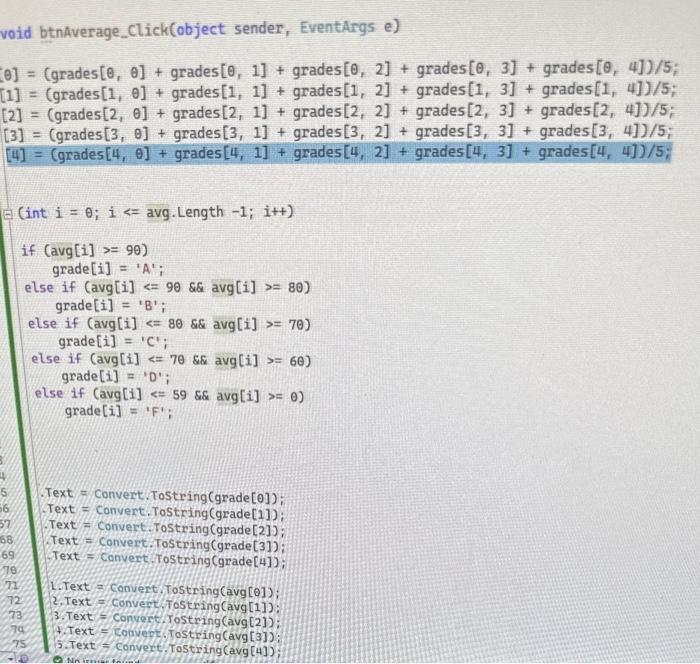
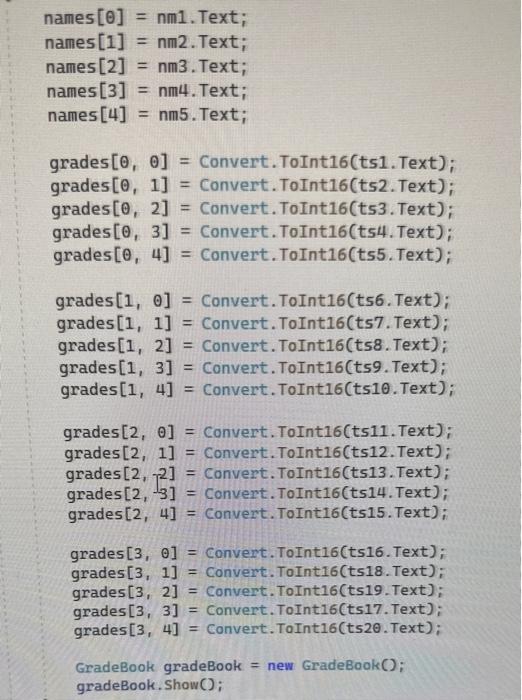
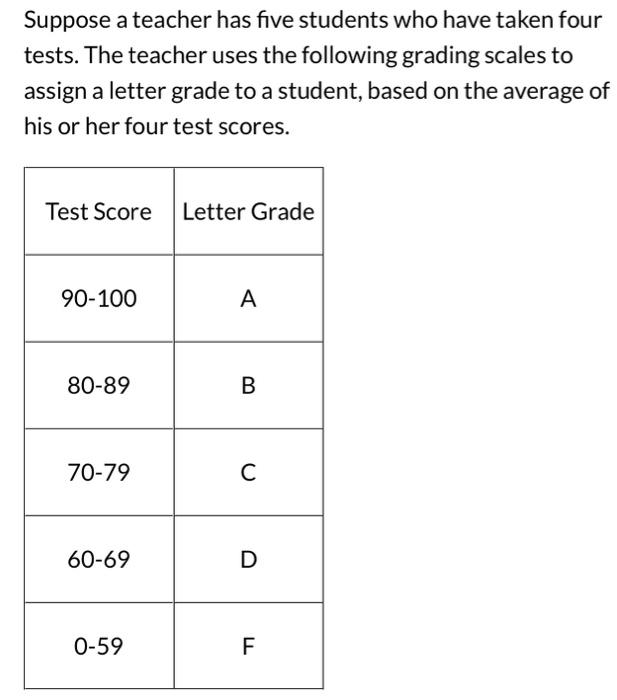
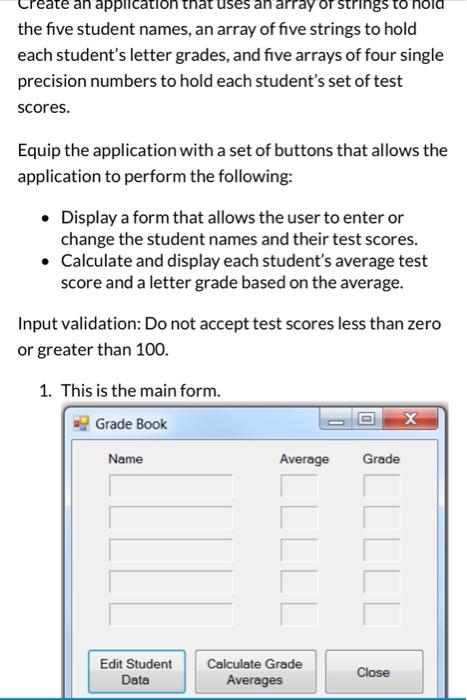
id btnAverage_click(object sender, EventArgs e) (int i=0;iavg. Length 1;i++ ) if (avg[i]>=90) grade[i]=A '; else if (avg[i] = 80) grade[i]= ' B '; else if (avg[i]=70) grade [i]= ' C '; else if (avg[i] 70 \&\& avg [i]>=60 ) grade [i]=0% else if (avg[i]59 \&\& avg[i]=) grade[i]=F; . Text = Convert. Tostring (grade [0]); C Text = Convert. Tostring (grade[1]); Text = Convert. . Tostring ( grade [2]; Text = convert. Tostring(grade [3]); Text = convert rostring (grade[4]); 1. Text = Convert Tostring(avg (e]); 2. Text = convent fostring (avg[1]): 3. Text = convert.rostring(avg(2]); 7. Text = Convent. Tosting (avg [3]): 5. Text = convert Tostring (avg (4]); Suppose a teacher has five students who have taken four tests. The teacher uses the following grading scales to assign a letter grade to a student, based on the average of his or her four test scores. the five student names, an array of five strings to hold each student's letter grades, and five arrays of four single precision numbers to hold each student's set of test scores. Equip the application with a set of buttons that allows the application to perform the following: - Display a form that allows the user to enter or change the student names and their test scores. - Calculate and display each student's average test score and a letter grade based on the average. Input validation: Do not accept test scores less than zero or greater than 100. 1. This is the main form. When a user clicks the Edit Student Data button, the bel 3. Ent Ch: Close the Edit Student Data form and click
Step by Step Solution
There are 3 Steps involved in it
To address the issues in the code lets correct the input handling error checking and output logic using the provided C framework for Visual Studio Ste... View full answer

Get step-by-step solutions from verified subject matter experts
 Study Help