







Question: FM mod and demod using MATLAB commands. Create FM demodulator from FM modulator using your own audio data. (Not handel.mat) Plot the demodulated Spectrum for
FM mod and demod using MATLAB commands.
Create FM demodulator from FM modulator using your own audio data. (Not handel.mat)
Plot the demodulated Spectrum for white Gaussian noise source (refer slides 4 6).
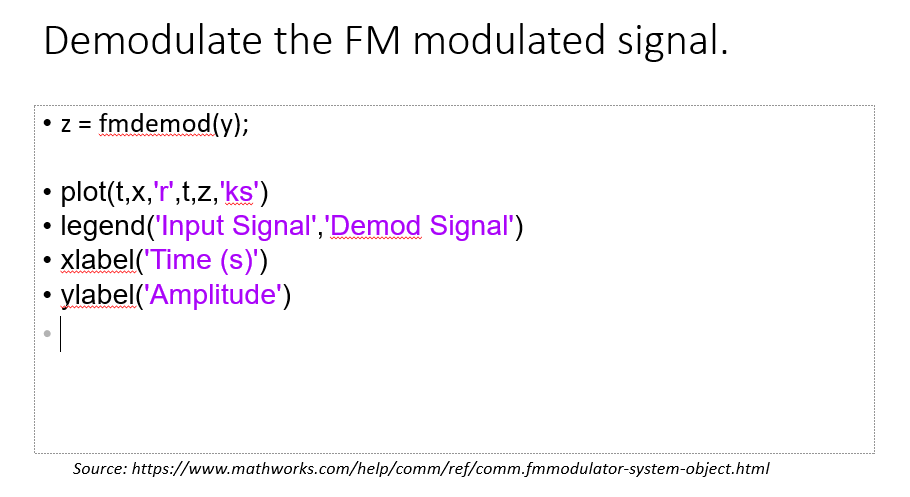
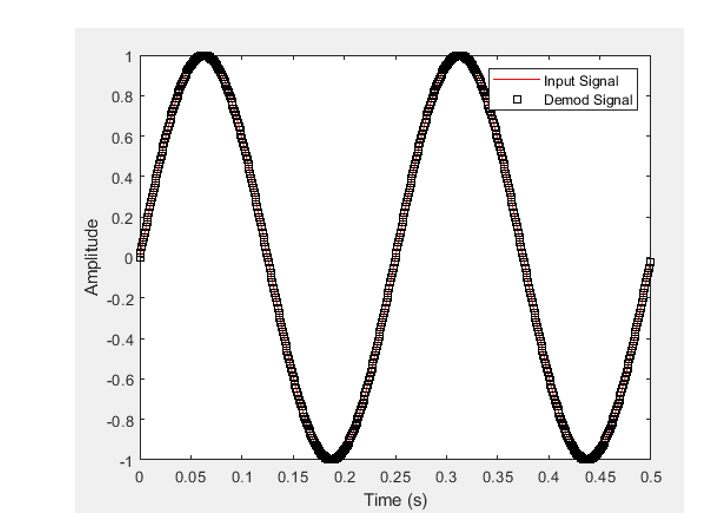
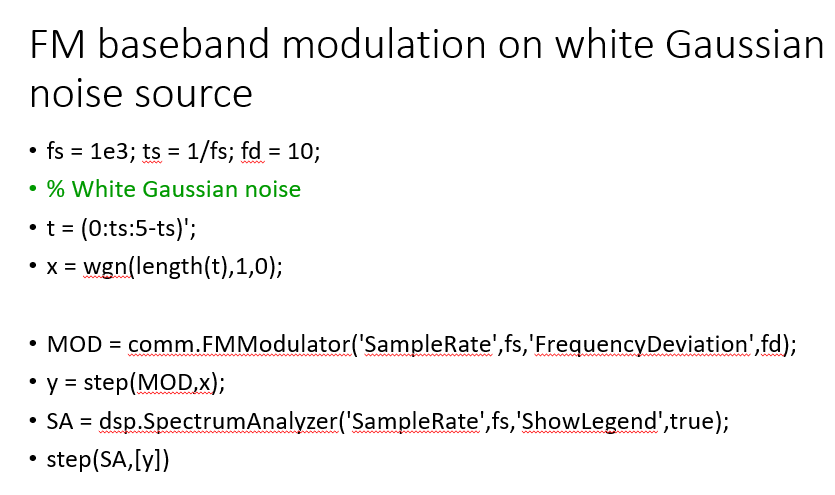
Demodulate the FM modulated signal. z = fmdemod(y); plot(t,x,'r',t,z,'ks') legend('Input Signal', 'Demod Signal') xlabel('Time (s)') ylabel('Amplitude') Source: https://www.mathworks.com/help/comm/ref/comm.fmmodulator-system-object.html 0.8 Input Signal O Demod Signal 0.6 0.4 0.2 Amplitude 0 M + -0.2 -0.4 -0.6 -0.8 -1 0 0.05 0.1 0.15 0.35 0.4 0.45 0.5 0.2 0.25 0.3 Time (s) FM baseband modulation on white Gaussian noise source fs = 1e3; ts = 1/fs; fd = 10; % White Gaussian noise t = (0:ts:5-ts)'; x = wgn(length(t),1,0); MOD = comm.FMModulator('SampleRate',fs,'FrequencyDeviation',fd); y = step(MOD,x); SA = dsp.SpectrumAnalyzer('SampleRate',fs,'ShowLegend', true); step(SA,[y]) Demodulate the FM modulated signal. z = fmdemod(y); plot(t,x,'r',t,z,'ks') legend('Input Signal', 'Demod Signal') xlabel('Time (s)') ylabel('Amplitude') Source: https://www.mathworks.com/help/comm/ref/comm.fmmodulator-system-object.html 0.8 Input Signal O Demod Signal 0.6 0.4 0.2 Amplitude 0 M + -0.2 -0.4 -0.6 -0.8 -1 0 0.05 0.1 0.15 0.35 0.4 0.45 0.5 0.2 0.25 0.3 Time (s) FM baseband modulation on white Gaussian noise source fs = 1e3; ts = 1/fs; fd = 10; % White Gaussian noise t = (0:ts:5-ts)'; x = wgn(length(t),1,0); MOD = comm.FMModulator('SampleRate',fs,'FrequencyDeviation',fd); y = step(MOD,x); SA = dsp.SpectrumAnalyzer('SampleRate',fs,'ShowLegend', true); step(SA,[y])
Step by Step Solution
There are 3 Steps involved in it

Get step-by-step solutions from verified subject matter experts
 Study Help