







Question: Follow the instruction to input Display 1 A C++ Program Candy Bars program. Supply Screenshot of Program and output. Use the following at the end
Follow the instruction to input Display 1 A C++ Program Candy Bars program. Supply Screenshot of Program and output.
Use the following at the end of the program to pause the program.
system("pause");
return 0;
// end
}
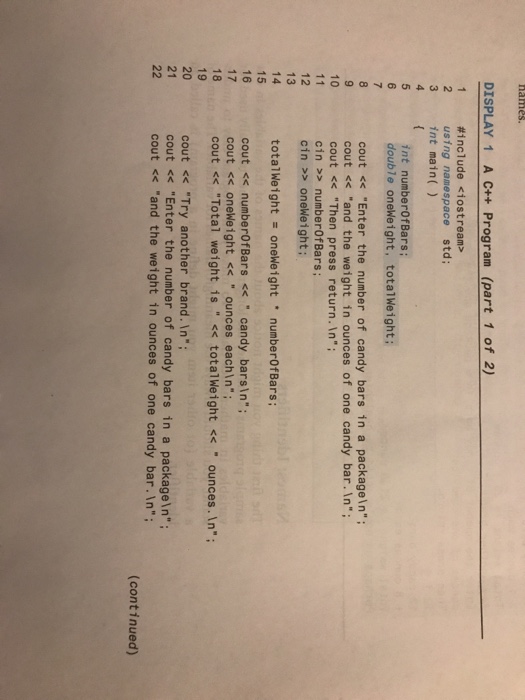
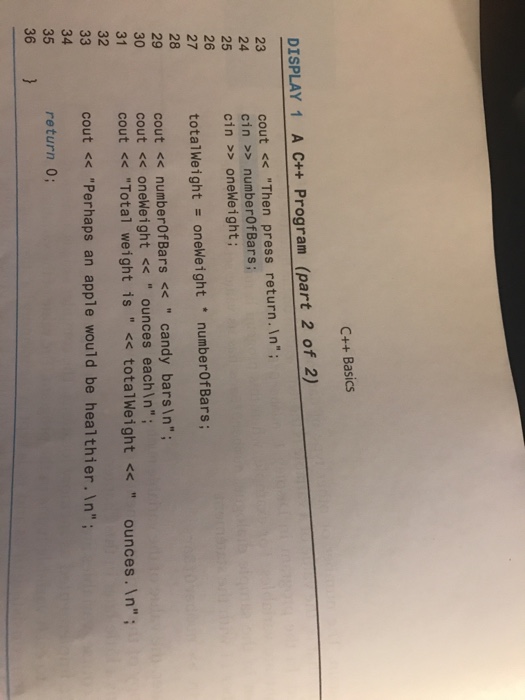
DISPLAY 1 A + Program (part 1 of 2) #include
Step by Step Solution
There are 3 Steps involved in it
1 Expert Approved Answer
Step: 1 Unlock

Question Has Been Solved by an Expert!
Get step-by-step solutions from verified subject matter experts
Step: 2 Unlock
Step: 3 Unlock
 Study Help