







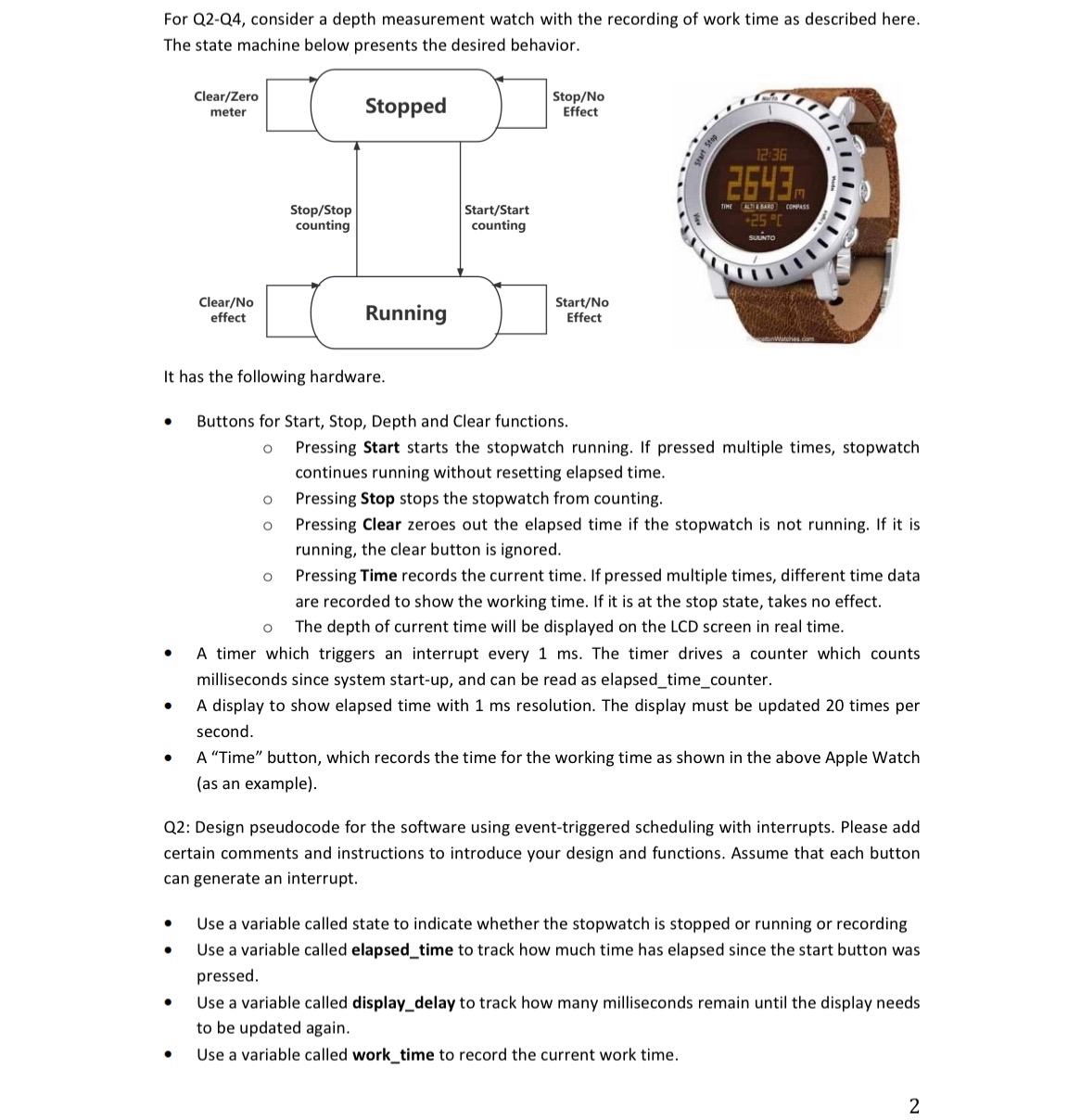
Question: For Q 2 - Q 4 , consider a depth measurement watch with the recording of work time as described here. The state machine below
For QQ consider a depth measurement watch with the recording of work time as described here.
The state machine below presents the desired behavior.
Buttons for Start, Stop, Depth and Clear functions.
Pressing Start starts the stopwatch running. If pressed multiple times, stopwatch continues running without resetting elapsed time.
Pressing Stop stops the stopwatch from counting.
Pressing Clear zeroes out the elapsed time if the stopwatch is not running. If it is running, the clear button is ignored.
Pressing Time records the current time. If pressed multiple times, different time data are recorded to show the working time. If it is at the stop state, takes no effect.
The depth of current time will be displayed on the LCD screen in real time.
A timer which triggers an interrupt every The timer drives a counter which counts milliseconds since system startup and can be read as elapsedtimecounter.
A display to show elapsed time with resolution. The display must be updated times per second.
A "Time" button, which records the time for the working time as shown in the above Apple Watch as an example
Q: Design pseudocode for the software using eventtriggered scheduling with interrupts. Please add certain comments and instructions to introduce your design and functions. Assume that each button can generate an interrupt.
Use a variable called state to indicate whether the stopwatch is stopped or running or recording
Use a variable called elapsedtime to track how much time has elapsed since the start button was pressed.
Use a variable called displaydelay to track how many milliseconds remain until the display needs to be updated again.
Use a variable called worktime to record the current work time.
Step by Step Solution
There are 3 Steps involved in it
1 Expert Approved Answer
Step: 1 Unlock

Question Has Been Solved by an Expert!
Get step-by-step solutions from verified subject matter experts
Step: 2 Unlock
Step: 3 Unlock
 Study Help