







Question: For question 38. i only need changes that can be applied to improve the process Installing Riverbed Modeler Academic Edition Before you begin, please ensure


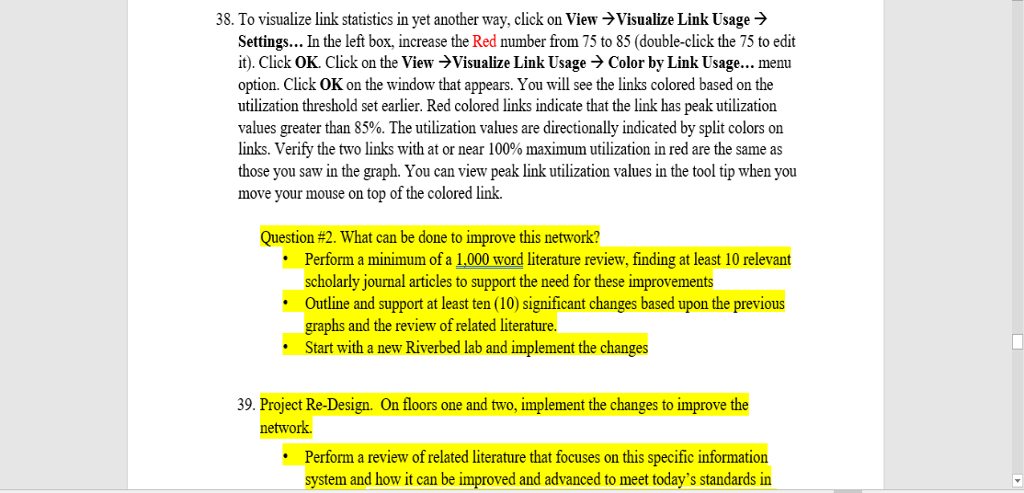
For question 38. i only need changes that can be applied to improve the process
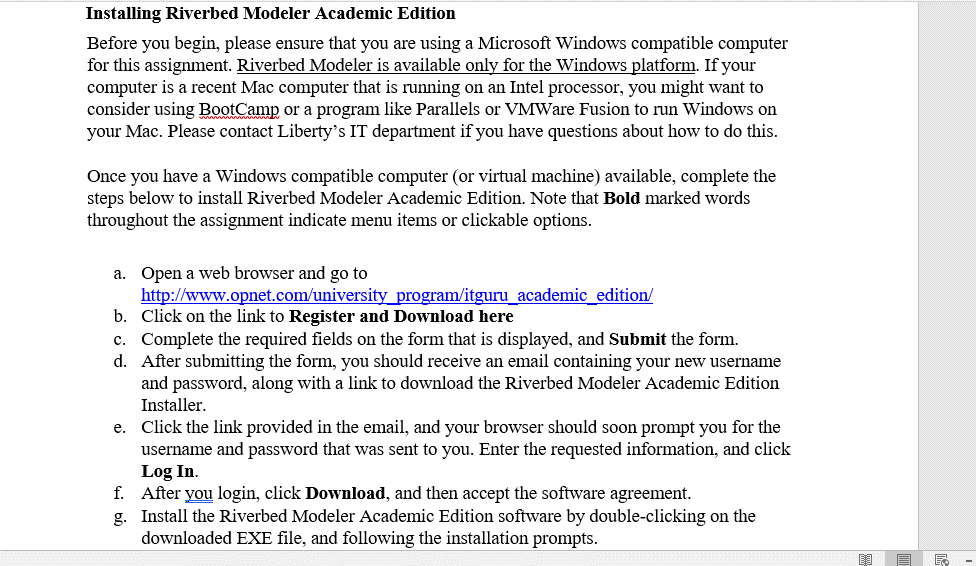
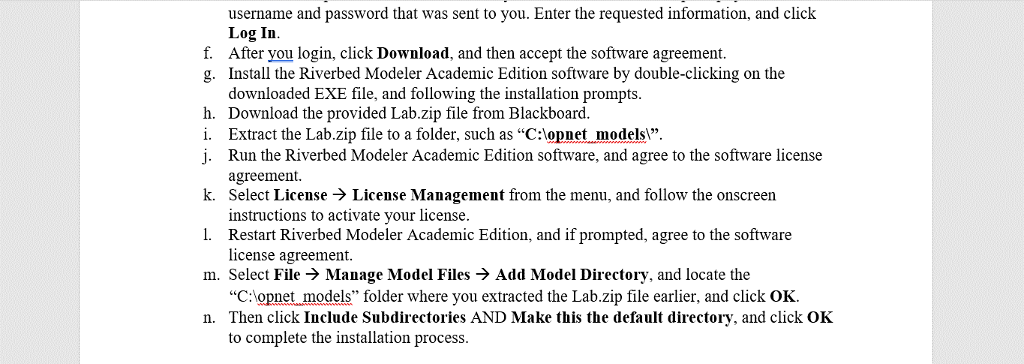
Installing Riverbed Modeler Academic Edition Before you begin, please ensure that you are using a Microsoft Windows compatible computer for this assignment. Riverbed Modeler is available only for the Windows platform. If your computer is a recent Mac computer that is running on an Intel processor, you might want to consider using BootCamp or a program like Parallels or VMWare Fusion to run Windows orn your Mac. Please contact Liberty's IT department if you have questions about how to do this Once you have a Windows compatible computer (or virtual machine) available, complete the steps below to install Riverbed Modeler Academic Edition. Note that Bold marked words throughout the assignment indicate menu items or clickable options Open a web browser and go to http://www.opnet.com/university pro a. itguru academic edition/ b. Click on the link to Register and Download here c. Complete the required fields on the form that is displayed, and Submit the form. d. After submitting the form, you should receive an email containing your new username and password, along with a link to download the Riverbed Modeler Academic Edition Installe Click the link provided in the email, and your browser should soon prompt you for the username and password that was sent to you. Enter the requested information, and click Log In e. f. After you login, click Download, and then accept the software agreement g. Install the Riverbed Modeler Academic Edition software by double-clicking on the downloaded EXE file, and following the installation prompts Installing Riverbed Modeler Academic Edition Before you begin, please ensure that you are using a Microsoft Windows compatible computer for this assignment. Riverbed Modeler is available only for the Windows platform. If your computer is a recent Mac computer that is running on an Intel processor, you might want to consider using BootCamp or a program like Parallels or VMWare Fusion to run Windows orn your Mac. Please contact Liberty's IT department if you have questions about how to do this Once you have a Windows compatible computer (or virtual machine) available, complete the steps below to install Riverbed Modeler Academic Edition. Note that Bold marked words throughout the assignment indicate menu items or clickable options Open a web browser and go to http://www.opnet.com/university pro a. itguru academic edition/ b. Click on the link to Register and Download here c. Complete the required fields on the form that is displayed, and Submit the form. d. After submitting the form, you should receive an email containing your new username and password, along with a link to download the Riverbed Modeler Academic Edition Installe Click the link provided in the email, and your browser should soon prompt you for the username and password that was sent to you. Enter the requested information, and click Log In e. f. After you login, click Download, and then accept the software agreement g. Install the Riverbed Modeler Academic Edition software by double-clicking on the downloaded EXE file, and following the installation prompts
Step by Step Solution
There are 3 Steps involved in it

Get step-by-step solutions from verified subject matter experts
 Study Help